Supported Hardware: Complete Vera Device Compatibility Guide
What Is Supported Hardware?
Supported hardware refers to the smart home devices that can communicate successfully with your Vera controller. These include products such as smart locks, lighting controls, thermostats, motion sensors, water leak detectors, smoke alarms, smart plugs, garage door controllers, and many other automation devices.
Because Vera controllers support industry-standard communication protocols like Z-Wave and, on newer models, Zigbee, homeowners are not limited to purchasing products from a single manufacturer. Instead, they can build a smart home using compatible devices from many different brands while managing them from one central controller.
Choosing compatible hardware is essential for creating a stable automation system. Unsupported or partially compatible devices may pair successfully but fail to expose all available features, leading to unreliable automations or missing functionality.
This guide explains the major hardware categories supported by Vera controllers and provides recommendations for selecting devices that work reliably within the Vera ecosystem.
Which Vera Controllers Support These Devices?
Compatibility depends partly on the controller you own.
| Controller | Z-Wave | Zigbee | Bluetooth |
|---|---|---|---|
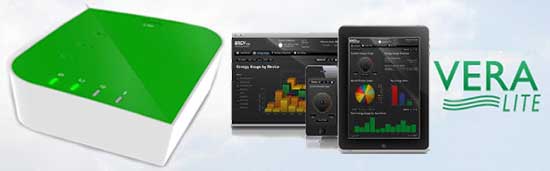
| Vera Lite | ✅ | ❌ | ❌ |
| Vera Edge | ✅ Z-Wave Plus | ❌ | ❌ |
| Vera Plus | ✅ Z-Wave Plus | ✅ | ✅ |
| Vera Secure | ✅ Z-Wave Plus | ✅ | ✅ |
Newer controllers support more wireless technologies, making them compatible with a wider range of smart home devices.
Understanding Smart Home Protocols
Smart home devices communicate using different wireless technologies. Understanding these protocols makes it easier to choose compatible hardware.
Z-Wave
Z-Wave is the primary communication protocol used throughout the Vera ecosystem.
Advantages include:
- Low power consumption
- Reliable mesh networking
- Strong device compatibility
- Long battery life
- Local communication
- Secure encrypted connections
Most Vera installations rely primarily on Z-Wave devices.
Zigbee
Available on Vera Plus and Vera Secure, Zigbee expands compatibility with additional smart home products.
Common Zigbee devices include:
- Smart bulbs
- Smart outlets
- Motion sensors
- Environmental sensors
- Smart switches
Many homeowners combine both Z-Wave and Zigbee devices within the same installation.
Bluetooth
Bluetooth support is available on selected Vera controllers.
Bluetooth is generally used for:
- Nearby accessories
- Selected smart sensors
- Limited automation integrations
Compared with Z-Wave, Bluetooth plays a smaller role in most Vera installations.
Supported Smart Locks
Smart locks remain one of the most popular device categories supported by Vera.
Compatible lock features typically include:
- Remote locking
- Remote unlocking
- Lock status monitoring
- Automation scenes
- User notifications
- Scheduled locking
Smart locks can also trigger lighting scenes, security modes, and occupancy automations.
Smart Lock Automation Example
When the front door unlocks:
- Hallway lights turn on.
- Thermostat switches to Home mode.
- Indoor cameras pause recording.
- Security system disarms.
- Welcome lighting activates.
This single event can automate several everyday tasks.
Supported Smart Lighting
Lighting automation is often the first project homeowners complete.
Supported lighting devices include:
- Wall switches
- Smart dimmers
- Smart bulbs
- Smart plugs
- Outdoor lighting controllers
- In-wall relay modules
Lighting scenes can respond to:
- Time schedules
- Sunrise and sunset
- Motion detection
- Door activity
- Vacation mode
- Security alarms
Motion Sensors
Motion sensors increase both convenience and security.
Common automation examples include:
- Turn hallway lights on automatically.
- Trigger outdoor floodlights.
- Activate security notifications.
- Record camera footage.
- Start nighttime lighting scenes.
Battery-powered Z-Wave motion sensors generally provide excellent battery life.
Door and Window Sensors
Door and window contacts monitor entry points throughout the home.
These sensors can:
- Detect unauthorized entry.
- Trigger alarm scenes.
- Turn lights on automatically.
- Notify homeowners remotely.
- Pause HVAC when windows remain open.
Door sensors are frequently combined with smart locks for improved automation.
Thermostats
Compatible thermostats allow Vera to automate heating and cooling.
Common thermostat automations include:
- Reduce heating while away.
- Warm the home before arrival.
- Lower cooling costs overnight.
- Adjust temperature based on occupancy.
Climate automation improves comfort while reducing energy consumption.
Smoke and Carbon Monoxide Detectors
Many compatible smoke and CO detectors can integrate with Vera automation.
Possible actions include:
- Send emergency notifications.
- Activate interior lighting.
- Trigger alarm scenes.
- Unlock smart locks during emergencies.
- Shut down HVAC systems where supported.
Connecting life-safety devices adds another layer of protection to the smart home.
Water Leak Sensors
Water leak detectors help prevent expensive property damage.
When water is detected, Vera can:
- Send immediate alerts.
- Activate sirens.
- Turn on nearby lights.
- Shut off compatible smart water valves.
- Record automation events.
Early detection often minimizes repair costs.
Smart Plugs
Smart plugs are among the easiest devices to add to a Vera controller and are ideal for beginners entering home automation. They allow traditional appliances to become remotely controllable without replacing the appliance itself.
Common uses include:
- Table lamps
- Coffee makers
- Fans
- Holiday lighting
- Aquarium equipment
- Decorative lighting
Smart plugs can be controlled manually, scheduled to operate at specific times, or included in automation scenes alongside other devices.
Example Automation
Trigger: Sunset
Actions:
- Turn on porch light
- Turn on living room lamp
- Turn on garden lighting
- Send confirmation notification
This simple automation improves convenience while making the home appear occupied.
Smart Switches and Dimmers
Unlike smart bulbs, smart switches control the electrical circuit directly. This allows them to operate standard light fixtures without replacing individual bulbs.
Benefits include:
- Works with existing light fixtures
- Manual operation remains available
- Reliable automation
- Supports schedules and scenes
- Acts as a Z-Wave repeater
Dimmers add brightness control for improved comfort and energy savings.
Recommended Locations
Install smart switches in:
- Entryways
- Hallways
- Living rooms
- Kitchens
- Garages
- Outdoor lighting circuits
Strategically placing powered devices strengthens the Z-Wave mesh network throughout the home.
Garage Door Controllers
Many compatible garage door controllers integrate with Vera to improve convenience and security.
Possible features include:
- Remote open and close
- Door status monitoring
- Open-door notifications
- Scheduled closing
- Automation with arrival and departure scenes
Example Garage Automation
Trigger: Garage door opens.
Actions:
- Turn on garage lights.
- Turn on hallway lighting.
- Disarm selected automations.
- Send arrival notification.
Security Cameras
Camera compatibility depends on the camera manufacturer and supported integrations. When compatible, cameras can participate in automation scenes and monitoring workflows.
Typical uses include:
- Viewing live video
- Motion-triggered recording
- Event notifications
- Security monitoring
- Integration with door sensors or motion detectors
Some cameras also allow snapshots to be included with alerts, helping homeowners quickly assess activity.
Building a Reliable Z-Wave Network
A strong Z-Wave mesh network improves communication between devices.
Use Powered Devices as Repeaters
Powered devices such as:
- Wall switches
- Smart plugs
- In-wall relays
automatically relay signals between other Z-Wave devices.
The more strategically these devices are installed, the stronger the network becomes.
Avoid Large Gaps
Battery-powered sensors should not be isolated far from powered devices.
Instead, spread powered devices throughout the home so battery-powered devices always have a reliable communication path.
Central Controller Placement
Install the Vera controller:
- Near the center of the home
- Away from metal cabinets
- Away from microwave ovens
- Away from large electrical panels
- In an open, ventilated area
Proper placement reduces communication problems.
How to Choose Compatible Hardware
Before purchasing any smart home device, verify compatibility rather than assuming all products will work together.
Consider the following factors:
Communication Protocol
Confirm whether the device uses:
- Z-Wave
- Z-Wave Plus
- Zigbee
- Bluetooth
The protocol must be supported by your controller.
Firmware Support
Some newer devices may require firmware features unavailable on older Vera controllers.
Checking firmware compatibility before purchase helps avoid installation issues.
Automation Requirements
Think about how you plan to use the device.
For example:
A smart lock may only need remote control for one homeowner, while another household may require user codes, scheduling, notifications, and integration with security scenes.
Selecting hardware that supports your desired automations avoids future limitations.
Organizing Large Smart Homes
As more devices are added, organization becomes increasingly important.
Group Devices by Room
Create rooms such as:
- Kitchen
- Living Room
- Bedrooms
- Garage
- Office
- Basement
- Outdoor Areas
This keeps the dashboard clean and simplifies automation management.
Use Clear Device Names
Avoid generic names like:
❌ Switch 14
❌ Sensor 7
Instead use descriptive names:
✅ Front Door Lock
✅ Upstairs Hall Motion Sensor
✅ Backyard Floodlight
✅ Kitchen Window Sensor
Clear names make automation rules easier to understand and troubleshoot.
Performance Optimization
Well-maintained smart homes typically experience fewer communication issues.
Best practices include:
- Remove failed devices.
- Replace weak batteries before they fail.
- Update controller firmware when supported.
- Review automation scenes periodically.
- Remove duplicate or unused devices.
- Test security devices monthly.
Preventive maintenance is easier than troubleshooting after problems occur.
Common Hardware Compatibility Problems
Device Will Not Pair
Possible causes:
- Already paired with another controller.
- Weak batteries.
- Incorrect inclusion mode.
- Too much distance.
Solution:
Reset the device, move it closer to the controller, and repeat the pairing process.
Device Pairs but Some Features Are Missing
Sometimes a device connects successfully but does not expose every available function.
Possible reasons include:
- Limited firmware support.
- Partial device compatibility.
- Manufacturer-specific features.
Review the device documentation to determine which functions are officially supported.
Devices Respond Slowly
Potential causes:
- Weak Z-Wave mesh.
- Network congestion.
- Controller placement.
- Failed nodes.
Adding powered repeaters and improving controller placement often resolves these issues.
Frequently Asked Questions
What is supported hardware?
Supported hardware refers to smart home devices that can communicate correctly with a Vera controller. These include smart locks, lighting controls, thermostats, sensors, smart plugs, garage door controllers, and other compatible devices that use supported wireless protocols.
Which Vera controller supports the most devices?
Vera Plus and Vera Secure support the widest range of hardware because they include Z-Wave Plus, Zigbee, and Bluetooth connectivity in addition to standard smart home automation features.
Can I mix different manufacturers?
Yes.
One of Vera’s biggest strengths is that devices from different manufacturers can work together within the same automation system as long as they use supported communication protocols.
For example, a homeowner might combine:
- Yale smart lock
- Honeywell thermostat
- Aeotec motion sensor
- GE smart switch
All managed from a single Vera controller.
Does every Z-Wave device work with Vera?
Most certified Z-Wave devices work well, but not every manufacturer implements identical features. Some advanced functions may depend on firmware support or manufacturer-specific integrations.
Can Vera control Zigbee devices?
Yes.
Vera Plus and Vera Secure support many Zigbee devices, while Vera Lite and Vera Edge are limited to Z-Wave products.
Can I use Wi-Fi devices?
Some Wi-Fi devices integrate through plugins or cloud services, but Vera was primarily designed around Z-Wave and Zigbee technologies.
Always verify compatibility before purchasing Wi-Fi products.
Are smart locks secure?
Compatible smart locks typically support encrypted communication, helping protect commands exchanged between the controller and the lock.
Security also depends on using strong passwords, updating firmware, and protecting administrator accounts.
Can I automate multiple devices together?
Yes.
One automation scene can simultaneously control:
- Lights
- Locks
- Thermostats
- Sensors
- Smart plugs
- Sirens
- Cameras (where supported)
This is one of Vera’s core strengths.
How many devices can Vera manage?
The total depends on:
- Controller model
- Automation complexity
- Wireless network quality
- Device types
Well-designed installations commonly support dozens of smart devices without issue.
Why is my sensor slow to respond?
Common causes include:
- Weak Z-Wave mesh
- Low batteries
- Poor controller placement
- Network congestion
Adding powered Z-Wave devices often improves response times.
Should I update device firmware?
Yes.
Firmware updates often improve:
- Stability
- Security
- Battery life
- Compatibility
Always create a backup before making significant system changes.
What happens if a device fails?
A failed device can usually be removed from the Vera dashboard and replaced with a new compatible model. After pairing the replacement, any affected automation scenes should be reviewed and updated if necessary.
Can battery-powered devices repeat signals?
No.
Most battery-operated sensors conserve power by communicating directly with nearby powered devices rather than acting as repeaters.
Powered devices such as wall switches and smart plugs strengthen the Z-Wave mesh network.
How can I improve compatibility?
For the best results:
- Use certified Z-Wave devices.
- Keep controller firmware updated.
- Pair devices close to the controller before moving them to their final location.
- Choose hardware from manufacturers with strong compatibility histories.
- Maintain a healthy Z-Wave mesh by installing powered devices throughout the home.
Which devices should I buy first?
If you’re building a new smart home, begin with:
- Smart switches
- Smart plugs
- Motion sensors
- Door and window sensors
- Smart thermostat
- Smart lock
- Water leak sensors
- Smoke and carbon monoxide detectors
This order helps establish a reliable automation network from the beginning.
Recommended Hardware Expansion Plan
Instead of purchasing many devices at once, expand your smart home gradually.
Phase 1 – Foundation
- Vera controller
- Smart switches
- Smart plugs
Phase 2 – Comfort
- Thermostat
- Motion sensors
- Lighting automation
Phase 3 – Security
- Smart locks
- Door sensors
- Window sensors
- Smoke detectors
- Water leak sensors
Phase 4 – Advanced Automation
- Garage controller
- Cameras
- Energy monitoring devices
- Advanced automation scenes
A phased approach makes troubleshooting easier and allows you to build confidence with each new device.
Maintenance Checklist
Keeping your supported hardware in good condition improves reliability and extends the life of your smart home system.
Monthly
- Test smart locks.
- Verify motion sensors.
- Confirm notifications.
- Review automation scenes.
Every Three Months
- Replace weak batteries.
- Remove failed devices.
- Test garage controller.
- Check thermostat schedules.
Every Six Months
- Update controller firmware.
- Create a full system backup.
- Review administrator accounts.
- Inspect Z-Wave mesh performance.
Conclusion
Choosing the right supported hardware is the foundation of a reliable Vera smart home. By selecting compatible Z-Wave and Zigbee devices, placing powered devices strategically, and following best practices for organization and maintenance, homeowners can create an automation system that is both dependable and easy to expand.
Whether you are installing your first smart switch or managing dozens of connected devices, understanding compatibility helps prevent installation problems and ensures that automation scenes perform as expected. As new devices are added over time, regular firmware updates, system backups, and thoughtful network design will keep your Vera ecosystem operating smoothly.
The Supported Hardware guide should serve as your primary reference whenever you plan to purchase, install, or troubleshoot devices within your Vera smart home.