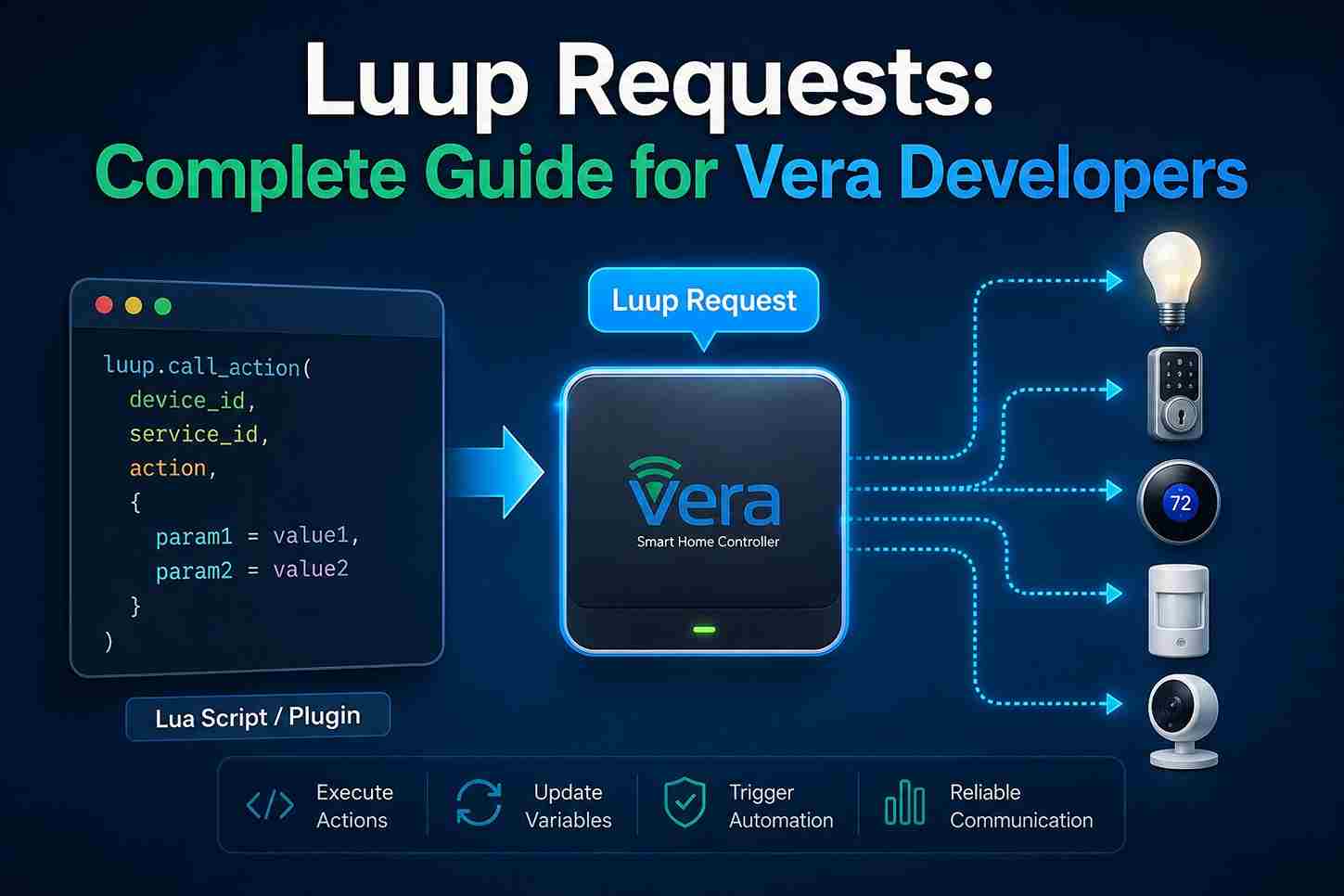
Luup Requests are the core communication mechanism that powers automation on Vera smart home controllers. Every time a Lua script, scene, or plugin interacts with a connected device, it sends a request that tells the controller what action to perform. Whether you’re turning on lights, locking doors, adjusting a thermostat, or reading sensor data, Luup Requests enable seamless communication between your automation logic and physical devices. Understanding how these requests work is essential for building reliable, efficient, and scalable Vera automations, making them a fundamental concept for both beginners and experienced developers.
What Are Luup Requests?

A Luup Request is an instruction sent from a Lua script or plugin to a device or service within the Vera controller. These requests tell devices what action to perform, retrieve information, or update internal values.
For example, when a smart light is switched on through a script, the script sends a request to the lighting service associated with that device. The Vera controller processes the request and communicates with the physical hardware using the appropriate wireless protocol, such as Z-Wave or Zigbee.
Requests allow developers to automate tasks that go beyond the standard graphical interface, making them one of the most powerful features of the Luup framework.
Why Luup Requests Are Important

Nearly every advanced automation relies on requests.
Developers use them to:
- Control devices
- Read sensor values
- Trigger automation scenes
- Update variables
- Execute plugin functions
- Communicate with services
Without requests, Lua scripts would have no way to interact with the smart home system.
Understanding the Luup Requests Flow

Every request follows a predictable sequence:
- A Lua script or plugin creates a request.
- The request specifies a device and service.
- An action is identified.
- The Luup engine validates the request.
- The controller communicates with the target device.
- Device status is updated.
- Variables refresh if necessary.
- Additional automation may be triggered.
This event-driven workflow allows Vera to process commands efficiently while maintaining synchronization between devices and the controller.
Components of a Luup Request
Every request typically includes several important elements.
Device
The target device receiving the command.
Examples:
- Living room light
- Front door lock
- Hallway motion sensor
- Smart thermostat
Each paired device has a unique identifier that allows Luup to locate it.
Service
The service defines the functionality available for that device.
Examples include:
- Switch service
- Door lock service
- Temperature service
- Motion sensor service
Different manufacturers may expose the same service, allowing automation to remain consistent across compatible hardware.
Action
An action tells the service what to do.
Examples:
- Turn On
- Turn Off
- Lock
- Unlock
- Set Target Temperature
- Arm Sensor
- Bypass Alarm
Actions are the heart of every Luup Request.
Parameters
Many actions require additional information.
Examples:
- Desired temperature
- Brightness level
- Lock state
- Timer duration
- Notification message
Parameters provide the values needed for the action to execute correctly.
Local Processing
One advantage of Luup Requests is that they are processed locally on the Vera controller whenever possible.
Benefits include:
- Faster response times
- Lower latency
- Improved privacy
- Reduced dependence on cloud services
- Reliable operation during internet outages
This local-first architecture is one of Vera’s key strengths.
Common Luup Request Types

Developers frequently create requests for tasks such as:
Lighting
- Turn lights on
- Turn lights off
- Adjust brightness
- Activate scenes
Security
- Lock doors
- Unlock doors
- Arm sensors
- Disarm alarms
Climate Control
- Change temperature
- Switch HVAC mode
- Read thermostat status
- Schedule heating or cooling
Notifications
Requests can also:
- Send alerts
- Trigger email notifications
- Generate mobile app notifications
- Log automation events
Understanding Luup Request Syntax

Every Luup Request follows a predictable structure. While requests can vary depending on the device or service being used, they generally contain the same core components:
- Service
- Action
- Device
- Parameters
Together, these components tell the Luup engine what should happen, where it should happen, and how it should be executed.
Understanding this structure makes it much easier to read existing scripts and build reliable automations.
Device IDs
Every paired device inside Vera receives a unique Device ID.
Examples include:
- Living Room Light
- Front Door Lock
- Hallway Motion Sensor
- Kitchen Thermostat
Although users see friendly names in the dashboard, Luup communicates using the internal device identifier.
When a request is sent, the Device ID tells Luup exactly which piece of hardware should receive the command.
Why Device IDs Matter
Without the correct Device ID, Luup cannot determine where the request should be delivered.
For example:
- Wrong Device ID → Wrong device responds
- Missing Device ID → Request fails
- Invalid Device ID → Error returned
Keeping devices clearly named inside Vera also makes scripts easier to maintain.
Service IDs

A Service ID identifies which capability of the device should be used.
Examples include services for:
- Lighting
- Door locks
- Motion sensors
- Temperature sensors
- Thermostats
- Alarm panels
Think of a service as a collection of related functions.
For example, a smart lock service includes actions such as:
- Lock
- Unlock
- Read lock status
Whereas a lighting service includes:
- Turn On
- Turn Off
- Set Brightness
Actions
Actions define what should happen after the request reaches the service.
Common actions include:
Lighting
- Turn On
- Turn Off
- Dim
- Brighten
Security
- Lock
- Unlock
- Arm
- Disarm
Climate
- Set Temperature
- Change Mode
- Read Current Temperature
Notifications
- Send Alert
- Send Email
- Send Push Notification
Multiple actions can be chained together to create more advanced automation workflows.
Parameters

Many requests include one or more parameters.
Examples include:
- Brightness level
- Target temperature
- Lock state
- Delay time
- Scene number
- User code
Parameters provide additional information required for the action to complete successfully.
Request Validation
Before executing a request, the Luup engine performs several checks.
Typical validation includes:
- Does the device exist?
- Is the requested service available?
- Is the action supported?
- Are required parameters present?
- Is the controller able to communicate with the device?
If any validation step fails, the request is rejected rather than executed incorrectly.
Request Execution Flow
Every successful request generally follows this sequence:
- Lua script starts.
- Request is generated.
- Luup validates the request.
- Device receives the command.
- Device performs the action.
- Status variables update.
- Events may trigger additional automation.
Because everything is event-driven, a single request can lead to several follow-up automations without requiring additional user interaction.
Practical Automation Example

Imagine a homeowner arriving home after work.
Event
Front door unlocks.
↓
Request 1
Hallway lights turn on.
↓
Request 2
Thermostat switches to Home mode.
↓
Request 3
Security sensors disarm.
↓
Request 4
Garage lights activate.
↓
Request 5
Mobile notification confirms arrival.
One event generates multiple Luup Requests, creating a seamless automation experience.
Working with Variables
Many requests either read or update variables.
Examples include:
- Temperature
- Battery level
- Motion detected
- Door status
- Light brightness
- Energy consumption
Updated variables often trigger additional automation scenes, making them an important part of the request lifecycle.
Error Handling

Even well-designed automations can encounter problems.
Common causes include:
- Offline devices
- Weak wireless signals
- Missing services
- Invalid parameters
- Removed devices
- Firmware incompatibility
Good scripts check for these situations before assuming a request has completed successfully.
Debugging Requests
When troubleshooting Luup Requests, developers should verify:
- Correct Device ID
- Correct Service
- Correct Action
- Valid parameters
- Current device status
- Updated variables
Testing each part individually makes it easier to identify the source of an issue.
Performance Considerations
Efficient requests improve controller responsiveness.
Best practices include:
- Avoid unnecessary repeated requests.
- Combine related actions into scenes where practical.
- Use event-driven logic instead of continuous polling.
- Remove unused devices and scripts.
- Keep automation modular.
These habits reduce controller workload and improve long-term stability.
Security Best Practices

Since requests can control locks, alarms, and other critical devices, they should be designed with security in mind.
Recommended practices include:
- Limit administrator access.
- Protect remote access with strong credentials.
- Review automation permissions regularly.
- Remove unused plugins and scripts.
- Back up the controller before major changes.
- Keep firmware updated when supported.
A secure controller helps ensure that automation requests are executed only by authorized users and trusted code.
Frequently Asked Questions
What is a Luup Request?
A Luup Request is a command sent from a Lua script, scene, or plugin to a Vera device or service. It tells the controller to perform an action, retrieve information, or update a device’s state.
Why are Luup Requests important?
Every advanced automation depends on requests. Whether you’re turning on lights, locking doors, reading a thermostat, or sending notifications, Luup Requests provide the communication layer between your code and the connected devices.
Do all devices support requests?
Most paired devices support requests, but the available actions depend on the services exposed by each device. A smart switch offers different actions than a thermostat or motion sensor.
What is the difference between a request and an action?
A request is the complete instruction sent to the Luup engine.
An action is one part of that request that specifies what the device should do.
For example:
- Request → Complete command
- Action → “Turn On”
Can one request control multiple devices?
No.
A request generally targets one device. However, a Lua script or automation scene can execute multiple requests in sequence, allowing many devices to respond to a single event.
Do requests require an internet connection?
Usually not.
Most Luup Requests are processed locally by the Vera controller, allowing automation to continue even during temporary internet outages.
What happens if a request fails?
If a request cannot be completed, the controller may return an error or leave the device unchanged. Common causes include communication failures, incorrect device identifiers, unsupported actions, or offline hardware.
Can requests trigger other automations?
Yes.
Many requests update device variables, and those updates can trigger additional automation scenes, making complex workflows possible.
How do I find the correct device?
Devices can be identified from the Vera dashboard. Giving devices clear names such as Front Door Lock or Kitchen Thermostat makes them easier to locate and reference during development.
What are parameters?
Parameters provide extra information required by a request.
Examples include:
- Brightness level
- Temperature value
- Delay duration
- Lock state
- Scene identifier
Without the required parameters, some actions cannot execute successfully.
Are Luup Requests secure?
Requests processed locally remain within the controller. Remote access security depends on strong administrator credentials, trusted plugins, secure network configuration, and current firmware.
Can requests be scheduled?
Yes.
Requests can execute:
- At specific times
- After sunrise or sunset
- When sensors change state
- When another automation finishes
- Through scheduled scenes
Do plugins use requests?
Yes.
Nearly every Vera plugin relies on Luup Requests to communicate with devices, read variables, and control automation.
Can requests update variables?
Yes.
Many requests automatically update variables after completing an action. Other automations can then respond to those updated values.
Is debugging difficult?
Not usually.
Most issues can be identified by checking:
- Device availability
- Service selection
- Requested action
- Parameters
- Updated variables
- Controller logs
A systematic approach simplifies troubleshooting.
Conclusion
Luup Requests are the foundation of communication within the Vera automation platform. Every interaction between a Lua script and a connected device passes through this request system, enabling developers to control hardware, retrieve information, update variables, and coordinate sophisticated automation workflows.
By understanding how requests are structured around devices, services, actions, and parameters, developers can create reliable automations that are easier to troubleshoot and maintain. Whether you’re building a simple lighting scene or a complex multi-device integration, mastering Luup Requests is an essential step toward advanced Vera development.




