Ultimate Luup Plugins Guide: 12 Best Practices for Vera Developers
Vera controllers become significantly more powerful with Luup Plugins, allowing you to connect new smart home devices, integrate cloud services, and build custom automations without modifying the controller’s core software. Whether you want to support unsupported hardware, add voice assistants, monitor energy usage, or develop your own smart home extensions, Luup Plugins make it possible. In this guide, you’ll learn how Luup Plugins work, explore their architecture, understand the plugin lifecycle, discover best practices for development and maintenance, and see real-world examples to help you get the most out of your Vera automation system.
What Are Luup Plugins?
Luup Plugins are software extensions that add new functionality to a Vera controller. Instead of modifying the controller’s core software, plugins integrate additional features while keeping the underlying system stable and easier to maintain.
Plugins can introduce support for new devices, connect Vera to cloud services, add user interface enhancements, or create entirely new automation capabilities.
Because plugins are modular, users can install only the features they need, reducing unnecessary complexity while expanding the controller’s capabilities.
How Luup Plugins Work
A plugin acts as a bridge between the Vera controller and an external device or service.
Plugin Workflow
A typical workflow looks like this:
- The plugin is installed.
- Vera loads the plugin during startup.
- The plugin registers its devices and services.
- Variables are created.
- The plugin listens for events.
- Luup executes automation when required.
- Device status updates automatically.
This architecture allows plugins to integrate seamlessly with existing Vera functionality.
Plugin Architecture
A typical Luup Plugin consists of several components working together.
Device Definition
The device definition specifies the virtual or physical device that appears in the Vera dashboard.
Examples include:
- Smart thermostat
- Weather service
- Alarm panel
- Smart speaker
- Energy monitor
Services
Services define what the plugin can do.
Examples include:
- Read sensor values
- Turn devices on or off
- Send notifications
- Retrieve cloud data
- Execute automation actions
Multiple devices can share the same service definitions.
Variables
Plugins create variables to store important information such as:
- Device status
- Battery level
- API responses
- Configuration settings
- Last synchronization time
Variables allow plugins to communicate with automation scenes and Lua scripts.
Lua Code
Lua code provides the plugin’s functionality.
It may:
- Process events
- Communicate with APIs
- Update variables
- Execute requests
- Handle errors
- Schedule background tasks
This logic forms the core of the plugin. Since Luup Plugins are written in Lua, understanding the basics of the Lua programming language can help developers build more reliable and maintainable plugins.
Types of Luup Plugins
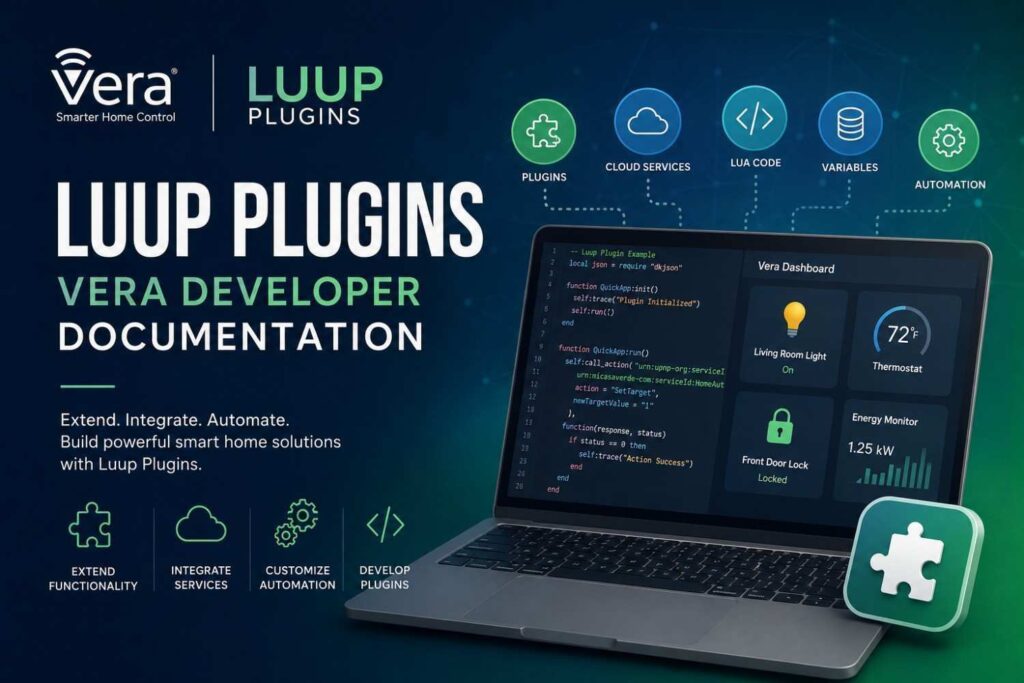
Developers create plugins for many different purposes.
Device Plugins
Device plugins add support for hardware that is not included by default.
Examples include:
- Smart locks
- Zigbee hubs
- Weather stations
- Irrigation controllers
Cloud Service Plugins
Cloud service plugins connect Vera with online platforms.
Examples include:
- Weather providers
- Calendar services
- Notification platforms
- Voice assistants
Utility Plugins
Utility plugins improve controller functionality.
Examples include:
- Backup tools
- Diagnostics
- Logging utilities
- Performance monitoring
User Interface Plugins
User interface plugins enhance the Vera dashboard by adding:
- Custom widgets
- Device cards
- Interactive controls
- Status panels
Installing Plugins
Most users install plugins through the Vera interface.
The typical installation process is:
- Open the Apps section.
- Browse or search for the desired plugin.
- Install the plugin.
- Wait for the controller to reload.
- Configure the plugin settings.
- Test its functionality.
- Add the plugin to automation scenes if needed.
Installation usually requires only a few minutes.
Plugin Communication
Once installed, plugins communicate with the Vera controller using the same Luup architecture covered in previous guides.
They can:
- Read variables
- Send requests
- Register services
- Receive events
- Trigger automation
- Update device status
Because plugins rely on Luup Requests and Luup Variables, they integrate naturally with the rest of the automation ecosystem.
Creating Custom Luup Plugins
One of the biggest advantages of the Vera platform is that developers can build custom plugins to support devices and services that are not available by default.
A custom plugin can:
- Add support for new smart home devices
- Integrate cloud services
- Create virtual devices
- Extend automation capabilities
- Display custom information in the Vera dashboard
Instead of changing Vera’s core software, plugins add new functionality while keeping the system modular and easier to maintain.
Planning a Plugin
Before writing code, define exactly what the plugin should accomplish.
Ask questions such as:
- Which devices will it support?
- What services will it provide?
- Which variables are required?
- Which events should trigger automation?
- Will it communicate locally or through a cloud API?
A clear design reduces future maintenance and makes troubleshooting much easier.
Plugin Lifecycle
Every Luup Plugin follows a similar lifecycle:
- Plugin files are copied to the controller.
- Lua code loads.
- Services register.
- Variables are created.
- Devices appear in the dashboard.
- The plugin begins monitoring events.
- Automation starts.
- The plugin continuously updates variables during normal operation.
Understanding this lifecycle helps developers identify where problems occur during startup or execution.
Working with Plugins
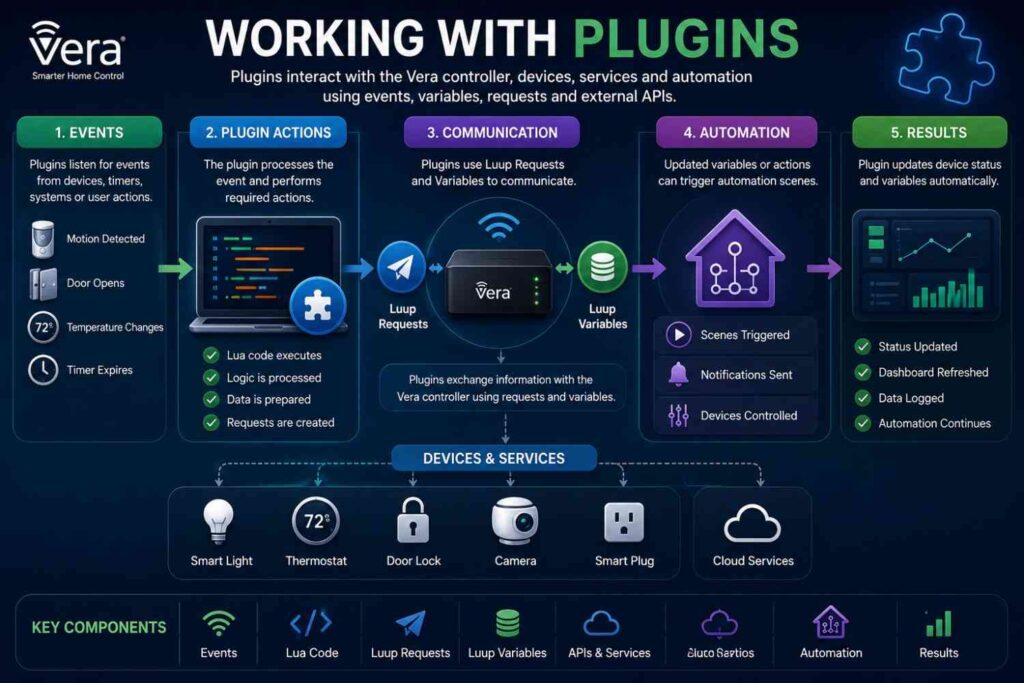
Once a plugin has been installed and initialized, it begins interacting with the Vera controller through the Luup engine. Plugins respond to events, exchange information using variables and requests, communicate with external services, and provide configurable options that allow users to customize their behavior without modifying the source code.
Event Handling
Plugins are designed to respond to events rather than continuously checking device status.
Common events include:
- Motion detected
- Door opens
- Temperature changes
- Device added
- Device removed
- Network reconnects
- Timer expires
Responding only when necessary improves performance and reduces unnecessary processing.
Working with Luup Requests
Plugins communicate with devices through Luup Requests.
Typical requests include:
- Turn a switch on
- Lock a door
- Retrieve a temperature reading
- Update a variable
- Trigger a scene
- Send a notification
Because requests follow a standardized structure, plugins can interact with many different device types consistently.
Using Variables
Plugins rely heavily on Luup Variables to store and retrieve information.
Examples include:
- Device status
- Current temperature
- Battery level
- API response data
- Last synchronization time
- User preferences
Whenever variables change, other automation scenes may respond automatically, making variables a critical part of event-driven automation.
API Integration
Many plugins connect Vera to external services to extend the controller’s capabilities.
Examples include:
- Weather platforms
- Voice assistants
- Calendar services
- Smart energy providers
- Security monitoring systems
- Cloud dashboards
A plugin retrieves information from the external service, updates local variables, and makes the data available for automation.
This allows Vera to control devices and services that are not directly connected to the controller.
Plugin Configuration
Most plugins provide configuration options that allow users to customize behavior without editing Lua code.
Common settings include:
- Device names
- Update intervals
- Notification preferences
- API credentials
- Time zones
- Logging options
Providing flexible configuration makes plugins easier to use, maintain, and adapt to different smart home environments.
Managing Plugins
Proper plugin management helps maintain a reliable and efficient Vera automation system. Regular updates, troubleshooting, performance optimization, and security practices ensure that plugins continue to function correctly as your smart home grows.
Updating Plugins
Plugins should be updated carefully to avoid disrupting existing automations.
A recommended update process is:
- Create a controller backup.
- Review the release notes.
- Install the update.
- Reload the Luup engine.
- Test core functionality.
- Verify automation scenes.
- Monitor logs for unexpected behavior.
Following a structured update process reduces the risk of introducing new issues.
Troubleshooting Plugins
If a plugin is not working correctly, check the following:
- Is the plugin installed successfully?
- Are all required files present?
- Did initialization complete?
- Are variables updating?
- Are requests executing successfully?
- Is the target device online?
- Are API credentials correct?
- Has the controller been reloaded?
Testing each component individually often identifies the source of the problem.
Common Plugin Issues
Developers frequently encounter similar problems when working with Luup Plugins.
Examples include:
- Missing dependencies
- Invalid configuration
- Incorrect API credentials
- Unsupported firmware
- Device communication failures
- Variable synchronization issues
- Lua syntax errors
Addressing these issues early helps maintain stable automation and simplifies long-term maintenance.
Performance Optimization
As the number of installed plugins grows, efficient design becomes increasingly important.
Best practices include:
- Use event-driven automation instead of constant polling.
- Avoid unnecessary API requests.
- Cache frequently used information where appropriate.
- Remove unused plugins.
- Keep Lua code modular.
- Minimize background processing.
Efficient plugins reduce controller workload, improve responsiveness, and create a better overall user experience.
Security Best Practices
Plugins often interact with important devices such as smart locks, security systems, and cloud services. Following security best practices helps protect both your controller and connected devices.
To improve security:
- Install plugins only from trusted sources.
- Keep plugins updated.
- Protect API keys and credentials.
- Remove plugins that are no longer used.
- Restrict administrator access.
- Back up the controller before installing new plugins.
Security should be considered throughout the entire plugin lifecycle.
Real-World Plugin Examples
Luup Plugins can be used in a wide range of home automation scenarios. The following examples demonstrate how plugins extend the Vera controller beyond its built-in capabilities.
Weather Integration
A weather plugin retrieves:
- Temperature
- Humidity
- Wind speed
- Forecast conditions
These variables can trigger automations such as adjusting irrigation schedules or changing thermostat settings based on current weather conditions.
Energy Monitoring
An energy monitoring plugin records:
- Power consumption
- Voltage
- Daily usage
- Monthly totals
Homeowners can create automations that reduce energy consumption during peak demand and monitor long-term electricity usage more effectively.
Voice Assistant Integration
A voice assistant plugin allows users to control:
- Lights
- Thermostats
- Door locks
- Scenes
- Smart plugs
Voice commands are translated into Luup Requests executed by the Vera controller, providing hands-free control of connected devices.
Security Monitoring
A security plugin may integrate:
- Cameras
- Motion sensors
- Alarm panels
- Door sensors
- Notification services
Events detected by these devices can automatically trigger alerts, activate security scenes, and improve home monitoring.
Plugin Development Best Practices
Experienced developers generally follow these recommendations when building Luup Plugins:
- Design plugins with a single clear purpose.
- Write modular, reusable Lua code.
- Use descriptive variable names.
- Handle errors gracefully.
- Test plugins with multiple device types.
- Document configuration options thoroughly.
- Maintain version history for future updates.
Following these best practices results in plugins that are easier to maintain, more reliable, and compatible with a wider range of Vera automation environments.
Frequently Asked Questions
What Are Luup Plugins?
Luup Plugins are software extensions that add new functionality to Vera controllers. They allow developers to integrate new devices, cloud services, automation features, and user interface improvements without modifying the controller’s core software.
Why Are Plugins Useful?
Plugins enable Vera to support devices and services beyond its built-in capabilities, making it easier to expand and customize a smart home system.
Common uses include:
- Smart home integrations
- Energy monitoring
- Security enhancements
- Weather services
- Voice assistants
- Custom dashboards
- Business automation
Can I Install Multiple Plugins?
Yes.
A Vera controller can run multiple plugins simultaneously. However, installing too many unnecessary plugins may increase resource usage and complicate troubleshooting. Regularly reviewing installed plugins helps maintain optimal controller performance.
Do Plugins Require Programming Knowledge?
Not always.
Most users simply install plugins through the Vera interface. Programming knowledge is primarily required when creating, customizing, or modifying plugins.
Are Plugins Safe?
Plugins from trusted developers are generally reliable. However, users should install only well-maintained plugins, keep them updated, and avoid extensions from unknown or unverified sources.
Can Plugins Control Physical Devices?
Yes.
Many plugins communicate directly with compatible smart home devices such as:
- Smart locks
- Switches
- Thermostats
- Cameras
- Motion sensors
- Door sensors
This enables the Vera controller to automate and monitor a wide range of connected hardware.
Do Plugins Use Luup Variables?
Yes.
Most plugins create and update Luup Variables to store device status, configuration settings, API responses, and other information used by automation scenes.
Do Plugins Send Luup Requests?
Yes.
Plugins rely on Luup Requests to communicate with devices, execute commands, retrieve information, and trigger automation throughout the Vera ecosystem.
Can Plugins Connect to Cloud Services?
Yes.
Many plugins integrate with external APIs to access services such as:
- Weather data
- Notifications
- Calendars
- Voice assistants
- Energy management platforms
These integrations allow Vera to automate devices and services beyond the local network.
Can Plugins Create Virtual Devices?
Yes.
A plugin can create virtual devices that represent cloud services, calculated values, automation logic, or groups of physical devices within the Vera dashboard.
Why Isn’t My Plugin Working?
Common causes include:
- Incorrect configuration
- Missing dependencies
- Invalid API credentials
- Offline devices
- Unsupported firmware
- Lua script errors
- Communication failures
Checking plugin logs, verifying configuration settings, and confirming device connectivity usually identify the source of the problem.
Do Plugins Affect Controller Performance?
They can.
Poorly designed plugins that constantly poll devices or perform excessive background processing may reduce controller responsiveness. Event-driven plugins are generally more efficient and place less demand on system resources.
How Do I Remove a Plugin?
Most plugins can be removed through the Vera Apps section. Before uninstalling a plugin, verify that no automation scenes or other plugins depend on it to avoid unexpected behavior.
Should I Update Plugins Regularly?
Yes.
Plugin updates often provide:
- Bug fixes
- Security improvements
- Better compatibility
- Performance enhancements
- Support for new devices
Creating a controller backup before updating is strongly recommended.
Can Developers Build Commercial Plugins?
Yes.
Many developers have created plugins for personal projects, community contributions, and commercial smart home solutions using the Vera platform.
Advanced Plugin Examples
As home automation systems become more sophisticated, developers often build advanced plugins that combine multiple data sources, devices, and automation rules. The following examples illustrate how Luup Plugins can solve real-world automation challenges.
Smart Irrigation
A smart irrigation plugin retrieves weather forecasts and soil moisture information to determine when irrigation should run.
This helps:
- Reduce unnecessary water usage
- Improve lawn and garden health
- Automate watering schedules based on weather conditions
Solar Energy Monitoring
A solar monitoring plugin tracks:
- Solar generation
- Battery storage
- Grid usage
- Power consumption
Homeowners can automate high-energy appliances when solar production is highest, improving energy efficiency and reducing electricity costs.
Multi-Room Audio
A media plugin synchronizes speakers throughout the home, allowing automation scenes to:
- Play music on schedules
- Trigger playlists based on occupancy
- Respond to voice commands
- Synchronize playback across multiple rooms
Occupancy Detection
An occupancy plugin combines information from multiple sources, including:
- Motion sensors
- Door sensors
- Mobile presence detection
- Smart locks
Using multiple inputs creates more accurate occupancy-based automation than relying on a single sensor, improving both convenience and energy efficiency.
Plugin Maintenance Strategy
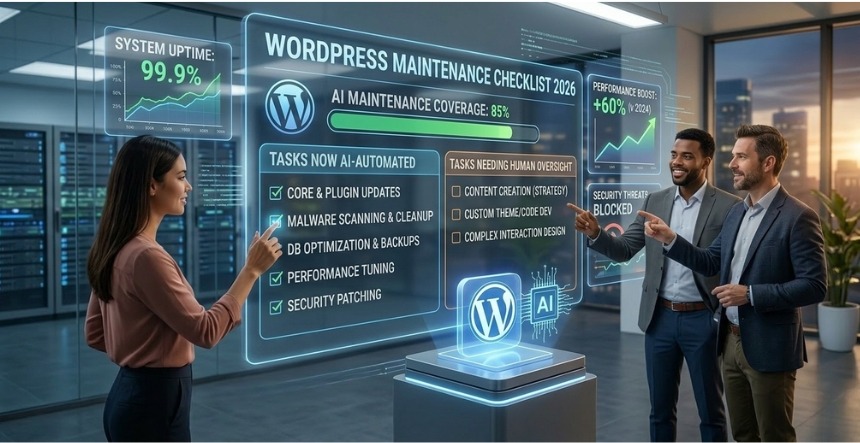
Maintaining plugins over time is just as important as developing them. Regular maintenance helps ensure long-term stability, improves performance, and reduces the likelihood of compatibility issues after firmware or plugin updates.
Recommended maintenance practices include:
- Review installed plugins periodically.
- Remove unused extensions.
- Keep plugins updated.
- Monitor controller logs after major updates.
- Test automation after installing new versions.
- Maintain regular backups.
- Document configuration changes.
Routine maintenance helps ensure reliable operation and simplifies troubleshooting as your smart home environment evolves.
Conclusion
Luup Plugins are one of the defining features of the Vera platform, enabling developers and users to extend the controller far beyond its built-in functionality. Whether you’re integrating new smart home devices, connecting cloud services, or creating custom automation tools, plugins provide a flexible and modular way to expand a Vera-based system while keeping the core software stable.
By understanding plugin architecture, lifecycle, variables, requests, and development best practices, you can build reliable plugins that integrate seamlessly with existing automations and connected devices. Combined with guides on Luup Introduction, Luup Requests, and Luup Variables, this knowledge provides a strong foundation for exploring the Vera API Documentation, where you’ll learn how to interact with the Luup engine programmatically and create even more advanced automation solutions.