You lock your front door through the Ring thermostat app before leaving for work. A few seconds later, another thought comes to mind: could your thermostat automatically switch into an energy-saving mode when nobody is home?
For many homeowners, that question comes up shortly after installing video doorbells, security cameras, and smart lighting. Once a home becomes connected, it makes sense to automate heating and cooling as well. After all, heating and air conditioning account for roughly 40% to 50% of the average home’s energy use, making climate control one of the biggest opportunities for automation and cost savings.
This is where the idea of a Ring thermostat setup becomes interesting. While Ring itself does not
manufacture a thermostat, it can work alongside compatible smart home devices through Amazon Alexa and automation routines. The result is a more connected home where security, comfort, and energy management work together.
In this guide, you’ll learn how Ring interacts with smart thermostats, which thermostat brands work best, how to build useful automation routines, common setup problems to avoid, and whether a Ring-based climate control system makes sense for your home.
Understanding Ring and Smart Home Automation

Ring started as a home security platform, but many homeowners now use it as part of a larger smart home ecosystem.
Modern smart homes often combine:
- Security cameras
- Video doorbells
- Smart locks
- Smart lighting
- Thermostats
- Voice assistants
Rather than controlling each device separately, automation allows devices to work together.
For example:
- A camera detects that everyone has left.
- The security system arms automatically.
- The thermostat reduces heating or cooling.
- Smart lights switch off.
These actions happen without manual input.
This type of home climate automation can improve convenience while reducing unnecessary energy use.
Can a Ring Thermostat Be Controlled Directly?

One of the most common misconceptions is that Ring offers its own thermostat product.
Currently, Ring does not manufacture a dedicated thermostat. Therefore, a true standalone Ring thermostat does not exist in the same way Ring cameras or Ring doorbells do.
However, that doesn’t mean thermostat automation is impossible.
Instead, Ring works through Amazon Alexa, which acts as the bridge between security devices and compatible thermostats.
How Ring Integrates With Other Smart Devices
Alexa routines allow multiple devices to communicate.
For example:
- Ring Alarm enters Away Mode.
- Alexa detects the status change.
- Alexa sends a command to the thermostat.
- Temperature adjusts automatically.
This indirect integration creates a powerful thermostat control system without requiring Ring to manufacture its own thermostat hardware.
The process works surprisingly well when properly configured.
Compatible Thermostat Brands for Ring Automation
Not every thermostat works equally well within the Amazon ecosystem.
Some models offer deeper integration and more reliable automation.
Amazon Smart Thermostat

For most homeowners, the Amazon Smart Thermostat is the easiest option.
Benefits include:
- Native Alexa integration
- Affordable pricing
- Simple installation
- Energy-saving scheduling
The thermostat typically costs between $60 and $90, making it one of the most budget-friendly smart thermostat options available.
Because Amazon owns both Alexa and Ring, compatibility is generally smooth.
Ecobee Thermostats
Ecobee has become one of the strongest choices for advanced automation.
Popular features include:
- Occupancy sensing
- Smart scheduling
- Remote room sensors
- Detailed energy reports
In many homes, Ecobee users report annual HVAC savings between 10% and 20% when schedules are optimized properly.
For homeowners seeking advanced home climate automation, Ecobee remains a strong contender.
Honeywell Smart Thermostats

Honeywell offers several models that integrate well with Alexa.
These thermostats often appeal to homeowners who want:
- Traditional controls
- Broad HVAC compatibility
- Reliable scheduling features
Many HVAC contractors recommend Honeywell because the company has decades of thermostat experience.
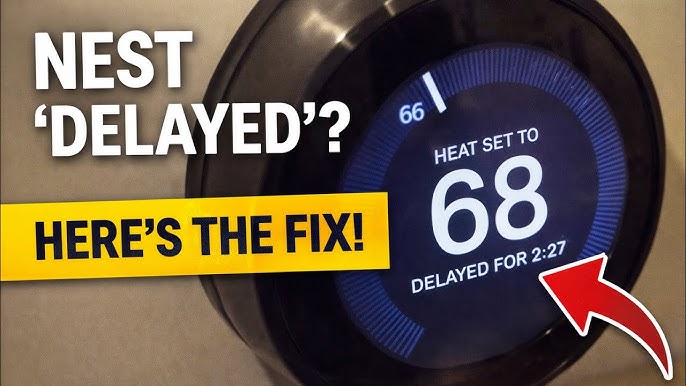
Google Nest Limitations
Google Nest thermostats remain popular, but integration can be more limited.
Since Ring operates within Amazon’s ecosystem and Nest belongs to Google, direct compatibility isn’t always seamless.
Some users rely on third-party platforms to bridge the gap.
However, these solutions can introduce:
- Additional complexity
- Reliability issues
- More troubleshooting requirements
For beginners, Alexa-friendly thermostats are usually easier to manage.
How to Set Up Ring Thermostat Automation

A Ring thermostat setup generally involves connecting a compatible thermostat through Alexa routines.
Fortunately, the process is straightforward.
Requirements Before You Begin
Before starting, verify that you have:
- Ring account
- Alexa account
- Compatible thermostat
- Reliable Wi-Fi connection
- Updated mobile apps
A stable network matters more than many people realize.
Most residential Wi-Fi systems provide reliable indoor coverage between 75 and 150 feet, although walls and building materials can reduce that range significantly.
Connecting Through Alexa
Follow these steps:
- Install your thermostat.
- Connect it to Wi-Fi.
- Open the Alexa app.
- Add the thermostat device.
- Verify device discovery.
- Test temperature controls.
Once completed, Alexa should recognize the thermostat as part of your connected home.
Expected result:
You should be able to adjust temperature settings through voice commands or the app.
Creating Automation Routines
This is where automation becomes useful.
Example routine:
- Ring Alarm switches to Away Mode.
- Alexa lowers cooling from 72°F to 78°F.
- Smart lights turn off.
Another routine could:
- Detect arrival home.
- Restore preferred temperature.
- Activate lighting scenes.
These automations create a more responsive smart home ecosystem.
Ring Thermostat Automation Ideas That Save Energy

Automation works best when it solves real problems.
Away Mode Automation
Many homeowners accidentally cool or heat empty homes all day.
Away Mode solves this issue.
Example:
A family leaves for work and school at 8 a.m.
The automation:
- Arms the security system.
- Raises summer cooling temperatures.
- Lowers winter heating temperatures.
According to energy-efficiency studies, properly managed setbacks can reduce annual heating and cooling costs by roughly 8% to 15%.
Vacation Scheduling
Long trips create another opportunity.
Instead of maintaining normal temperatures for a week-long vacation, the thermostat can shift into energy-saving mode automatically.
For a homeowner spending $2,000 annually on heating and cooling, even modest reductions can generate meaningful savings over time.
Nighttime Temperature Adjustments
Sleep schedules often remain predictable.
Automation can:
- Lower temperatures at bedtime.
- Adjust settings before wake-up.
- Improve comfort without manual changes.
This is one of the simplest automations yet often delivers noticeable comfort improvements.
Benefits of Using a Ring Thermostat Setup

A well-designed ring thermostat workflow provides several advantages.
Better Energy Efficiency
Automated adjustments reduce waste.
Heating or cooling empty spaces is one of the most common causes of unnecessary HVAC expenses.
Improved Convenience
Instead of constantly adjusting temperatures manually, routines handle the work automatically.
Stronger Device Integration
The biggest benefit is coordination.
Security, lighting, and climate systems work together rather than operating independently. Choosing the right smart lighting system for automation can make these integrations even more effective.
Greater Awareness
Many smart thermostats provide:
- Energy reports
- Usage history
- Efficiency recommendations
These insights help homeowners identify opportunities for savings.
Common Setup Problems and Solutions

Even well-designed systems occasionally encounter issues.
Wi-Fi Connectivity Issues
Poor connectivity is one of the most common complaints.
Symptoms include:
- Offline thermostats
- Delayed commands
- Failed automations
Solutions:
- Move the router closer
- Upgrade outdated networking equipment
- Consider mesh Wi-Fi systems
In larger homes, mesh networks often provide more reliable coverage than a single router.
Routine Trigger Problems
Sometimes automations simply fail to run.
Common causes include:
- Disabled routines
- Changed account permissions
- Device synchronization errors
Always test routines immediately after creating them.
Device Compatibility Errors
Not every thermostat supports every Alexa feature.
Before purchasing hardware:
- Review compatibility documentation
- Verify supported integrations
- Check firmware requirements
A few minutes of research can prevent hours of troubleshooting later.
Security and Privacy Considerations

Convenience should never come at the expense of security.
When building a connected thermostat control system, consider:
- Strong passwords
- Two-factor authentication
- Regular software updates
- Trusted Wi-Fi security settings
A smart thermostat doesn’t typically expose sensitive information, but protecting connected accounts remains important.
Keeping devices updated also reduces the risk of software vulnerabilities.
Cost Breakdown of a Ring Thermostat Smart Home Setup

Costs vary depending on equipment choices.
Typical ranges include:
| Component | Estimated Cost |
| Ring Doorbell | $50–$350 |
| Ring Alarm System | $200–$600 |
| Amazon Smart Thermostat | $60–$90 |
| Ecobee Thermostat | $150–$300 |
| Professional Installation | $100–$500 |
Many homeowners complete thermostat installations themselves, especially when replacing existing modern thermostats.
However, older HVAC systems may require professional assistance.
Who Should Use Ring Thermostat Automation

This setup isn’t necessary for everyone.
It works best for:
- Frequent travelers
- Busy families
- Smart home enthusiasts
- Energy-conscious homeowners
On the other hand, homeowners who rarely adjust temperatures manually may see fewer benefits.
The value comes from automation and integration rather than temperature control alone.
Future of Ring and Smart Climate Control

The smart home industry continues evolving rapidly.
Future developments may include:
- Better occupancy detection
- AI-driven scheduling
- Predictive energy management
- Deeper device integration
As automation platforms mature, security systems and climate controls will likely become even more connected.
The long-term trend points toward homes that anticipate needs rather than waiting for commands.
FAQ
Can Ring directly control a Ring thermostat?
Not directly. Ring typically works through Alexa, which connects compatible thermostats and automation routines.
Does Ring work with Nest thermostats?
Some integrations are possible, but compatibility is generally more limited compared to Alexa-friendly thermostat brands.
Do I need Alexa for thermostat automation?
In most cases, yes. Alexa serves as the bridge between Ring devices and thermostat controls.
Can automation lower energy bills?
It can. Many homeowners reduce heating and cooling costs by automatically adjusting temperatures when nobody is home.
What happens if Wi-Fi goes down?
Most thermostats continue operating using their last programmed settings. However, remote controls and automation features may stop working temporarily.
Conclusion
For homeowners building a connected home, a Ring thermostat setup can be a practical way to combine security and climate management. While Ring does not offer its own thermostat, Alexa creates a bridge that allows compatible devices to work together effectively.
The biggest advantages come from automation rather than remote temperature control alone. Away Mode adjustments, vacation schedules, and coordinated routines can reduce energy waste while improving everyday convenience.
If you’re considering a setup, start with a compatible thermostat such as Amazon Smart Thermostat, Ecobee, or Honeywell. Then build a few simple routines before creating more advanced automations.
As smart homes continue evolving, integrations between security systems and climate controls will likely become even more powerful. For many homeowners, now is a good time to begin exploring how automation can make a home more comfortable, efficient, and responsive.





Leave a Reply