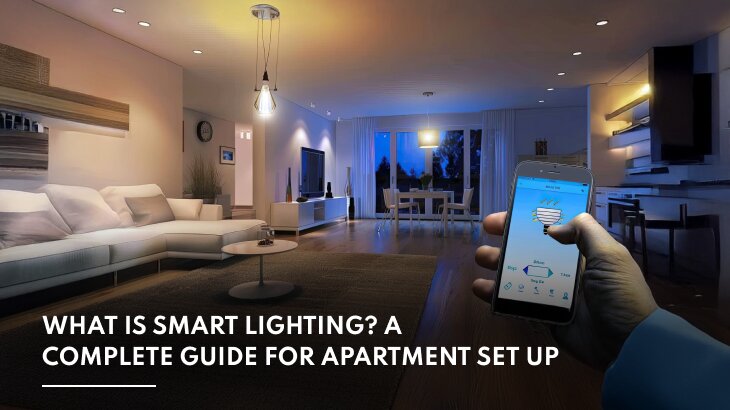
Smart Lighting is one of the most popular smart home upgrades because it combines convenience, energy efficiency, security, and personalization. Instead of relying solely on traditional wall switches, a smart lighting system allows homeowners to control lights remotely, automate schedules, create custom scenes, and integrate lighting with sensors, voice assistants, and other connected devices.
Whether you’re replacing a single light bulb or designing a fully automated home, understanding how Smart Lighting works will help you choose the right devices and build a reliable system that can grow with your needs.
What is Smart Lighting?

Smart Lighting refers to lighting systems that can be controlled electronically through mobile apps, automation, voice assistants, sensors, or smart home hubs.
Unlike traditional lighting, Smart Lighting allows users to:
- Turn lights on or off remotely
- Dim brightness
- Change color temperature
- Adjust RGB colors
- Schedule lighting
- Create scenes
- Automate lighting based on events
Modern Smart Lighting systems can operate locally, through cloud services, or using dedicated smart home protocols.
How Smart Lighting Works
A Smart Lighting system consists of several connected components working together.
Typical setup:
User
↓
Mobile App
↓
Smart Home Hub (optional)
↓
Wireless Network
↓
Smart Lights or Smart Switches
↓
Lighting responds automatically
Commands can also come from:
- Voice assistants
- Motion sensors
- Door sensors
- Schedules
- Sunrise and sunset automation
- Geofencing
- Smart home scenes
This flexibility allows lighting to respond automatically without manual intervention.
Components of a Smart Lighting System

Most systems include one or more of the following components.
Smart Bulbs
Smart bulbs replace traditional bulbs and provide features such as:
- Brightness control
- Color temperature adjustment
- RGB color selection
- Scheduling
- Remote access
They are ideal for lamps and decorative lighting.
Smart Switches
Smart Switches replace existing wall switches and control the electrical circuit directly.
Advantages include:
- Works with standard bulbs
- Controls multiple fixtures
- Maintains familiar wall switch operation
- Supports automation
They are often preferred for whole-room lighting.
Smart Plugs
Smart plugs allow lamps and small lighting fixtures to become smart without replacing the bulb or switch.
They are useful for:
- Table lamps
- Floor lamps
- Holiday decorations
- Accent lighting
Motion Sensors
Motion sensors automatically activate lighting when movement is detected.
Common locations include:
- Hallways
- Bathrooms
- Closets
- Garages
- Entryways
Smart Home Hubs
Some Smart Lighting systems require a central hub to coordinate communication between devices.
Popular protocols include:
Hubs improve automation and enable communication between multiple device types.
Types of Smart Lighting

Different lighting products serve different purposes.
White Smart Bulbs
Provide adjustable brightness.
Suitable for:
- Bedrooms
- Kitchens
- Living rooms
- Offices
Tunable White Lighting
Allows users to adjust color temperature from warm to cool white.
Useful for:
- Morning productivity
- Evening relaxation
- Circadian lighting
RGB Smart Lighting
Offers millions of color choices.
Common applications include:
- Entertainment rooms
- Gaming setups
- Holiday lighting
- Decorative accents
Smart LED Strips
Flexible lighting strips commonly installed:
- Under cabinets
- Behind televisions
- Along staircases
- Under shelves
- Around ceilings
LED strips are popular for ambient lighting.
Outdoor Smart Lighting
Designed for exterior environments.
Examples include:
- Garden lighting
- Walkways
- Driveways
- Security lighting
- Landscape lighting
Most outdoor fixtures are weather-resistant.
Wireless Communication Technologies

Choosing the right communication protocol is important when building a Smart Lighting system.
Wi-Fi
Advantages:
- No hub required
- Simple setup
- Broad compatibility
Disadvantages:
- Increased network traffic
- Higher power consumption
Zigbee
Advantages:
- Mesh networking
- Low latency
- Excellent battery efficiency
Often used in larger smart homes.
Z-Wave
Advantages:
- Reliable communication
- Strong mesh networking
- Low interference
Ideal for expanding whole-home automation.
Matter
Matter improves compatibility across smart home platforms.
Benefits include:
- Easier setup
- Local communication
- Better interoperability
- Future-proof ecosystem
Many new Smart Lighting products now support Matter.
Thread
Thread is a low-power mesh networking technology designed to complement Matter devices.
It provides:
- Fast communication
- Reliable coverage
- Low power usage
- Self-healing mesh networks
Thread is becoming increasingly common in modern smart homes.
Planning Your Smart Lighting System
Before purchasing devices, consider:
- Home size
- Existing wiring
- Preferred smart home ecosystem
- Wireless protocol
- Budget
- Future expansion
- Internet reliability
- Voice assistant compatibility
Planning ahead helps ensure all devices work together seamlessly as your smart home grows.
Benefits of Smart Lighting

Homeowners choose Smart Lighting for many reasons.
Key advantages include:
- Remote control
- Improved convenience
- Better energy efficiency
- Enhanced home security
- Personalized lighting scenes
- Voice control
- Occupancy automation
- Reduced electricity waste
- Greater accessibility
- Integration with other smart home devices
These benefits make Smart Lighting one of the most practical smart home upgrades available.
Installing a Smart Lighting System
Installing Smart Lighting can be as simple as replacing a light bulb or as advanced as designing an entire home automation network. The best approach depends on your home’s wiring, budget, and the level of automation you want to achieve.
Most homeowners start with one room and gradually expand their system.
Typical installation methods include:
- Replacing existing bulbs with smart bulbs
- Installing Smart Switches
- Adding smart plugs to lamps
- Installing motion sensors
- Connecting devices to a smart home hub
Building the system in stages makes it easier to learn how each component works together.
Smart Bulbs vs Smart Switches
One of the biggest decisions is whether to use Smart Bulbs or Smart Switches.
Smart Bulbs
Advantages:
- Easy installation
- Millions of color options
- Adjustable white temperatures
- Ideal for lamps
- Great for decorative lighting
Disadvantages:
- More expensive when replacing many bulbs
- Lose smart functionality if the wall switch is turned off
- Each bulb requires individual setup
Smart Switches
Advantages:
- Control multiple lights at once
- Work with standard LED bulbs
- Preserve normal wall switch operation
- Better for whole-room lighting
- Often more reliable for permanent installations
Disadvantages:
- Installation requires electrical wiring
- Some models need a neutral wire
- Usually cannot change bulb colors
Which Option Is Best?

Choose Smart Bulbs if you:
- Rent your home
- Want RGB lighting
- Need decorative lighting
- Prefer simple installation
Choose Smart Switches if you:
- Own your home
- Control multiple ceiling lights
- Want permanent automation
- Prefer using standard LED bulbs
Many homeowners combine both solutions throughout the house.
Room-by-Room Smart Lighting Ideas
Living Room
Recommended devices:
- Smart ceiling lights
- Smart lamps
- LED light strips
- Voice assistant integration
Automation ideas:
- Movie mode
- Reading mode
- Evening relaxation scene
- Entertainment lighting
Kitchen
Useful automation includes:
- Bright task lighting
- Under-cabinet LED strips
- Pantry motion sensors
- Night lighting
Schedules can automatically brighten lights in the morning and dim them in the evening.
Bedroom
Smart Lighting helps create healthier routines.
Examples include:
- Gradual sunrise wake-up
- Reading scene
- Warm evening lighting
- Automatic bedtime dimming
Tunable white lighting is particularly useful in bedrooms.
Bathroom
Motion sensors make bathrooms more convenient.
Examples:
- Night lighting
- Automatic vanity lights
- Shower lighting scenes
- Occupancy-based shutoff
Hallways
Hallways benefit from simple automation.
Recommended setup:
- Motion sensors
- Smart Switches
- Timed shutoff
- Soft nighttime brightness
Garage
Useful features include:
- Motion-activated lighting
- Automatic shutoff
- Bright workbench lighting
- Security integration
Outdoor Areas
Exterior Smart Lighting improves both convenience and security.
Examples:
- Porch lights
- Walkway lighting
- Landscape lighting
- Driveway lighting
- Deck lighting
Sunset and sunrise automation removes the need for manual control.
Lighting Automation Ideas

Automation makes Smart Lighting far more useful than simple remote control.
Good Morning Scene
At a scheduled time:
- Bedroom lights brighten gradually.
- Kitchen lights turn on.
- Hallway lights activate.
- Coffee station lighting switches on.
Good Night Scene
Before bedtime:
- Living room lights turn off.
- Bedroom lights dim.
- Outdoor security lighting activates.
- Hallway lights switch to low brightness.
Away Mode
When everyone leaves home:
- Interior lights turn off.
- Exterior lighting follows sunset.
- Vacation lighting schedules activate.
Welcome Home
Using geofencing or smart locks:
- Entry lights turn on.
- Hallway lights illuminate.
- Living room lights activate.
- Porch lights switch on after sunset.
Movie Mode
A single tap or voice command can:
- Dim ceiling lights
- Turn on LED strips
- Reduce lamp brightness
- Create ambient lighting
Smart Lighting and Home Security
Lighting is one of the easiest ways to improve home security.
Useful features include:
- Random lighting schedules
- Motion-triggered floodlights
- Automatic porch lighting
- Driveway illumination
- Vacation mode
- Integration with cameras and door sensors
These automations make a home appear occupied even when no one is present.
Saving Energy with Smart Lighting

Smart Lighting helps reduce unnecessary electricity usage.
Energy-saving techniques include:
- Motion-based lighting
- Automatic shutoff timers
- Daylight-based automation
- Occupancy detection
- Scheduled lighting
- Adaptive brightness
Using LED bulbs together with automation provides the greatest efficiency.
Common Smart Lighting Mistakes
Avoid these common problems when building your system.
Mixing incompatible ecosystems
Verify that all devices support the same smart home platform.
Ignoring future expansion
Choose devices that allow additional rooms to be added later.
Overloading Wi-Fi
Large homes with dozens of Wi-Fi devices may benefit from Zigbee, Z-Wave, Matter, or Thread.
Skipping firmware updates
Regular updates improve:
- Security
- Stability
- Compatibility
- Performance
Poor light placement
Even the smartest lighting cannot compensate for poor fixture placement or insufficient brightness.
Troubleshooting Smart Lighting
Lights Don’t Respond
Check:
- Power supply
- Network connection
- Hub status
- Firmware updates
- Device pairing
Automation Doesn’t Run
Verify:
- Schedules
- Time zone
- Sensor batteries
- Automation rules
- Device connectivity
Voice Commands Fail
Possible causes include:
- Account synchronization issues
- Internet outages
- Incorrect room assignments
- Voice assistant configuration errors
Flickering Lights
This is often caused by:
- Incompatible dimmers
- Unsupported LED bulbs
- Loose wiring
- Incorrect electrical load
Frequently Asked Questions
What is Smart Lighting?
Smart Lighting refers to lighting systems that can be controlled through smartphone apps, voice assistants, automation, schedules, sensors, or smart home hubs instead of relying only on traditional wall switches.
Is Smart Lighting worth it?
For many homeowners, Smart Lighting offers improved convenience, better energy management, enhanced home security, and greater control over lighting throughout the home.
Does Smart Lighting require internet access?
Not always.
Many systems continue working locally through protocols like Matter, Thread, Zigbee, or Z-Wave even if the internet connection is temporarily unavailable. Cloud-based features such as remote access may require internet connectivity.
Which is better: Smart Bulbs or Smart Switches?
It depends on your needs.
- Smart Bulbs are ideal for color control and renters.
- Smart Switches are better for permanent installations and controlling multiple fixtures.
Many homes successfully combine both.
Can Smart Lighting save electricity?
Yes.
Automation features such as schedules, occupancy sensors, daylight detection, and automatic shutoff help reduce unnecessary energy consumption.
Can Smart Lighting improve home security?
Yes.
Automated lighting schedules, motion-activated exterior lights, and vacation mode create the appearance that someone is home, making the property less attractive to potential intruders.
Can I control Smart Lighting with my voice?
Most modern systems support voice assistants, allowing users to turn lights on or off, adjust brightness, activate scenes, or control rooms using voice commands.
Does Smart Lighting work with LED bulbs?
Yes.
Most Smart Lighting products are designed specifically for LED technology. Always confirm compatibility, especially when using dimmers.
What is tunable white lighting?
Tunable white bulbs allow you to adjust the color temperature from warm white to cool daylight, helping create different moods or support daily routines.
Can Smart Lighting work without a hub?
Many Wi-Fi products work without a hub.
However, Zigbee, Z-Wave, Thread, and some Matter devices often use a compatible smart home hub or border router.
Is Smart Lighting difficult to install?
Basic installations, such as replacing a smart bulb or plugging in a smart plug, are straightforward. Installing Smart Switches or designing a whole-home system may require more planning and, in some cases, professional installation.
Can Smart Lighting be automated?
Yes.
Automation can be based on:
- Time of day
- Sunrise and sunset
- Motion detection
- Occupancy
- Door sensors
- Geofencing
- Other smart devices
What happens during a power outage?
Like traditional lighting, Smart Lighting requires electrical power. Once power is restored, most systems automatically reconnect and resume normal operation.
Can Smart Lighting be expanded later?
Yes.
One of the biggest advantages of Smart Lighting is its scalability. Most homeowners begin with a few devices and gradually expand to additional rooms and automation features.
How long do smart lights last?
Quality LED smart bulbs typically last many years under normal household use. Lifespan varies depending on usage, manufacturer, and operating conditions.
Smart Lighting Recommendations by Home Size
Small Apartment
Recommended setup:
- Smart Bulbs
- Smart Plug for lamps
- Voice assistant
- Simple schedules
This provides an affordable introduction to home automation without extensive installation.
Medium-Sized Home
Recommended devices:
- Smart Switches
- Motion sensors
- Outdoor lighting
- Smart Bulbs in bedrooms
- Smart Home Hub
This balance provides flexibility while keeping the system manageable.
Large Smart Home
A larger property benefits from:
- Z-Wave or Zigbee mesh networking
- Matter-compatible devices
- Smart Switches
- Smart Bulbs
- Outdoor lighting
- Occupancy sensors
- Whole-home automation scenes
Mesh networks improve reliability as more devices are added.
Conclusion
Smart Lighting is one of the most practical and rewarding smart home upgrades available. Whether you start with a single smart bulb or invest in a complete lighting ecosystem, connected lighting offers greater convenience, energy efficiency, personalization, and security than traditional lighting systems.
Choosing the right combination of Smart Bulbs, Smart Switches, sensors, and wireless protocols such as Matter, Thread, Zigbee, or Z-Wave ensures that your lighting system remains reliable and adaptable as your smart home grows. With thoughtful planning and gradual expansion, Smart Lighting can become the foundation of a more connected, comfortable, and efficient home.




