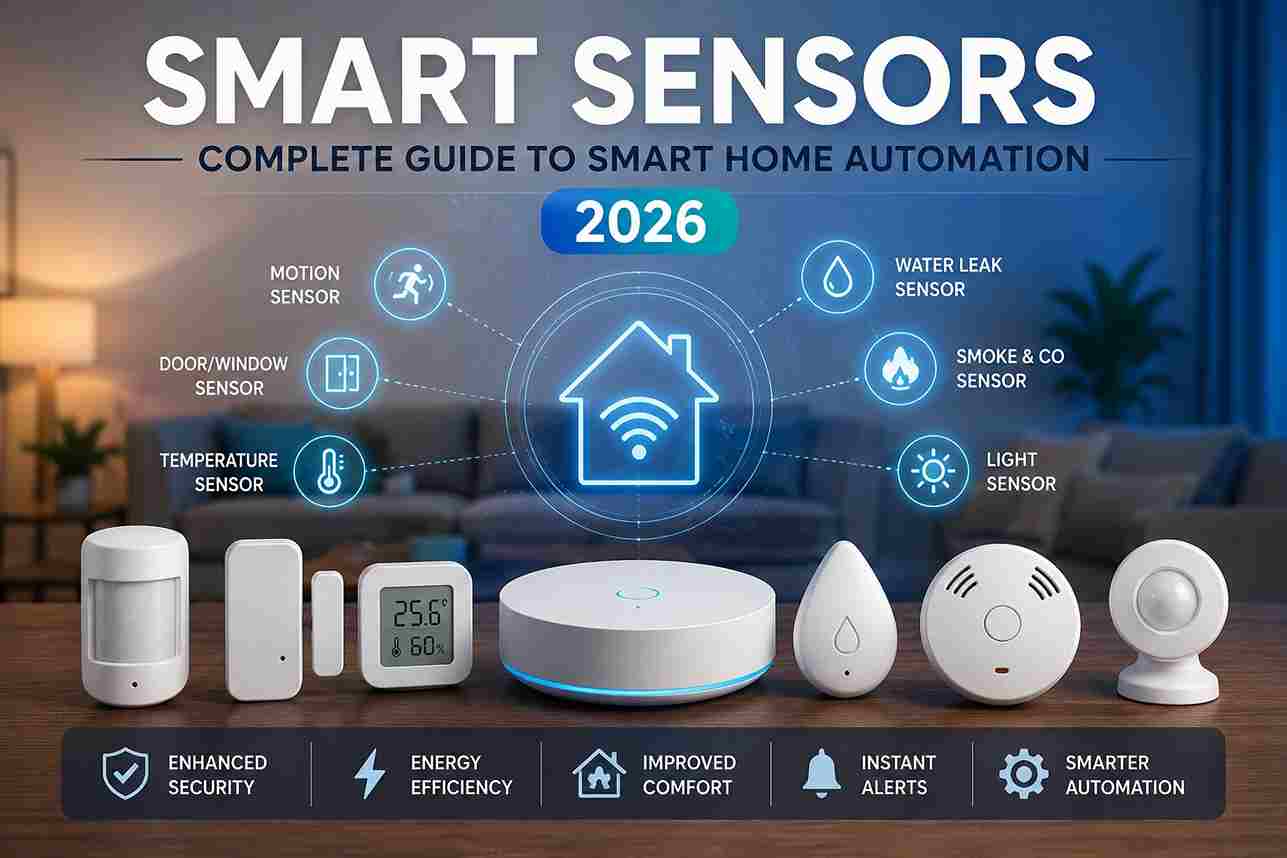
Smart Sensors are among the most important components of a modern smart home. While smart lights, locks, and switches perform actions, sensors provide the information that allows automation systems to make intelligent decisions.
Instead of manually controlling every device, Smart Sensors detect changes in the environment—such as motion, temperature, humidity, light levels, water leaks, or door activity—and automatically trigger appropriate responses. This creates a home that is more convenient, energy-efficient, and secure.
Whether you’re building a simple lighting automation or a fully connected smart home, Smart Sensors play a central role in creating reliable and responsive automations.
What are Smart Sensors?

Smart Sensors are electronic devices that detect changes in their environment and send information to a smart home hub or controller.
Unlike traditional sensors, Smart Sensors can communicate with other smart devices, allowing automated actions to occur without human intervention.
Examples include:
- Detecting motion
- Opening doors
- Measuring temperature
- Monitoring humidity
- Detecting water leaks
- Measuring light levels
- Monitoring air quality
Once a condition is detected, the smart home system can perform one or more automated actions.
How Smart Sensors Work
A Smart Sensor continuously monitors a specific environmental condition.
Typical workflow:
Person walks into room
↓
Motion Sensor detects movement
↓
Sensor sends signal
↓
Smart Home Hub receives event
↓
Automation rule runs
↓
Lights turn on
↓
After no motion is detected
↓
Lights turn off
This entire process usually takes only a few seconds and requires no manual interaction.
Types of Smart Sensors

Different sensors serve different purposes within a smart home.
The most common categories include:
- Motion Sensors
- Contact Sensors
- Temperature Sensors
- Humidity Sensors
- Water Leak Sensors
- Smoke Sensors
- Carbon Monoxide Sensors
- Occupancy Sensors
- Light Sensors
- Air Quality Sensors
- Vibration Sensors
- Glass Break Sensors
Each sensor contributes to a more responsive and intelligent automation system.
Motion Sensors
Motion Sensors detect movement within a designated area.
Common applications include:
- Hallway lighting
- Security systems
- Garage automation
- Outdoor lighting
- Entry lighting
Motion sensors help reduce energy consumption by activating devices only when needed.
Types of Motion Sensors

Passive Infrared (PIR)
Detects body heat moving across its field of view.
Advantages:
- Low power consumption
- Excellent battery life
- Reliable indoor operation
Microwave Motion Sensors
Emit microwave signals and detect changes caused by movement.
Advantages:
- Larger detection area
- Higher sensitivity
- Can detect movement through some materials
Dual Technology Sensors
Combine PIR and microwave detection.
Benefits include:
- Reduced false alarms
- Improved reliability
- Better security performance
Contact Sensors
Contact Sensors monitor whether doors, windows, cabinets, or gates are open or closed.
Common uses include:
- Entry monitoring
- Security alerts
- Lighting automation
- HVAC efficiency
- Child safety
Example automation:
Front door opens using a smart lock
↓
Hallway light turns on
↓
Security system disarms
↓
Thermostat adjusts
Temperature Sensors

Temperature Sensors continuously monitor indoor or outdoor temperatures.
Common automations include:
- Adjusting thermostats
- Controlling ceiling fans
- Protecting wine storage
- Monitoring server rooms
- Greenhouse automation
Temperature data also helps optimize energy consumption.
Humidity Sensors
Humidity Sensors measure moisture levels in the air.
They are commonly used in:
- Bathrooms
- Basements
- Laundry rooms
- Greenhouses
- Wine cellars
Example automation:
Humidity exceeds 70%
↓
Bathroom exhaust fan turns on
↓
Humidity returns to normal
↓
Fan switches off
Water Leak Sensors
Water Leak Sensors detect unwanted water in areas prone to leaks.
Typical installation locations include:
- Under sinks
- Washing machines
- Water heaters
- Basements
- Dishwashers
- HVAC systems
Example automation:
Leak detected
↓
Smartphone notification
↓
Water shutoff valve closes
↓
Alarm sounds
↓
Damage minimized
Water leak sensors can prevent costly property damage by providing early warning.
Smoke and Carbon Monoxide Sensors

Modern Smart Sensors can monitor:
- Smoke
- Carbon monoxide
- Heat
Automations may include:
- Activating alarms
- Sending smartphone notifications
- Turning on emergency lighting
- Unlocking smart locks
- Shutting down HVAC systems
These integrations improve household safety during emergencies.
Environmental Sensors
Environmental Sensors monitor conditions that affect comfort and indoor air quality.
They may measure:
- Air quality
- VOC levels
- CO₂ concentration
- Barometric pressure
- Light intensity
- Noise levels
This information helps create healthier indoor environments while improving automation accuracy.
Benefits of Smart Sensors

Smart Sensors provide several important advantages.
Improved Convenience
Devices respond automatically to changing conditions without requiring manual control.
Better Energy Efficiency
Lights, fans, and HVAC systems operate only when necessary, reducing energy consumption.
Enhanced Security
Sensors detect unauthorized entry, movement, smoke, or water leaks and notify homeowners immediately.
Increased Comfort
Environmental sensors help maintain comfortable temperature, humidity, and lighting levels throughout the home.
Smarter Automation
By combining multiple sensors, homeowners can create intelligent routines that respond naturally to everyday activities.
Smart Sensors vs Traditional Motion Detectors
Many homeowners wonder whether Smart Sensors are simply motion detectors with wireless connectivity.
The answer is: not exactly.
Traditional Motion Detectors:
-
Detect movement only
-
Usually trigger a light or alarm directly
-
Limited automation capabilities
-
Often wired into a security system
-
Cannot easily communicate with other smart devices
Smart Sensors:
-
Detect movement and communicate digitally
-
Work with smart home hubs and controllers
-
Trigger complex automation routines
-
Send smartphone notifications
-
Integrate with lighting, locks, thermostats, cameras, and alarms
-
Can combine data from multiple sensors
For example, a traditional motion detector may simply turn on a hallway light.
A Smart Motion Sensor can:
-
Turn on hallway lights only after sunset
-
Adjust brightness based on ambient light
-
Send a security alert if motion occurs while the alarm is armed
-
Start recording on a smart camera
-
Trigger additional automations throughout the home
Zigbee vs Z-Wave vs Wi-Fi Sensors
Smart Sensors are available using several wireless technologies.
|
Feature |
Zigbee |
Z-Wave |
Wi-Fi |
|---|---|---|---|
|
Battery Life |
Excellent |
Excellent |
Fair |
|
Mesh Networking |
Yes |
Yes |
Usually No |
|
Hub Required |
Yes |
Yes |
Often No |
|
Local Automation |
Excellent |
Excellent |
Varies |
|
Scalability |
Very High |
High |
Moderate |
|
Best For |
Large sensor networks |
Reliable automation |
Simple installations |
Zigbee Sensors
Best for:
-
Large smart homes
-
Many battery-powered sensors
-
Smart lighting automation
-
Energy-efficient networks
Z-Wave Sensors
Best for:
-
Whole-home automation
-
Security systems
-
Long-range communication
-
Reduced wireless interference
Wi-Fi Sensors
Best for:
-
Small homes or apartments
-
Users without a smart home hub
-
Quick installation
-
Basic notifications and automation
For extensive smart home automation, Zigbee and Z-Wave sensors are usually the stronger long-term choices.
Installing Smart Sensors
Most Smart Sensors are designed for easy installation.
Basic Installation Process
-
Install or configure your smart home hub (if required).
-
Insert batteries into the sensor.
-
Place the hub in pairing mode.
-
Press the sensor pairing or reset button.
-
Wait for the sensor to appear in the app or dashboard.
-
Assign the sensor to a room.
-
Create automation rules.
-
Test the sensor before final installation.
Most modern sensors can be installed in just a few minutes.
Where to Place Smart Sensors

Proper placement is critical for reliable automation.
Motion Sensors
Place:
-
6–8 feet (1.8–2.4 m) above the floor
-
Facing the area where people will move across the sensor’s view
-
Away from direct sunlight
-
Away from heating vents and air conditioners
Avoid placing motion sensors directly facing windows, which can cause false triggers.
Door & Window Sensors
Place:
-
One part on the door or window
-
The matching magnet on the frame
-
As close together as recommended by the manufacturer
Test opening and closing several times before permanently mounting the sensor.
Water Leak Sensors
Place:
-
Under sinks
-
Near water heaters
-
Behind washing machines
-
Near HVAC condensate lines
-
In basements prone to flooding
The sensor should sit where water would collect first during a leak.
Temperature & Humidity Sensors
Place:
-
Away from direct sunlight
-
Away from vents
-
At typical room height
-
In the area you want to monitor most accurately
Smart Sensors Automation Ideas
1. Automatic Hallway Lighting
Trigger: Motion detected after sunset
Actions:
-
Turn hallway lights on at 40% brightness
-
Turn lights off after 2 minutes of no motion
This improves nighttime visibility while saving energy.
2. Smart Bathroom Ventilation
Trigger: Humidity rises above 70%
Actions:
-
Turn exhaust fan on
-
Send fan status notification
-
Turn fan off when humidity drops below 60%
This helps prevent mold and moisture damage.
3. Water Leak Protection
Trigger: Water detected under washing machine
Actions:
-
Send emergency smartphone alert
-
Sound indoor siren
-
Close smart water shutoff valve
-
Turn utility room lights on
4. Welcome Home Automation
Trigger: Front door opens and motion is detected in the entryway
Actions:
-
Turn entry lights on
-
Adjust thermostat
-
Disarm security system
-
Play welcome announcement on smart speaker
5. Energy-Saving Room Automation
Trigger: No motion detected for 15 minutes
Actions:
-
Turn lights off
-
Turn ceiling fan off
-
Lower thermostat in unoccupied room
-
Reduce standby power through smart plugs
Common Smart Sensors Problems

False Motion Alerts
Causes:
-
Pets moving through the detection area
-
Direct sunlight
-
Heating vents
-
Reflections from windows
-
Poor sensor placement
Solution:
Reposition the sensor and adjust sensitivity settings if available.
Door Sensor Not Responding
Check:
-
Battery level
-
Magnet alignment
-
Wireless signal strength
-
Hub connectivity
-
Whether the sensor needs to be re-paired
Rapid Battery Drain
Possible causes:
-
Weak wireless signal
-
Excessive triggering
-
Frequent status updates
-
Old batteries
-
Firmware issues
A stronger Zigbee or Z-Wave mesh network often improves battery life.
Automation Doesn’t Trigger
Verify:
-
The sensor is reporting correctly
-
The automation rule is enabled
-
Time conditions are correct
-
The target devices are online
-
The hub is communicating properly
Buying Guide: Choosing the Right Smart Sensors
When comparing Smart Sensors, consider the following factors.
1. Wireless Protocol
Choose:
-
Zigbee for large sensor networks
-
Z-Wave for reliable whole-home automation
-
Wi-Fi for simple standalone installations
-
Matter-compatible devices for future interoperability
2. Battery Life
Look for sensors that can operate for 1–5 years on a single battery, depending on usage.
3. Detection Range
Motion sensors vary significantly in coverage area.
Consider:
-
Room size
-
Mounting height
-
Desired detection distance
-
Pet immunity features
4. Hub Compatibility
Ensure the sensor works with your existing ecosystem:
-
Matter
-
SmartThings
-
Home Assistant
-
Apple Home
-
Google Home
-
Amazon Alexa
5. Automation Features
Advanced sensors may support:
-
Ambient light measurement
-
Occupancy detection
-
Temperature monitoring
-
Humidity monitoring
-
Tamper alerts
-
Battery reporting
Best Practices for Smart Sensor Networks

For the most reliable automation:
-
Place sensors strategically rather than randomly.
-
Use powered Zigbee or Z-Wave devices to strengthen the mesh network.
-
Group sensors by room or function.
-
Replace batteries proactively.
-
Test automations regularly.
-
Keep firmware updated.
-
Use multiple sensors for critical automations rather than relying on a single device.
-
Document your automation rules for easier troubleshooting.
A well-designed sensor network becomes the foundation of a truly intelligent smart home.
Frequently Asked Questions
What are Smart Sensors?
Smart Sensors are connected devices that monitor environmental conditions such as motion, temperature, humidity, doors, windows, water leaks, or air quality. They communicate with a smart home hub or automation platform to trigger actions automatically.
How do Smart Sensors work?
Smart Sensors detect changes in their environment and send wireless signals to a compatible controller or smart home hub. Automation rules then determine what actions should occur based on those events.
Do Smart Sensors require a hub?
It depends on the technology.
- Zigbee sensors generally require a Zigbee-compatible hub.
- Z-Wave sensors require a Z-Wave controller.
- Many Wi-Fi sensors connect directly to your home network.
- Matter-compatible sensors may work with a Matter Controller.
Can Smart Sensors work without internet?
Yes.
Most Zigbee and Z-Wave automations continue working locally even if the internet connection is unavailable. Internet access is primarily needed for remote control and cloud-based notifications.
Which Smart Sensor should I install first?
For most homeowners, a good starting point includes:
- Motion Sensor
- Door/Window Sensor
- Water Leak Sensor
- Temperature Sensor
These provide the greatest improvement in convenience and home protection.
Are Smart Sensors secure?
Yes.
Most modern Smart Sensors use encrypted wireless communication and secure pairing methods. Keeping firmware updated helps maintain security.
How long do sensor batteries last?
Battery life depends on:
- Sensor type
- Usage frequency
- Wireless protocol
- Environmental conditions
Many Zigbee and Z-Wave sensors operate for 1 to 5 years on a single battery.
Can Smart Sensors detect pets?
Some motion sensors include pet immunity features that reduce false alarms caused by small animals.
Always check the manufacturer’s specifications before purchasing.
Do Smart Sensors improve energy efficiency?
Yes.
Sensors can automatically:
- Turn off lights
- Adjust thermostats
- Stop ceiling fans
- Close blinds
- Reduce unnecessary power usage
This helps lower overall energy consumption.
Can Smart Sensors improve home security?
Absolutely.
Sensors can detect:
- Unauthorized entry
- Motion
- Broken doors or windows
- Smoke
- Carbon monoxide
- Water leaks
Combined with smart locks and cameras, they create a more comprehensive security system.
Do Smart Sensors require professional installation?
Most battery-powered Smart Sensors are designed for simple DIY installation using adhesive pads or screws.
Larger integrated security systems may benefit from professional installation.
Can Smart Sensors be expanded later?
Yes.
One of the biggest advantages of smart home systems is their scalability.
You can begin with a few sensors and gradually add more devices as your automation needs grow.
Are Smart Sensors compatible with Vera controllers?
Many Zigbee and Z-Wave Smart Sensors are compatible with Vera controllers, allowing centralized management alongside lighting, locks, thermostats, and other connected devices.
Can Smart Sensors send smartphone notifications?
Yes.
Most smart home platforms can notify homeowners when sensors detect motion, water leaks, smoke, open doors, or other important events.
What’s the difference between occupancy and motion sensors?
Motion sensors detect movement.
Occupancy sensors are designed to determine whether a room is currently occupied, often using multiple sensing technologies to improve accuracy.
Conclusion
Smart Sensors are the foundation of intelligent home automation. While smart lights, switches, and locks perform actions, sensors provide the information that allows those devices to respond automatically to changing conditions.
Whether you’re improving security, increasing energy efficiency, protecting your home from water damage, or simply making everyday life more convenient, Smart Sensors create the awareness needed for meaningful automation. By selecting compatible devices, placing them strategically, and building thoughtful automation routines, homeowners can create a safer, smarter, and more responsive living environment.




