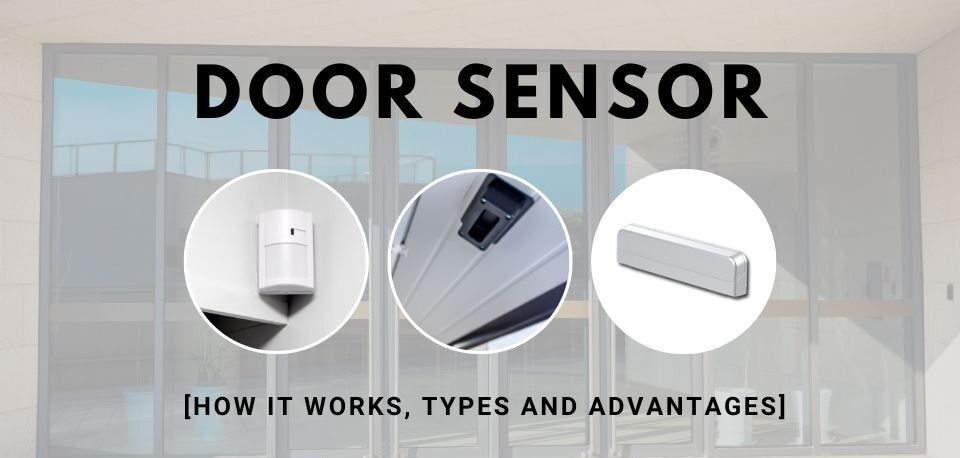
A burglar kicks open a side entrance at 2:17 a.m. Within seconds, an alert reaches the homeowner’s phone, a siren sounds, and a monitoring center receives a signal. The entire chain of events started with a small device most people barely notice: a door sensor.
Many property owners spend thousands on cameras, smart locks, and alarms but pay little attention to the technology responsible for detecting the first sign of unauthorized entry. According to FBI burglary statistics, unlawful entry through doors remains one of the most common methods used during residential break-ins. While cameras may record an incident, sensors are often what trigger the response in the first place.
Understanding how these devices work can help homeowners, renters, and business owners make smarter security decisions. It also helps explain why some systems detect intrusions instantly while others generate false alarms or fail completely.
This guide breaks down the technology behind modern sensors, explains how intrusion detection works, explores common failure points, and provides practical steps for improving reliability. Whether you’re installing a new home security system or troubleshooting an existing setup, you’ll gain a clear understanding of what these devices can—and cannot—do.
What Is a Door Sensor?

A door sensor is a security device designed to detect whether a door is open or closed. It acts as an electronic checkpoint between the physical door and a security system.
Most residential and commercial models consist of two parts:
- A sensor unit
- A magnet
One component is attached to the door frame, while the other is mounted on the moving door itself.
When the door remains closed, the two components stay aligned. When the door opens, that alignment changes, creating a signal that can trigger alarms, notifications, automation routines, or alarm monitoring services.
Basic Components of a Door Sensor
The typical device contains:
- Reed switch
- Magnet
- Circuit board
- Battery or wired power source
- Communication module
Modern smart security devices may also include:
- Wireless radios
- Tamper detection
- Encryption features
- Mobile connectivity
These additions allow homeowners to receive real-time alerts even when away from the property.
Why Homeowners Use Door Sensors
Security professionals often describe perimeter protection as the first layer of defense.
Benefits include:
- Immediate intrusion detection
- Early warning before an intruder enters deeper into the property
- Integration with cameras and alarms
- Automated notifications
- Improved security awareness
Unlike cameras that require visual confirmation, sensors react instantly when an entry point changes state.
How Door Sensor Technology Detects Intrusions

The effectiveness of a door sensor comes from a surprisingly simple principle: magnetic field detection.
The Role of Magnetic Contact Technology
Most security sensors use magnetic contact technology.
When the door is closed:
- The magnet aligns with the reed switch.
- The magnetic field keeps the circuit in a specific state.
- The system recognizes the door as secure.
When the door opens:
- The magnet moves away.
- The magnetic field weakens.
- The switch changes state.
- The system records an opening event.
This process takes only fractions of a second.
Because the mechanism has very few moving parts, magnetic contact sensors are generally reliable and durable.
What Happens When a Door Opens?
Here’s a simplified breakdown:
- The door begins moving.
- The magnet separates from the reed switch.
- The circuit state changes.
- The sensor detects the change.
- A signal travels to the control panel.
- The system verifies the event.
- Notifications or alarms activate.
Depending on the setup, actions may include:
- Sirens sounding
- Mobile alerts
- Camera activation
- Smart light activation
- Monitoring center notifications
Smart Communication and Signal Transmission
A modern door sensor may communicate using:
- Wi-Fi
- Zigbee
- Z-Wave
- Proprietary RF frequencies
Wireless communication allows flexible installation without running cables through walls.
Advanced systems encrypt transmissions to prevent signal interception or tampering.
Types of Door Sensors Available Today
Not all security sensors operate the same way.
Choosing the right technology depends on budget, building type, and security goals.
Wired Door Sensor Systems

A wired door sensor connects directly to a security panel through physical cabling.
Advantages:
- Stable communication
- No battery replacement
- Minimal signal interference
Disadvantages:
- More complex installation
- Higher labor costs
- Less flexibility after installation
These systems remain popular in commercial buildings and newly constructed homes.
Wireless Door Sensor Models

Wireless devices communicate through radio signals.
Advantages:
- Easy installation
- Flexible placement
- Lower installation costs
Disadvantages:
- Battery maintenance
- Potential interference
- Signal range limitations
Most residential systems now rely heavily on wireless technology.
Smart Home Sensor Options

Modern smart sensors can integrate with:
- Smart locks
- Security cameras
- Voice assistants
- Mobile applications
Popular communication methods include:
Zigbee generally consumes less power.
Z-Wave often provides stronger mesh networking capabilities.
Wi-Fi sensors connect directly to home networks but may consume batteries more quickly.
Common Places Where Door Sensor Devices Are Installed

A door sensor delivers the most value when installed at critical entry points.
Residential Entry Points
The most common locations include:
- Front doors
- Rear doors
- Patio doors
- Garage access doors
- Basement entrances
For example, many homeowners secure the front entrance but forget about the door connecting the garage to the house. Security experts frequently identify this as a vulnerable location.
Commercial Applications
Businesses often place sensors on:
- Employee entrances
- Delivery doors
- Emergency exits
- Storage rooms
- Restricted-access areas
A warehouse manager may receive immediate alerts if a loading dock door opens outside scheduled operating hours.
This improves accountability and security simultaneously.
Situations Where Door Sensor Systems Perform Exceptionally Well

While no technology is perfect, certain scenarios highlight the strengths of a door sensor.
Forced Entry Detection
A forced opening immediately changes the sensor’s state.
Even if a burglar enters within seconds, the security system receives notice almost instantly.
This rapid response can significantly reduce the time available for theft.
Nighttime Monitoring
Many families activate perimeter security while sleeping.
If an exterior door opens unexpectedly:
- Sirens may activate
- Mobile alerts appear
- Security lights turn on
This creates multiple barriers against unauthorized entry.
Vacation Protection
Properties left unattended for days or weeks benefit significantly from sensor-based monitoring.
Owners receive alerts even when thousands of miles away.
Combined with cameras, this provides valuable situational awareness.
Business Security
Retail stores, offices, and warehouses use sensors to monitor after-hours activity.
An opening event outside authorized schedules often triggers immediate investigation.
When a Door Sensor Can Fail

Despite their reliability, every technology has limitations.
Understanding failure scenarios helps reduce risk.
Door Sensor Failure Caused by Battery Problems

Battery issues represent one of the most common causes of sensor failure.
Dead Batteries
Wireless devices rely on battery power.
Warning signs include:
- Delayed alerts
- Missing notifications
- Intermittent connectivity
Manufacturers often estimate battery life between one and five years depending on usage patterns.
Weak Battery Performance
Cold temperatures can reduce battery efficiency.
Garages and exterior installations are particularly vulnerable.
Regular replacement schedules help avoid unexpected failures.
Door Sensor Failure Due to Installation Issues

Installation quality directly affects reliability.
Misalignment Problems
The magnet and sensor must remain properly aligned.
Common causes include:
- Door sagging
- Loose mounting hardware
- Frame shifting
- Structural settling
Even small alignment changes can prevent proper operation.
Improper Placement
Poor positioning may create inconsistent readings.
Professional installers typically follow manufacturer spacing guidelines to maintain dependable operation.
False Alarms and Detection Errors

False alarms create frustration and may reduce trust in a security system.
Common Causes
Frequent triggers include:
- Loose mounting
- Vibration
- Improper alignment
- Battery issues
- Communication interruptions
For example, a strong wind repeatedly slamming a poorly adjusted door may create intermittent sensor events.
Troubleshooting Steps
When investigating false alarms:
- Check battery status.
- Inspect alignment.
- Verify mounting hardware.
- Review event logs.
- Test communication strength.
- Examine environmental conditions.
Systematic troubleshooting usually reveals the underlying problem.
Prevention Methods
Best practices include:
- Annual inspections
- Battery replacement schedules
- Firmware updates
- Professional installation
- Signal strength verification
Preventive maintenance often eliminates recurring issues before they become serious.
Smart Home Integration and Automation

Modern security systems extend far beyond simple alarms.
Mobile Alerts and Remote Monitoring
A connected door sensor can instantly send alerts to:
- Smartphones
- Tablets
- Smartwatches
This allows users to verify activity regardless of location.
Parents often use notifications to confirm children arrived home safely after school.
Automation and Smart Devices
Integration creates useful automation routines.
Examples include:
- Turning on hallway lights when doors open
- Locking doors automatically
- Triggering security cameras
- Activating voice announcements
These features improve convenience while strengthening security.
Practical Everyday Use Cases
Consider a homeowner returning from vacation.
If an exterior door opens unexpectedly:
- Camera recording starts
- Exterior lighting activates
- Mobile alerts arrive
- Monitoring services receive notification
Multiple systems work together to create layered protection.
How to Test a Door Sensor

Regular testing ensures dependable operation.
Step-by-Step Testing Process
Follow this checklist:
- Verify system status.
- Close all monitored doors.
- Open each door individually.
- Confirm alerts appear.
- Verify alarm activation if applicable.
- Check mobile notifications.
- Review event logs.
Testing should take only a few minutes.
Recommended Maintenance Schedule
Monthly:
- Basic functionality check
Quarterly:
- Battery inspection
- Physical inspection
Annually:
- Full system review
- Firmware updates
- Professional assessment if needed
Inspection Checklist
Review:
- Alignment
- Mounting condition
- Battery health
- Signal strength
- Physical damage
- Communication reliability
Consistent inspections significantly reduce unexpected failures.
Best Practices for Maximizing Reliability

A door sensor performs best when combined with proper maintenance and smart deployment.
Recommended practices include:
- Install sensors on all exterior doors.
- Test devices monthly.
- Replace batteries proactively.
- Use high-quality mounting hardware.
- Update firmware regularly.
- Integrate with cameras.
- Monitor signal strength.
- Address alignment issues immediately.
For larger properties, consider layered security that combines entry sensors, cameras, motion detectors, and alarm monitoring services.
Security works best when multiple technologies support one another.
Frequently Asked Questions
How long do door sensors last?
Most quality sensors last between five and ten years, although lifespan varies depending on environmental conditions and usage frequency. Wired models often last longer because they avoid battery-related stress. Components exposed to moisture, extreme temperatures, or heavy physical use may require earlier replacement. Regular inspections help identify aging hardware before performance declines.
Can door sensors work without Wi-Fi?
Yes. Many sensors communicate through dedicated radio frequencies, Zigbee networks, Z-Wave networks, or wired connections. Wi-Fi is only one communication option. Traditional alarm systems operated effectively for decades without internet connectivity. However, features such as mobile notifications and remote monitoring often require internet access.
What causes false alarms?
False alarms usually result from misalignment, low batteries, loose mounting, communication interruptions, or environmental vibrations. Doors that shift seasonally due to temperature and humidity changes can also create inconsistent readings. Routine inspections and proper installation significantly reduce false alarm rates.
Are wired sensors more reliable than wireless models?
Wired systems generally offer more stable communication because they are not affected by battery depletion or wireless interference. However, modern wireless systems have improved dramatically. For most homeowners, the convenience of wireless installation outweighs the small reliability advantage provided by wired systems.
Can burglars bypass door sensors?
Experienced intruders may attempt to avoid detection, but properly installed systems make this difficult. Modern security strategies combine sensors with cameras, motion detectors, and alarm monitoring. Multiple detection methods reduce the likelihood that a single weakness compromises overall protection.
How often should sensors be tested?
Monthly testing is widely recommended. Regular testing confirms communication, battery health, and proper operation. Additional inspections should occur after renovations, storms, or any event that could affect alignment or hardware placement.
Do smart sensors drain batteries quickly?
Battery consumption depends on communication technology and activity levels. Zigbee and Z-Wave devices generally use less power than Wi-Fi models. Many smart sensors operate for one to three years on a single battery under normal conditions.
What should I do if a sensor stops responding?
Start by checking battery status and alignment. Inspect the mounting hardware and verify communication with the control panel. Review system logs for error messages. If problems continue after basic troubleshooting, replacement or professional servicing may be necessary.
Conclusion
Security systems are only as effective as their ability to detect an intrusion early. A well-installed door sensor serves as a property’s first electronic line of defense, identifying unauthorized entry before deeper access occurs.
The most reliable systems combine quality hardware, proper placement, routine testing, and smart integration with cameras, alarms, and automation platforms. Understanding how sensors operate—and why they occasionally fail—allows homeowners and businesses to make better security decisions.
As a next step, inspect every exterior entry point on your property, test existing sensors, replace aging batteries, and verify that alerts reach your phone correctly. Small maintenance tasks performed regularly can dramatically improve the performance of an entire security system and reduce the likelihood of unexpected failures when protection matters most.





Leave a Reply