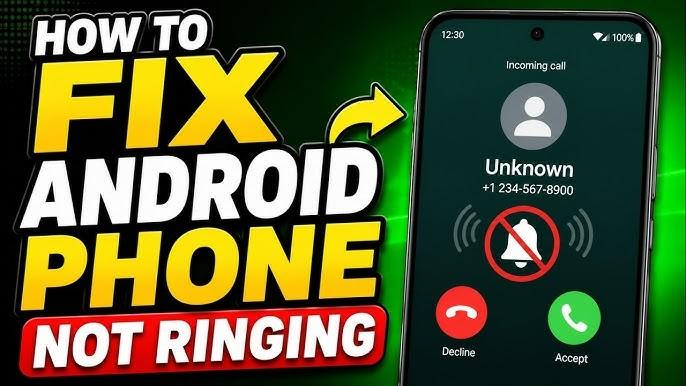
A family in Maui reported during the 2023 wildfire disaster that some people received emergency warnings while others nearby heard nothing at all. Similar reports appear after hurricanes, tornadoes, flash floods, and public safety emergencies around the world. In many cases, the issue isn’t a network outage. It’s a smartphone setting that silently prevents critical alerts from making a sound. How to fix phone not ringing: emergency alerts are designed to bypass normal notification behavior.
Governments and mobile carriers invest heavily in systems that can rapidly deliver warnings about severe weather, missing children, natural disasters, and public safety threats. Yet millions of users accidentally disable key settings that interfere with these notifications.
Understanding how to fix phone not ringing problems can mean the difference between receiving a life-saving warning and missing it completely. Silent modes, Focus settings, notification permissions, software bugs, and manufacturer-specific configurations can all affect emergency warning notifications.
This guide explains exactly why security alerts fail to ring, how emergency notification systems work, and the practical steps you can take to ensure your phone alerts you when it matters most.
Understanding How Emergency Alerts Work

Emergency alert systems are designed differently from standard app notifications. They use dedicated channels that receive priority treatment from mobile carriers and operating systems.
Types of Emergency Notifications
Most smartphones support several categories of alerts:
- Extreme weather warnings
- Flash flood alerts
- Earthquake warnings
- Public safety messages
- AMBER alerts
- Evacuation notices
- Presidential or national emergency alerts
In the United States, Wireless Emergency Alerts (WEA) can reach compatible devices without requiring users to install additional apps.
Other countries operate similar systems that distribute emergency messages through cellular broadcast technology.
Why These Alerts Matter
According to public safety agencies, emergency alerts can provide critical minutes of warning before dangerous events occur.
Examples include:
- Tornado warnings
- Tsunami alerts
- Wildfire evacuation notices
- Terrorism-related warnings
- Severe storm notifications
Even a five-minute warning can significantly improve evacuation outcomes during rapidly developing emergencies.
Common Reasons Emergency Alerts Never Ring

Many users assume emergency alerts are automatically enabled forever. In reality, several settings can interfere with them.
Silent Mode Issues
One of the most common causes is a device remaining in silent mode for extended periods.
Common scenarios include:
- Muting the phone during meetings
- Using vibration-only mode
- Lowering system volume accidentally
- Third-party sound management apps
Some devices allow emergency alerts to override silent mode, while others require separate configuration.
Do Not Disturb Settings
Do Not Disturb mode is often responsible for emergency notification issues.
Users frequently activate DND for:
- Sleep schedules
- Work hours
- Study sessions
- Travel
Improperly configured settings can prevent emergency alerts from generating sound.
Checklist:
- Open Settings
- Select Do Not Disturb
- Review exceptions
- Enable emergency alert bypass options
- Save changes
Focus Modes on Modern Smartphones
Modern operating systems now include advanced Focus features.
Examples include:
- Work Focus
- Sleep Focus
- Driving Focus
- Personal Focus
While useful for productivity, these settings sometimes suppress important alerts.
If you’re researching how to fix phone not ringing, checking Focus profiles should be one of the first troubleshooting steps.
Disabled Emergency Alert Permissions
Many phones allow users to disable alert categories manually.
Users may accidentally turn off:
- Severe threat alerts
- Public safety alerts
- Weather warnings
- Government notifications
After software updates, these settings may also change unexpectedly.
How to Fix Phone Not Ringing for Emergency Alerts

The most effective solution is a complete review of emergency notification settings.
Android Settings Checklist
When investigating how to fix phone not ringing, Android users should perform the following checks:
- Open Settings
- Select Safety & Emergency
- Open Wireless Emergency Alerts
- Verify alerts are enabled
- Check notification volume
- Confirm alert sound settings
- Test vibration options
Many Android devices place these menus in slightly different locations.
Samsung Device Settings
Samsung phones include additional customization layers.
Steps:
- Open Settings
- Tap Notifications
- Select Advanced Settings
- Open Wireless Emergency Alerts
- Confirm all categories are enabled
Samsung’s One UI software occasionally introduces notification behavior changes during major updates.
Many users searching for how to fix phone not ringing discover Samsung-specific notification controls are the cause.
Google Pixel Settings
Pixel devices generally provide the most direct emergency alert controls.
Check:
- Emergency SOS settings
- Earthquake alerts
- Wireless Emergency Alerts
- Notification categories
Google also periodically updates emergency warning functionality through Google Play Services.
Xiaomi and OnePlus Settings
Some manufacturers aggressively manage battery life.
Potential issues include:
- Notification optimization
- Battery saver restrictions
- Background process limitations
When learning how to fix phone not ringing, disabling excessive battery optimization often resolves alert delivery problems.
How to Fix Phone Not Ringing on iPhone

Apple devices handle emergency alerts differently from Android devices.
Emergency Alert Settings
To review alert settings:
- Open Settings
- Tap Notifications
- Scroll to Government Alerts
- Verify Emergency Alerts are enabled
Depending on your region, available options may vary.
Many users researching how to fix phone not ringing on iPhones discover alerts were disabled during setup or after an iOS update.
Focus Mode Problems
Focus modes can unintentionally silence alerts.
Review:
- Sleep Focus
- Work Focus
- Driving Focus
Ensure emergency alerts are allowed through each profile.
Notification Sound Configuration
Sound settings should also be inspected.
Verify:
- Ringer volume
- Alert tones
- System sounds
- Accessibility audio settings
Misconfigured audio settings can make alerts nearly impossible to hear.
Advanced Troubleshooting Steps

If alerts still fail to ring, deeper troubleshooting may be necessary.
Software Updates
Manufacturers frequently patch notification-related bugs.
Check for:
- Android updates
- iOS updates
- Carrier updates
- Security patches
Keeping devices current remains one of the simplest ways to prevent emergency notification issues.
Carrier Settings
Mobile carriers play an important role in alert delivery.
Verify:
- Active service
- Supported network bands
- Carrier profile updates
- Regional alert compatibility
Sometimes how to fix phone not ringing involves updating carrier settings rather than phone settings.
Resetting Notification Preferences
As a final troubleshooting measure:
- Back up important data
- Reset notification preferences
- Reconfigure alert settings
- Test notifications
This often resolves hidden configuration conflicts.
How to Fix Phone Not Ringing During Emergency Alert Testing

Testing is important because users often assume alerts are working until an emergency occurs.
What You Can Test
Safe tests include:
- Standard notification sounds
- Emergency alert menu access
- Volume controls
- Vibration settings
Many government systems conduct scheduled public tests annually.
What You Cannot Test
Users generally cannot manually trigger genuine emergency broadcasts.
Unauthorized testing could interfere with public safety systems.
If you’re exploring how to fix phone not ringing, focus on verifying settings rather than attempting to generate real emergency broadcasts.
How to Fix Phone Not Ringing Through Preventive Maintenance

Prevention is easier than troubleshooting during an emergency.
Monthly Phone Checks
Create a monthly checklist:
- Verify emergency alerts are enabled
- Review Focus settings
- Check notification volume
- Install updates
- Test standard notifications
This simple routine reduces the risk of missing critical warnings.
Family Emergency Readiness
Families should also:
- Compare emergency settings across devices
- Review alert categories
- Discuss evacuation plans
- Confirm elderly relatives can hear alerts
Many households only discover notification problems after a severe weather event.
Conclusion
Security alerts are designed to protect people during dangerous situations, but they depend on properly configured devices. Silent mode problems, Do Not Disturb settings, Focus profiles, disabled emergency alert permissions, battery optimization controls, outdated software, and carrier configuration issues can all prevent important warnings from generating sound.
Understanding how to fix phone not ringing starts with reviewing emergency alert settings, checking notification permissions, updating software, and ensuring Focus or Do Not Disturb modes are not suppressing critical warnings. A few minutes spent reviewing these settings today could help ensure you receive the next emergency notification when every second matters.
Before the next storm, wildfire, or public safety event occurs, take time to verify your device is configured to receive emergency alerts correctly.
FAQ
Why am I not receiving emergency alerts on my phone?
Common causes include disabled emergency alerts, silent mode, Focus settings, outdated software, or carrier-related issues.
Does Do Not Disturb block emergency notifications?
It can. Some devices allow emergency alerts to bypass Do Not Disturb, while others require manual configuration.
Can emergency alerts work without mobile data?
Yes. Most government emergency alerts use cellular broadcast technology rather than mobile data.
Why does my phone vibrate but not ring?
Volume settings, notification sound configuration, or custom alert profiles may be responsible.
How do I test emergency alerts on Android?
You can verify settings, volume levels, and alert categories, but you generally cannot trigger a real emergency broadcast.
How do I test emergency alerts on iPhone?
Review Government Alerts settings, notification permissions, and sound preferences.
Can software updates affect alert settings?
Yes. Major Android and iOS updates occasionally modify notification behavior or reset preferences.
How often should I check emergency alert settings?
A monthly review is recommended, especially after software updates or device changes.


Leave a Reply