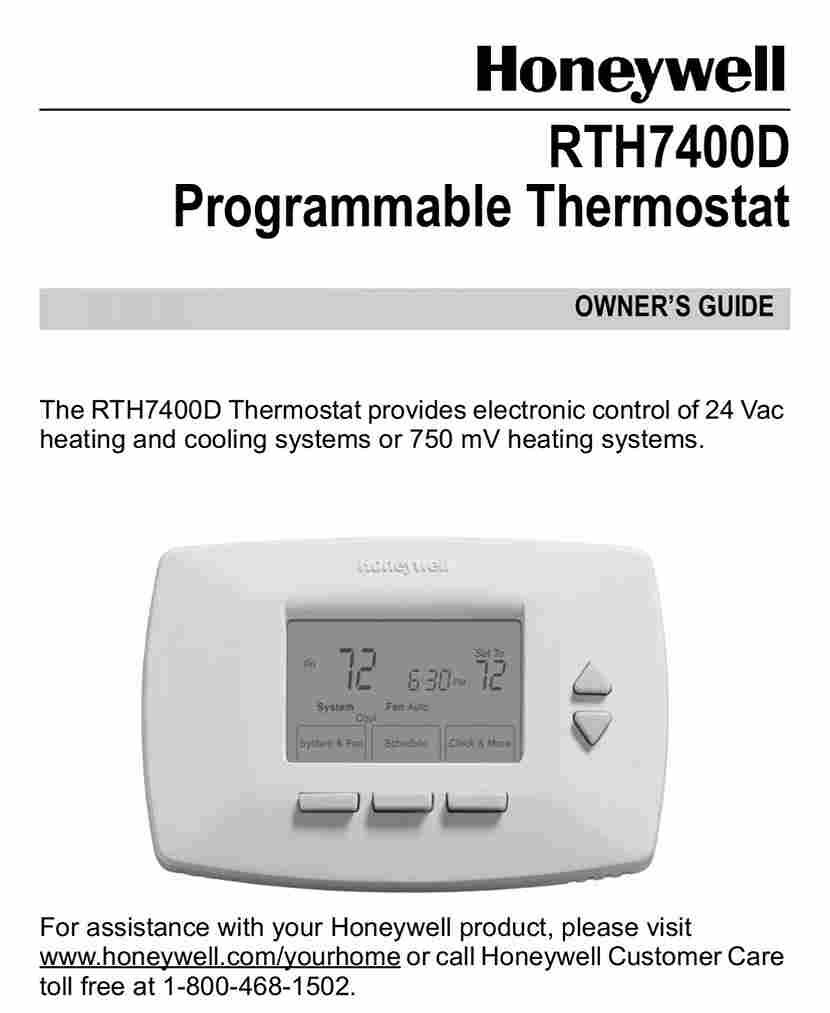
A thermostat problem rarely happens at a convenient time. It often shows up on a cold winter morning when the heat refuses to start, or during a summer heatwave when the air conditioner suddenly stops responding. In many cases, the thermostat itself is working perfectly, but homeowners struggle because they no longer have the original instructions. That is where a Honeywell home thermostat manual PDF becomes valuable.
Whether you need to connect a thermostat to Wi-Fi, change a schedule, replace batteries, understand wiring, or troubleshoot an error message, the correct manual provides model-specific guidance that can save hours of frustration.
The challenge is that Honeywell has produced dozens of thermostat models over the years. Smart thermostats, programmable thermostats, and basic digital models all have different menus, wiring requirements, and setup procedures. Finding the correct documentation is the first step toward solving almost any thermostat-related issue.
This guide explains how to identify your thermostat model, locate the correct manual, understand the information inside it, and use it effectively for setup and troubleshooting.
Why You May Need a Honeywell Home Thermostat Manual PDF

Most homeowners only look for a manual after something stops working. However, manuals are useful long before problems occur.
A Honeywell Home thermostat manual PDF can help with:
- Initial installation
- Programming schedules
- Wi-Fi setup
- Temperature calibration
- Battery replacement
- System troubleshooting
- Factory resets
- Understanding error messages
For example, many homeowners accidentally activate “Permanent Hold” mode and wonder why scheduled temperature changes are no longer occurring. The manual explains exactly how to disable this setting.
Similarly, smart thermostat owners often need detailed instructions for connecting their devices to home Wi-Fi networks, just as homeowners troubleshooting smart security lighting setups often need guidance on connectivity and automation features. Without the correct documentation, navigating the setup process can become frustrating.
Common Situations Where Manuals Help
| Situation | Information Found in Manual |
| Blank screen | Battery replacement and power checks |
| No heat | Wiring and system diagnostics |
| No cooling | HVAC compatibility guidance |
| Wi-Fi won’t connect | Network setup instructions |
| Schedule won’t run | Programming settings |
| New installation | Wiring diagrams and setup |
How to Identify Your Honeywell Thermostat Model

Before downloading any documentation, you must identify the exact thermostat model.
Many Honeywell devices look similar from the outside but operate very differently internally.
Finding the Model Number
The model number is usually located:
- On the front bezel
- Behind the thermostat faceplate
- Inside the battery compartment
- On the back of the mounting plate
- In the thermostat menu system
To find it:
- Remove the thermostat faceplate carefully.
- Look for labels beginning with:
- TH
- RTH
- T
- Record the full model number.
Examples include:
- TH4110U2005
- RTH6580WF
- TH6320WF2003
- TH9320WF5003
Even one incorrect digit can lead to downloading the wrong documentation.
Common Honeywell Home Thermostat Series
Honeywell has released several popular product lines.
T4 Pro
Designed for straightforward scheduling and easy operation.
T5 Smart Thermostat
Offers Wi-Fi connectivity and smartphone control.
T6 Pro
Commonly installed by HVAC professionals and supports advanced scheduling.
T9 Smart Thermostat
Features smart room sensors and remote monitoring.
VisionPRO Series
Popular in larger homes requiring advanced climate control.
Home Series
Designed for residential users seeking simplified operation.
Where to Download a Honeywell Home Thermostat Manual PDF

Once you know the model number, finding the correct manual becomes much easier.
Official Manufacturer Resources
The safest place to obtain a Honeywell Home thermostat manual PDF is through Honeywell Home support resources.
Official documentation provides:
- Accurate wiring diagrams
- Current firmware information
- Updated installation instructions
- Verified troubleshooting procedures
Always match the exact model number before downloading.
Finding Archived Manuals
Older thermostats may no longer appear on current support pages.
For discontinued products:
- Search by complete model number
- Check HVAC distributor documentation
- Look for archived support files
- Verify publication dates
Many thermostats from the early 2000s still have downloadable manuals available online.
Avoiding Incorrect Downloads
Downloading the wrong manual can create confusion.
Before using any document:
- Verify model number
- Check product image
- Compare wiring diagrams
- Confirm thermostat series
Even thermostats with similar names may have different setup procedures.
Understanding the Sections Inside Manual PDF

Many users download a manual but never fully understand what information it contains.
A typical Honeywell Home thermostat manual PDF includes several key sections.
Installation Instructions
This section covers:
- Mounting location
- Wall preparation
- Electrical safety
- Wiring requirements
Following installation guidelines helps prevent performance issues.
Wiring Diagrams
The wiring section explains:
- Terminal locations
- Wire functions
- HVAC compatibility
- Common wire requirements
These diagrams are critical during installation or replacement.
Programming Schedules
Most programmable thermostats allow:
- Weekday scheduling
- Weekend scheduling
- Multiple temperature periods
Examples include:
- Wake
- Leave
- Return
- Sleep
Wi-Fi Setup
Smart thermostats include instructions for:
- Network discovery
- Password entry
- Mobile app configuration
- Firmware updates
Temperature Calibration
Calibration settings help maintain accurate room temperature readings.
Maintenance Instructions
These sections typically explain:
- Cleaning recommendations
- Battery replacement
- Sensor maintenance
- Software updates
Error Messages
Error codes often indicate:
- Connectivity problems
- Sensor failures
- Power issues
- HVAC system faults
Honeywell Home Thermostat Manual PDF Setup Guide

The setup process varies by model, but most devices follow a similar sequence.
Initial Configuration
After installation:
- Restore power.
- Verify display operation.
- Select system type.
- Configure heating and cooling settings.
- Confirm equipment compatibility.
A Honeywell Home thermostat manual PDF provides exact menu paths for each model.
Setting Date and Time
Accurate scheduling depends on proper clock settings.
Typically you will:
- Open settings.
- Select date and time.
- Adjust day, month, and year.
- Confirm settings.
Smart models often synchronize automatically.
Programming Schedules
A common schedule might look like:
| Period | Time | Temperature |
| Wake | 6:00 AM | 70°F |
| Leave | 8:00 AM | 62°F |
| Return | 5:00 PM | 70°F |
| Sleep | 10:00 PM | 65°F |
Customized schedules improve comfort while reducing energy consumption.
Connecting to Wi-Fi
Most smart thermostats require:
- Accessing network settings.
- Selecting the home Wi-Fi network.
- Entering credentials.
- Registering through the mobile application.
Many connection issues result from incorrect passwords or weak wireless signals.
Common Problems Solved Using a Honeywell Thermostat Manual

Many thermostat issues can be resolved without calling an HVAC technician.
Thermostat Not Turning On
Possible causes include:
- Dead batteries
- Tripped breaker
- Loose wiring
- Power interruption
The Honeywell Home thermostat manual PDF provides model-specific diagnostic procedures.
Heating System Not Responding
Check:
- System mode
- Temperature settings
- Wiring connections
- Furnace power
Incorrect thermostat configuration frequently causes heating problems.
Cooling System Issues
Common causes include:
- Wrong mode selection
- Compressor protection delays
- Wiring problems
- HVAC system failures
The manual often explains built-in safety delays that prevent immediate cooling activation.
Wi-Fi Connection Problems
Troubleshooting steps typically include:
- Restarting router
- Reconnecting network
- Updating firmware
- Resetting wireless settings
Screen Display Problems
Symptoms may include:
- Blank display
- Frozen screen
- Dim lighting
- Missing icons
Most manuals include dedicated display troubleshooting sections.
Understanding Honeywell Thermostat Wiring Diagrams

Wiring diagrams often appear intimidating to beginners, but understanding a few basic terminals makes troubleshooting easier.
R Wire
The R wire supplies power from the HVAC system.
It is often:
- Red
- Connected to the R terminal
C Wire
The C wire provides continuous power.
Smart thermostats frequently require this connection.
W Wire
The W wire controls heating operation.
When heat is requested, the thermostat activates this circuit.
Y Wire
The Y wire controls cooling equipment.
It communicates with the air conditioning system.
G Wire
The G wire controls the indoor fan.
It allows independent fan operation when needed.
Example Wiring Layout
| Wire | Function |
| R | Power |
| C | Common |
| W | Heat |
| Y | Cooling |
| G | Fan |
Always disconnect HVAC power before handling wiring.
Using a Honeywell Home Thermostat Manual PDF for Wiring
The wiring section inside a Honeywell Home thermostat manual PDF shows exactly which terminals your model supports and which HVAC systems are compatible.
This information is especially important when replacing an older thermostat.
Tips for Keeping Your Thermostat Running Efficiently

Proper maintenance extends thermostat lifespan and improves energy efficiency.
Seasonal Maintenance
Twice each year:
- Inspect wiring
- Clean display surfaces
- Check thermostat mounting
- Verify temperature accuracy
Battery Replacement Schedules
For battery-powered models:
- Replace annually
- Use high-quality batteries
- Replace all batteries simultaneously
Updating Smart Thermostat Software
Firmware updates often provide:
- Security improvements
- Performance enhancements
- Bug fixes
- New features
Optimizing Schedules
Energy savings can be significant when schedules reflect actual occupancy patterns.
For example:
- Lower temperatures while sleeping
- Reduce heating during work hours
- Increase comfort settings before occupants return
When You Should Contact HVAC Support

Some problems go beyond thermostat documentation.
Professional assistance is recommended when dealing with:
Electrical Issues
Signs include:
- Burning smells
- Tripped breakers
- Sparking
- Damaged wiring
Wiring Modifications
Adding new HVAC equipment often requires rewiring.
HVAC Compatibility Concerns
Not all thermostats work with:
- Heat pumps
- Multi-stage systems
- Zoned systems
- Variable-speed equipment
Warranty Situations
Manufacturer warranties may require professional installation or service.
If the instructions in your Honeywell Home thermostat manual PDF recommend technician support, following that advice can prevent equipment damage.
Frequently Asked Questions

How do I find my thermostat model number?
Check behind the faceplate, inside the battery compartment, or on the mounting base.
Can I download Honeywell manuals for free?
Yes. Most manuals are available as free downloads from support resources.
What if my model is discontinued?
Archived documentation is often still available online through manufacturer and distributor databases.
How do I reset a Honeywell thermostat?
Reset procedures vary by model. Follow the exact instructions in your documentation.
What do thermostat error codes mean?
Error codes indicate specific faults such as communication failures, sensor problems, or power issues.
Do all Honeywell thermostats use the same wiring?
No. Wiring requirements differ based on model and HVAC system type.
How often should thermostat batteries be replaced?
Most manufacturers recommend replacement every 12 months.
Can I install a thermostat myself?
Many homeowners successfully install basic thermostats. Complex systems may require professional help.
Why is my thermostat showing the wrong temperature?
Possible causes include poor placement, calibration issues, direct sunlight, or sensor problems.
Why won’t my schedule run automatically?
Check for Hold mode, incorrect time settings, or programming conflicts.
Conclusion
When a thermostat stops behaving as expected, guessing rarely solves the problem. The fastest path to a solution is identifying the exact model and locating the correct Honeywell Home thermostat manual PDF.
Start by finding the thermostat model number. Next, download the matching documentation. Use the manual to understand setup procedures, wiring diagrams, programming options, maintenance requirements, and troubleshooting steps. Most common thermostat issues—from Wi-Fi connection failures to scheduling problems—can be resolved using the information already provided by the manufacturer.
If the manual points to electrical faults, HVAC compatibility concerns, or advanced wiring issues, contact a qualified professional. Otherwise, the correct documentation can often turn what seems like a complicated thermostat problem into a straightforward fix.





Leave a Reply