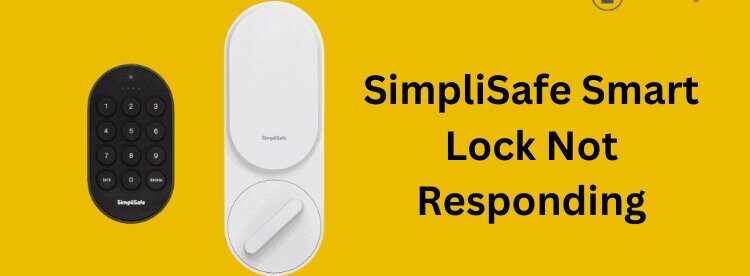
Picture this: you’re halfway to the airport when a nagging thought hits you. Did you lock the front door? Twenty years ago, that question might have meant turning the car around. Today, smart locks promise a simpler solution. Among the options available, the SimpliSafe smart lock attracts homeowners who already use SimpliSafe’s security ecosystem and want a lock that works seamlessly with their alarm system.
Unlike many standalone smart locks that focus heavily on smart home integrations, SimpliSafe takes a security-first approach. The lock is designed to work closely with the company’s monitoring services, allowing users to arm their security system and lock their door in a single action.
This review examines installation, security features, real-world performance, common problems, and whether the lock is worth buying in 2026.
SimpliSafe Smart Locks Overview

The simplisafe smart lock is a retrofit electronic deadbolt designed to replace the interior portion of an existing deadbolt while keeping the exterior key cylinder intact.
This design offers a practical advantage: homeowners can continue using their existing house keys while gaining smart lock functionality.
Who Is It Designed For?
The lock is primarily aimed at:
- Existing SimpliSafe customers
- Homeowners seeking simple installation
- Families wanting remote access management
- Users who prioritize security monitoring integration
It is less suitable for people who want extensive smart home automation features or broad third-party compatibility.
Position in the Smart Lock Market
The smart lock market includes premium options such as Yale, Schlage, and August. While those brands emphasize ecosystem compatibility, the SimpliSafe smart lock focuses on integration within the SimpliSafe environment.
That narrower focus creates both strengths and limitations.
SimpliSafe Smart Lock Specifications

Before purchasing any smart lock, it helps to understand the core specifications.
Physical Design and Dimensions
The lock features:
- Compact interior housing
- Traditional exterior appearance
- Existing deadbolt compatibility
- Modern matte finish options
Most users find the design unobtrusive compared to larger competitors.
Technical Specifications
Key specifications include:
- Power source: 4 AA batteries
- Typical battery life: 6–12 months
- Connectivity: Wireless connection through SimpliSafe Base Station
- Remote management: Available through SimpliSafe app
- PIN support: Yes
- Auto-lock: Yes
- Activity tracking: Yes
Compatibility Requirements
Before purchasing, verify that:
- Your deadbolt is supported
- Door alignment is correct
- A SimpliSafe security system is already installed
The lock is designed specifically for the SimpliSafe ecosystem and offers limited functionality outside it.
SimpliSafe Smart Lock Installation Guide

One of the strongest selling points of the SimpliSafe smart lock is its relatively simple installation process.
Many users complete setup in under 30 minutes.
Tools Required
You’ll typically need:
- Phillips screwdriver
- Measuring tape (optional)
- Smartphone with SimpliSafe app
No drilling is usually required.
Step-by-Step Installation Process
Follow these steps:
- Remove the interior side of your existing deadbolt.
- Keep the exterior key cylinder in place.
- Attach the SimpliSafe mounting plate.
- Connect the lock assembly.
- Insert batteries.
- Secure the housing.
- Launch the SimpliSafe app.
- Pair the device with your base station.
- Run lock calibration.
- Test locking and unlocking functions.
Most installation issues occur during calibration rather than physical mounting.
Common Installation Mistakes
Several avoidable mistakes can create problems later.
Incorrect Deadbolt Alignment
If the deadbolt rubs against the strike plate, the motor works harder than intended.
This can cause:
- Faster battery drain
- Calibration failures
- Motor strain
Loose Mounting Screws
Loose hardware can cause communication errors between the lock mechanism and internal motor.
Always verify that all screws are tightened evenly.
Setting Up Through the SimpliSafe App
Once installed:
- Open the app
- Add a new device
- Select Smart Lock
- Follow pairing instructions
- Complete calibration
- Create user PINs
Most users finish software setup within five to ten minutes.
Security Features of the SimpliSafe Smart Lock
Security is where the simplisafe smart lock attempts to differentiate itself from many competitors.
PIN Code Access

Users can create unique access codes for:
- Family members
- Housekeepers
- Dog walkers
- Temporary visitors
This removes the need for physical key sharing.
Remote Lock Management

Through the mobile app, users can:
- Lock doors remotely
- Check lock status
- Verify access activity
- Receive notifications
Imagine a child arriving home from school. Parents can instantly confirm that the door was unlocked at the expected time.
Event History and Activity Logs
The lock records:
- Lock events
- Unlock events
- User-specific entries
- Time-stamped access activity
These records provide valuable visibility into household access patterns.
Auto-Lock Functionality
Auto-locking automatically secures the door after a selected period.
This feature helps prevent common situations where someone forgets to lock up before leaving.
Tamper Detection
The lock integrates with SimpliSafe’s broader security system to identify suspicious activity.
While not a substitute for physical security, it adds another layer of monitoring.
Encryption and Communication Security
Wireless communication between devices is encrypted to help protect commands and access information from interception.
Strong encryption remains essential because connected locks are increasingly targeted by cybercriminals.
Integration with SimpliSafe Monitoring
A major advantage of the SimpliSafe smart lock is its direct connection to SimpliSafe monitoring services.
Users can:
- Arm systems while locking
- Create automated security routines
- Receive centralized alerts
For existing SimpliSafe customers, this integration often becomes the lock’s biggest selling point.
SimpliSafe Smart Lock vs Schlage Lock

While the SimpliSafe Smart Lock is built primarily for users invested in the SimpliSafe security ecosystem, Schlage smart locks are designed to appeal to a broader audience looking for advanced smart home compatibility and premium security features.
Schlage offers several popular models, including the Schlage Encode, Schlage Encode Plus, and Schlage Connect. These locks are known for their durable construction, built-in Wi-Fi (on Encode models), Apple Home Key support (Encode Plus), and compatibility with platforms such as Amazon Alexa, Google Assistant, and Apple HomeKit on supported models.
Here’s how they compare:
| Feature | SimpliSafe Smart Lock | Schlage Lock |
|---|---|---|
| Best For | SimpliSafe security users | Smart home enthusiasts |
| Installation | Retrofit design | New lock replacement |
| Remote Access | Via SimpliSafe app | Via Schlage Home app |
| Smart Home Compatibility | Limited | Extensive (varies by model) |
| Built-in Wi-Fi | No (uses SimpliSafe Base Station) | Yes (Encode models) |
| Security Integration | Excellent with SimpliSafe monitoring | Strong standalone security |
| Price | Generally lower | Typically higher |
Real-World Performance

Specifications only tell part of the story.
Daily performance determines whether a smart lock feels useful or frustrating.
Everyday Convenience
In normal use, locking and unlocking are generally quick.
Many homeowners appreciate:
- One-touch operation
- App-based control
- User PIN management
- Reduced key dependence
Reliability Over Time
Reliability often depends on door alignment.
Homes with properly fitted doors tend to experience fewer issues than homes where deadbolts already stick or bind.
Mobile App Experience
The app provides straightforward controls.
Users commonly use it to:
- Check lock status
- Review activity logs
- Manage access codes
- Control security settings
The interface is generally beginner-friendly.
User Feedback Trends
Common positive feedback includes:
- Easy installation
- Smooth integration
- Convenient remote access
Some complaints include:
- Limited smart home compatibility
- Occasional connectivity issues
- Battery consumption concerns
Some Problems With the SimpliSafe Smart Lock

Even well-designed products encounter issues.
The simplisafe smart lock has several recurring complaints reported by users.
Battery Drain Issues
Symptoms
- Frequent low-battery alerts
- Reduced battery lifespan
- Unexpected shutdowns
Causes
Common causes include:
- Misaligned deadbolt
- Frequent operation
- Weak battery quality
- Calibration issues
Solutions
- Recalibrate the lock
- Use premium alkaline batteries
- Correct deadbolt alignment
- Replace batteries proactively
Connection Failures
Symptoms
- Lock appears offline
- Delayed commands
- App communication errors
Causes
- Base station distance
- Signal interference
- Firmware problems
Solutions
- Move the base station closer
- Restart devices
- Update firmware
Lock Calibration Problems
Symptoms
- Partial locking
- Failure to lock completely
- Error notifications
Causes
- Door frame resistance
- Incorrect installation
- Mechanical binding
Solutions
- Re-run calibration
- Adjust strike plate
- Inspect deadbolt movement
App Syncing Issues
Symptoms
- Missing activity logs
- Delayed notifications
- Incorrect lock status
Causes
- Weak internet connection
- Server synchronization delays
Solutions
- Refresh the app
- Update software
- Reconnect devices
PIN Code Errors
Symptoms
- Access code rejection
- Inconsistent user access
Causes
- Incorrect code entry
- Software synchronization problems
Solutions
- Recreate the user profile
- Delete and re-enter PIN codes
Mechanical Lock Problems
Symptoms
- Grinding sounds
- Slow operation
- Stuck deadbolt
Causes
- Physical door misalignment
- Worn hardware
Solutions
- Lubricate moving parts
- Realign the door
- Replace damaged hardware
Pros and Cons of the SimpliSafe Smart Lock

Pros
- Easy DIY installation
- Strong integration with SimpliSafe systems
- User-friendly mobile app
- Remote management capabilities
- Activity tracking features
- Auto-lock functionality
Cons
- Limited third-party smart home support
- Requires SimpliSafe ecosystem for best experience
- Battery-related complaints from some users
- Fewer advanced automation options
SimpliSafe Smart Lock vs Competitors
SimpliSafe Smart Lock vs Yale Assure Lock

Yale offers:
- Broader smart home compatibility
- Multiple connectivity options
- More customization
SimpliSafe offers:
- Better integration with SimpliSafe monitoring
- Simpler setup for existing customers
SimpliSafe Smart Lock vs Schlage Encode

Schlage Encode provides:
- Built-in Wi-Fi
- Strong security reputation
- Advanced access management
SimpliSafe typically wins on ecosystem integration for current SimpliSafe users.
SimpliSafe Smart Lock vs August Wi-Fi Smart Lock

August focuses heavily on:
- Smart home integrations
- Voice assistant compatibility
- Retrofit convenience
The simplisafe smart lock focuses more narrowly on security monitoring integration.
Who Should Buy the SimpliSafe Smart Lock?

Best Buyers
This lock makes sense for:
- Existing SimpliSafe subscribers
- Families
- Homeowners seeking simple operation
- Users wanting centralized security management
Less Suitable Buyers
It may not be ideal for:
- Smart home enthusiasts
- Advanced automation users
- People seeking broad ecosystem compatibility
Apartment Owners
Many apartment residents appreciate the retrofit design because it often preserves the original exterior appearance.
Families
Families benefit from:
- PIN management
- Activity monitoring
- Remote access control
Existing SimpliSafe Customers
This group receives the most value because the lock becomes part of a larger monitored security system.
Frequently Asked Questions
Is the SimpliSafe Smart Lock worth buying?
Yes, especially for existing SimpliSafe customers who want seamless integration with their security system.
Does the SimpliSafe Smart Lock work without Wi-Fi?
Basic locking functions continue to operate, but remote features depend on system connectivity.
How long do the batteries last?
Most users report approximately 6–12 months, depending on usage patterns and door alignment.
Can the lock be hacked?
No connected device is entirely immune to cyber threats, but encryption and security controls help reduce risk.
Does it support Alexa?
Support may vary based on current SimpliSafe integrations and account setup.
Does it work with Google Assistant?
Compatibility options can change over time, so verify current support before purchasing.
What happens if the batteries die?
You can still use the physical key associated with the exterior lock cylinder.
Can multiple users have different PINs?
Yes. Individual access codes can be assigned to different household members.
Conclusion
The simplisafe smart lock is best viewed as a security-focused smart lock rather than a general-purpose smart home device. It offers straightforward installation, practical security features, activity monitoring, and valuable integration with SimpliSafe’s monitoring ecosystem. While competitors may offer broader compatibility, existing SimpliSafe users are likely to gain the most benefit from this solution.
If your priority is a lock that works closely with your home security system and provides reliable remote access, changing to keyless entry if possible, the simplisafe smart lock remains a strong option worth considering.





Leave a Reply