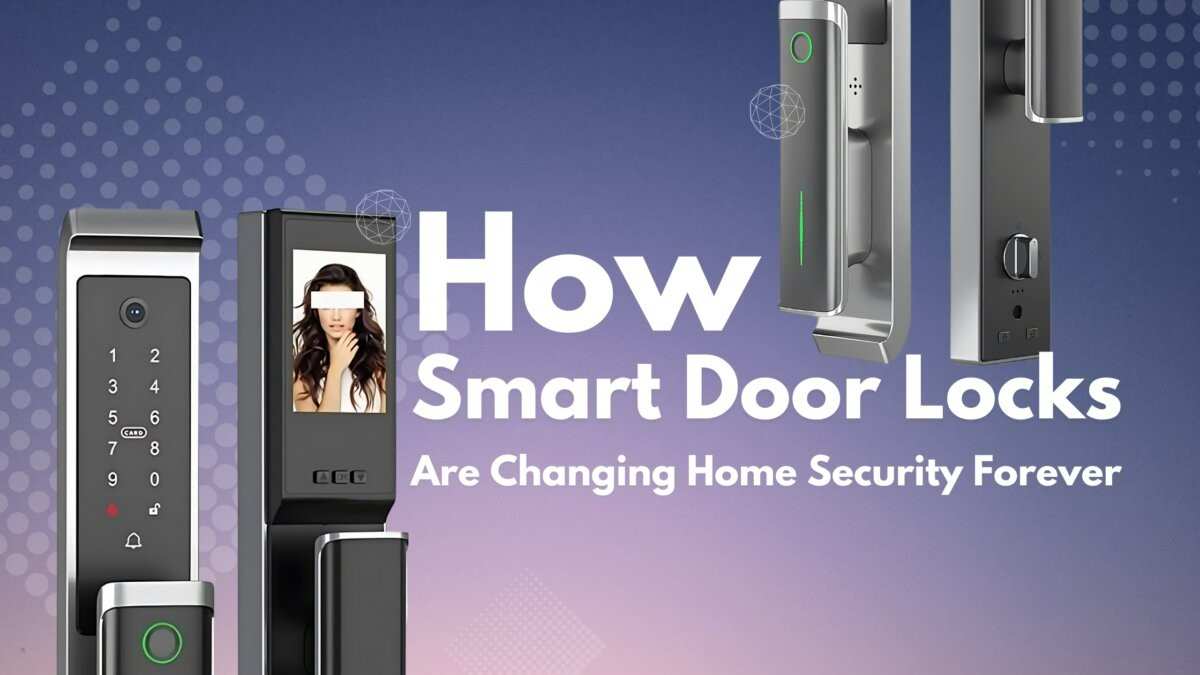
Picture this: you’re standing outside your front door with two bags of groceries, your phone is ringing, and the keys you need are buried somewhere in your pocket. It’s a small frustration, yet it happens millions of times every day. That’s one reason keyless entry systems have moved from luxury homes to everyday households. Recent smart home adoption trends show that homeowners increasingly prefer digital access solutions over traditional locks because they offer convenience, flexible access management, and better activity tracking. Yet many buyers struggle with a simple question: which option is actually the best keyless door lock for their needs?
The challenge isn’t finding a lock. The challenge is choosing among PIN codes, fingerprint recognition, NFC access, and app-controlled systems. Each technology solves a different problem, and the right choice depends on how you use your home.
This guide compares every major keyless locking method, explains the strengths and weaknesses of each, and helps you determine the best keyless door lock based on your lifestyle, budget, and security expectations.
What Is a Keyless Door Lock?

A keyless door lock is a locking system that allows entry without a traditional metal key. Instead, users gain access through digital credentials such as:
- PIN codes
- Fingerprints
- Smartphones
- NFC cards
- Bluetooth devices
- Mobile applications
Most modern systems include multiple entry methods as backup options. For example, a homeowner might unlock the door using a fingerprint while also keeping a mobile app available for emergencies.
Unlike conventional locks, keyless systems can track access events, create temporary permissions, and integrate with broader smart home security platforms.
How Keyless Entry Technology Works
Every keyless entry system relies on authentication.
The lock verifies that the person requesting access has valid credentials before activating the locking mechanism.
Common authentication methods include:
- Knowledge-based authentication (PIN codes)
- Biometric authentication (fingerprints)
- Device-based authentication (smartphones)
- Proximity authentication (NFC)
The best keyless door lock often combines two or more authentication methods to improve convenience and security.
Why Homeowners Are Switching to Keyless Entry

The growing popularity of smart locks isn’t driven by technology alone. Most homeowners switch because keyless systems solve everyday problems.
Convenience Benefits
Physical keys are easy to lose.
A keypad door lock eliminates the need to carry keys during walks, exercise sessions, or quick trips outside.
Parents can provide access codes to children without making duplicate keys. Service providers can receive temporary access when necessary.
Many mobile app door lock systems even allow remote unlocking from anywhere with an internet connection.
Security Advantages
Traditional keys create several security concerns:
- Lost keys
- Stolen keys
- Unauthorized duplication
A digital door lock reduces these risks by allowing users to change credentials instantly.
For example, if a contractor finishes a renovation project, their temporary access code can be deleted within seconds.
Common Use Cases
Keyless systems work particularly well for:
- Family homes
- Vacation properties
- Rental units
- Airbnb listings
- Home offices
- Smart home installations
These practical applications have made the best keyless door lock a popular upgrade among homeowners seeking better control over property access.
Best Keyless Door Lock Types Compared

Not all keyless locks operate the same way. Understanding the strengths and weaknesses of each category helps narrow your options.
PIN Code Locks

PIN code locks remain one of the most widely used keyless solutions.
Users enter a numeric code on a keypad to unlock the door.
How PIN Locks Work
A user-created code is stored inside the lock’s memory.
When the correct code is entered, the locking mechanism disengages and grants access.
Most systems support multiple codes for different users.
Pros of PIN Locks
- Easy to use
- Affordable pricing
- No smartphone required
- Works for all age groups
- Multiple user codes available
Cons of PIN Locks
- Codes can be shared
- Visible wear may reveal frequently used numbers
- Users may forget codes
Best Use Cases
PIN locks are ideal for:
- Families
- Small offices
- Rental properties
- Budget-conscious homeowners
For many households, a keypad-based system represents the best keyless door lock balance between affordability and convenience.
Fingerprint Locks

Biometric authentication has become increasingly reliable over the past decade.
A fingerprint door lock identifies users through unique fingerprint patterns.
How Fingerprint Recognition Works
The scanner captures fingerprint characteristics and compares them with stored templates.
Modern systems often complete verification in less than one second.
Accuracy Rates
High-quality fingerprint locks typically achieve recognition accuracy above 98%.
Advanced sensors can distinguish between real fingers and artificial replicas.
Pros of Fingerprint Locks
- Extremely fast access
- No codes to remember
- Difficult to duplicate
- Convenient for families
Cons of Fingerprint Locks
- Higher purchase cost
- Dirty fingers may affect performance
- Sensor maintenance required
Best Use Cases
Fingerprint locks work especially well for:
- Busy households
- Professionals
- Technology enthusiasts
- Homes with frequent daily traffic
Many consumers consider biometric models the best keyless door lock option because of their speed and user-friendly experience.
App-Based Smart Locks

App-controlled locks have transformed how homeowners manage property access.
Instead of relying solely on a keypad or biometric scanner, these systems connect to a smartphone application. Users can lock, unlock, monitor, and manage permissions remotely.
For people who travel frequently or manage multiple properties, app-based solutions are often considered the best keyless door lock option because of their flexibility.
Remote Access Control
One of the biggest advantages of a mobile app door lock is the ability to operate the lock from virtually anywhere.
Imagine a family member arriving early while you’re still at work. Rather than hiding a spare key under a flowerpot, you can unlock the door directly from your phone.
Many systems also allow users to verify whether the door is locked before going to bed or leaving for vacation.
Temporary Guest Access
Temporary digital credentials are particularly useful for:
- House guests
- Dog walkers
- Cleaning services
- Delivery personnel
- Contractors
Instead of distributing physical keys, homeowners can create access permissions that automatically expire.
Activity Monitoring
Most smart locks maintain detailed access logs.
Users can see:
- Who entered
- When they entered
- Which access method was used
- Failed entry attempts
This visibility adds an extra layer of control that traditional locks simply cannot provide.
Pros of App-Based Smart Locks
- Remote access capability
- Real-time notifications
- Integration with smart home systems
- Flexible user management
- Temporary digital keys
Cons of App-Based Smart Locks
- Higher upfront cost
- Dependence on battery power
- Potential connectivity issues
- More complex setup process
Best Use Cases
App-controlled locks work especially well for:
- Airbnb hosts
- Property managers
- Frequent travelers
- Smart home enthusiasts
- Large households
For users who prioritize remote management, app-based models may represent the best keyless door lock available today.
Security Comparison: Which Technology Offers Better Protection?

Security is often the deciding factor when choosing a lock.
While every modern keyless system provides benefits, each technology introduces different risks and strengths.
Hacking Risks
- PIN locks are vulnerable to code sharing and observation.
- Fingerprint locks reduce this concern because biometric credentials cannot be casually shared.
- NFC systems use short-range communication, making remote interception difficult.
- App-based systems rely heavily on encryption and account security. Strong passwords and two-factor authentication significantly reduce risk.
Physical Security
- The locking mechanism itself matters as much as the access method.
- A high-quality deadbolt paired with smart technology offers far better protection than a weak lock body with advanced electronics.
- When evaluating the best keyless door lock, examine both digital security and physical construction.
User Management
App-controlled systems provide the most advanced user management.
Administrators can:
- Add users instantly
- Remove access immediately
- Set schedules
- Track activity logs
PIN systems also support multiple users but generally offer fewer management features.
Backup Access Methods
Reliable locks include backup options such as:
- Physical keys
- Emergency PIN codes
- External battery contacts
- Backup power ports
A backup method becomes essential when batteries fail unexpectedly.
Reliability During Power Outages
Most keyless locks run on internal batteries rather than household electricity.
This means power outages rarely affect operation.
Quality smart locks typically provide low-battery warnings weeks before replacement becomes necessary.
Cost Comparison

Price varies significantly depending on features, materials, and connectivity options.
| Lock Type | Average Lock Cost | Installation Cost | Annual Maintenance |
| PIN Code Lock | $70–$180 | $50–$150 | Low |
| Fingerprint Lock | $120–$350 | $75–$200 | Low to Moderate |
| NFC Door Lock | $150–$400 | $75–$250 | Moderate |
| App-Based Smart Lock | $180–$500+ | $100–$300 | Moderate |
DIY installation can reduce expenses, although professional smart lock installation often ensures proper alignment and performance.
A higher purchase price doesn’t automatically mean better value. The best keyless door lock is the one that matches your actual needs rather than offering features you’ll never use.
Common Mistakes Buyers Make

Many buyers focus on features while overlooking practical considerations.
Avoid these mistakes:
- Ignoring door compatibility requirements.
- Choosing a lock without a backup entry method.
- Focusing only on price.
- Forgetting battery replacement schedules.
- Overlooking weather resistance ratings.
- Ignoring smart home integration needs.
- Buying from unknown manufacturers without support.
- Sharing access codes too broadly.
- Failing to update firmware.
- Skipping professional installation when required.
Avoiding these mistakes improves both security and long-term satisfaction.
Future Trends in Keyless Door Locks

The smart lock market continues to evolve rapidly. Features that once appeared only in premium commercial buildings are becoming common in residential products.
Several emerging technologies are likely to influence what homeowners expect from the best keyless door lock over the next few years.
AI-Powered Authentication
Artificial intelligence is beginning to improve authentication systems.
Future locks may analyze multiple factors simultaneously, including:
- User behavior patterns
- Device recognition
- Location data
- Access timing
For example, a system might identify unusual access attempts and request additional verification before unlocking.
This approach adds another layer of protection without making daily access more complicated.
Multi-Factor Access Control
Many security professionals consider multi-factor authentication one of the strongest methods for protecting digital systems.
The same concept is moving into residential security.
Future smart locks may require combinations such as:
- Fingerprint + smartphone
- PIN + NFC credential
- Smartphone + facial recognition
These combinations significantly reduce unauthorized access risks.
Improved Biometrics
Fingerprint technology continues to improve.
New sensors are becoming:
- Faster
- More accurate
- More resistant to dirt and moisture
- Better at detecting fake fingerprints
Biometric systems are expected to become standard in many mid-range products rather than remaining premium features.
Matter Smart Home Standard
Matter is a growing interoperability standard designed to improve communication between smart devices.
As Matter adoption expands, homeowners should experience:
- Easier device setup
- Better compatibility
- Improved automation
- Reduced ecosystem lock-in
This development may help consumers choose the best keyless door lock based on features rather than compatibility limitations.
Frequently Asked Questions
Are fingerprint door locks safe?
Yes. Modern fingerprint door locks use encrypted biometric templates rather than storing actual fingerprint images. High-quality models often achieve recognition accuracy rates above 98%, making them highly secure for residential use.
Can keyless locks work without Wi-Fi?
Yes. Most keyless locks operate independently of Wi-Fi.
PIN locks, fingerprint locks, and many NFC systems continue working normally without an internet connection. Wi-Fi is typically required only for remote management features.
What happens if the batteries die?
Most smart locks provide low-battery warnings weeks before power runs out.
Many models include backup solutions such as:
- Physical keys
- Emergency battery terminals
- USB power connections
- Backup access codes
Are NFC locks more secure than PIN locks?
In many situations, yes.
NFC credentials are harder to observe and copy than PIN codes. However, overall security also depends on encryption standards, device management practices, and lock construction quality.
Do keyless locks increase home value?
While a smart lock alone may not dramatically increase property value, it can improve buyer appeal. Many homebuyers view smart home security features as desirable upgrades that enhance convenience and modernize the property.
Which type is easiest for elderly users?
Large-button keypad locks and simple fingerprint locks are generally the easiest options for seniors.
They eliminate the need to carry physical keys while avoiding the complexity that sometimes comes with advanced mobile applications.
Conclusion
Choosing the right keyless lock starts with understanding how you plan to use it.
PIN code locks offer simplicity and affordability. Fingerprint locks provide speed and convenience. NFC systems create a seamless tap-to-unlock experience. App-controlled smart locks deliver advanced access management and remote control.
There is no single solution that fits every homeowner.
A family with children may benefit most from a fingerprint lock with keypad backup. An Airbnb host may prefer app-based access management. A senior homeowner might value a straightforward keypad system.
The best keyless door lock is the one that balances security, convenience, reliability, and budget for your specific situation. Before purchasing, evaluate your daily routines, consider who needs access, verify compatibility with your door, and prioritize reliable backup entry options.
Making that assessment carefully will help you invest in a system that improves both convenience and long-term home security.





Leave a Reply