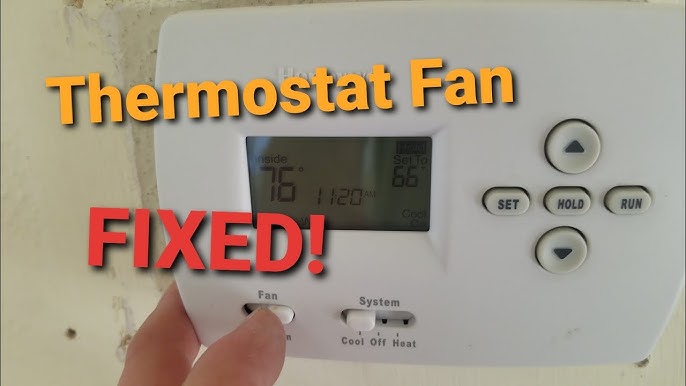
You set the Honeywell thermostat to 72°F before bed, expecting a comfortable night’s sleep. By morning, the house feels noticeably colder. The display still shows the correct temperature setting, yet the heating system seems to have ignored it. Other homeowners experience the opposite problem during summer, where rooms become warmer than expected even though the thermostat appears to be working.
When aHoneywelll thermostat fails to maintain the desired temperature, many people assume the device itself is defective. In reality, the cause is often something much simpler. Incorrect schedules, hold settings, weak batteries, airflow restrictions, or HVAC system issues can all affect temperature control.
The problem matters because even small temperature inconsistencies can increase utility costs. According to the U.S. Department of Energy, adjusting thermostat settings by several degrees can significantly affect annual heating and cooling expenses. A system that runs longer than necessary wastes energy and puts extra strain on HVAC equipment.
The good news is that many thermostat-related issues can be diagnosed without specialized tools. In this guide, you’ll learn the most common reasons a thermostat fails to hold temperature, how to identify the root cause, and what steps you can take to restore consistent comfort throughout your home.
Why a Honeywell Thermostat May Not Hold Temperature

A thermostat acts as the communication center between your HVAC equipment and your desired comfort settings.
When temperature control becomes inconsistent, the issue usually falls into one of these categories:
- Programming conflicts
- Hold setting confusion
- Sensor inaccuracies
- Battery problems
- Airflow restrictions
- HVAC equipment malfunctions
- Software or firmware issues
In many service visits, homeowners are convinced the thermostat is broken. However, the actual cause often turns out to be a clogged air filter or an overlooked schedule setting.
Understanding the possible causes helps narrow down the troubleshooting process.
How a Honeywell Thermostat Controls Heating and Cooling

A Honeywell thermostat constantly measures room temperature through an internal sensor.
When the room temperature moves above or below the desired set point, the thermostat signals the HVAC system to start or stop heating or cooling.
Temperature Swing Explained
Most thermostats operate within a small temperature swing range.
For example:
- Set temperature: 72°F
- Actual room temperature: 71°F–73°F
A variation of 1–2 degrees is often normal.
Many homeowners expect the displayed temperature to remain perfectly fixed. In reality, small fluctuations help prevent excessive cycling and reduce wear on HVAC equipment.
Common Symptoms of Temperature Control Problems

Before making adjustments, identify the specific symptom.
Common signs include:
- Temperature constantly changing
- House feels warmer or colder than display reading
- HVAC system runs continuously
- Heating or cooling cycles start too frequently
- Programmed settings seem ignored
- Temperature resets unexpectedly
The symptom often points directly toward the underlying issue.
Fix #1: Check Program Schedules on Your Honeywell Thermostat

One of the most common causes involves programmed schedules.
Many homeowners forget previous settings remain active.
How Scheduling Overrides Work
A Honeywell thermostat may automatically change temperatures based on a programmed schedule.
For example:
- 6:00 AM → 72°F
- 8:00 AM → 68°F
- 5:00 PM → 72°F
- 10:00 PM → 66°F
If you manually change the temperature, the schedule may override your adjustment later.
How to Identify the Problem
Look for:
- Temperature changing at specific times
- Unexpected morning or evening adjustments
- Program indicators on the display
How to Fix It
- Access thermostat settings.
- Review programmed schedules.
- Remove outdated schedules.
- Create a new schedule if needed.
Expected Result
The system should follow your updated preferences consistently.
Fix #2: Verify Hold and Permanent Hold Settings

Hold functions often confuse homeowners.
Temporary Hold vs Permanent Hold
A temporary hold maintains the selected temperature until the next scheduled event.
A permanent hold ignores schedules entirely until manually removed.
How to Identify the Issue
Check whether:
- “Hold” appears on the screen
- Temperature changes unexpectedly after several hours
- Schedule resumes without warning
How to Fix It
- Open thermostat settings.
- Locate hold options.
- Verify whether temporary or permanent hold is active.
- Adjust based on your preference.
Expected Result
The thermostat should maintain the chosen temperature according to the selected hold mode.
Fix #3: Replace Weak Honeywell Thermostat Batteries

Battery problems can cause unpredictable behavior.
Most battery-powered thermostats use AA batteries that typically last between 8 and 18 months depending on usage.
How to Identify the Issue
Watch for:
- Low battery warnings
- Dim display screens
- Random resets
- Lost schedules
How to Fix It
- Remove the thermostat cover.
- Replace all batteries.
- Use fresh, high-quality batteries.
- Verify settings afterward.
Expected Result
Stable power should restore normal operation.
Fix #4: Inspect Temperature Sensor Accuracy

Temperature sensors occasionally provide inaccurate readings.
A difference of even 3–4 degrees can affect comfort significantly.
How Room Placement Affects Readings
The location of a Honeywell thermostat matters more than many homeowners realize.
Poor placement includes:
- Near sunny windows
- Above supply vents
- Close to kitchens
- Adjacent to exterior doors
Real-World Example
One homeowner complained that the air conditioner never shut off during summer afternoons.
The thermostat was mounted directly across from a large west-facing window. Afternoon sunlight warmed the sensor enough to create false temperature readings.
How to Fix It
- Compare readings using a reliable room thermometer.
- Check nearby heat sources.
- Relocate the thermostat if necessary.
Expected Result
Improved temperature accuracy and better comfort.
Fix #5: Check HVAC System Performance

Sometimes the thermostat works perfectly while the HVAC equipment struggles.
Signs the Problem Is Not the Thermostat
Look for:
- Weak airflow
- Uneven room temperatures
- Strange equipment noises
- Long run times
- Frequent shutdowns
How to Investigate
Check:
- Air vents
- Outdoor condenser
- Furnace operation
- Error indicators
Technician Insight
Many service calls begin with complaints about the thermostat. After inspection, the actual issue often involves refrigerant problems, failing blower motors, or dirty evaporator coils.
Expected Result
Addressing HVAC issues should restore proper temperature control.
Fix #6: Inspect Air Filters and Airflow

Restricted airflow affects heating and cooling performance.
Why Airflow Matters
When airflow decreases:
- Heating becomes inefficient
- Cooling performance drops
- Equipment runs longer
- Temperature stability suffers
Filter Replacement Guidelines
Typical recommendations:
- Every 30 days in homes with pets
- Every 60–90 days in average households
- More frequently during heavy HVAC use
How to Fix It
- Remove the filter.
- Inspect for dirt buildup.
- Replace if needed.
- Verify vents remain open.
Expected Result
Improved airflow often restores normal system operation quickly.
Fix #7: Update Firmware

Outdated software occasionally creates performance issues.
How to Identify the Issue
Look for:
- App synchronization problems
- Missing features
- System glitches
- Random setting changes
How to Fix It
- Connect to Wi-Fi.
- Check for updates.
- Install available firmware.
- Restart the system.
Expected Result
Software updates can resolve bugs affecting performance. The same principle applies to smart lock firmware update issues, where outdated software can affect connectivity and responsiveness.
Fix #8: Reset the Honeywell Thermostat

A reset can solve persistent configuration problems.
When to Reset
Consider resetting if:
- Multiple fixes fail
- Settings behave unpredictably
- Display errors continue
How to Reset
- Back up settings if possible.
- Follow manufacturer instructions.
- Reconfigure the thermostat.
- Test operation.
Expected Result
The Honeywell thermostat returns to default operating conditions.
Preventing Future Honeywell Thermostat Temperature Issues

Preventive maintenance reduces future problems.
Recommended Maintenance Schedule
Monthly:
- Inspect filters
- Check temperature accuracy
Seasonally:
- Test heating and cooling
- Review schedules
Annually:
- Professional HVAC inspection
- Sensor calibration check
Practical Advice
Small maintenance tasks often prevent expensive repairs later.
When Replacing the Honeywell Thermostat Makes Sense

Sometimes replacement is more practical than repair.
Signs Replacement May Be Necessary
Consider replacement when:
- The unit is 10–15 years old
- Parts become unavailable
- Display failures occur repeatedly
- Sensor accuracy declines permanently
Upgrade Benefits
Modern thermostats may provide:
- Better scheduling
- Remote access
- Energy monitoring
- Improved comfort control
A newer Honeywell thermostat can often reduce unnecessary heating and cooling cycles through smarter automation.
FAQ
Why won’t my Honeywell thermostat stay at the set temperature?
Program schedules, hold settings, airflow problems, sensor issues, or HVAC equipment faults are the most common causes.
What does permanent hold mean?
Permanent hold keeps the selected temperature continuously until manually changed or removed.
Can low batteries affect temperature control?
Yes. Weak batteries can cause resets, display problems, and inconsistent operation.
How accurate should a Honeywell thermostat be?
Most modern thermostats remain accurate within about 1–2°F under normal conditions.
Should I repair or replace my Honeywell thermostat?
If the unit is relatively new, repair usually makes sense. Older units with recurring issues may justify replacement.
Conclusion
When a Honeywell thermostat fails to maintain temperature, the cause is not always the thermostat itself. Schedule conflicts, hold settings, battery issues, sensor placement, airflow restrictions, and HVAC performance problems can all contribute to inconsistent comfort.
Start with the simplest fixes first. Check programmed schedules, verify hold settings, inspect batteries, and replace dirty air filters. These steps solve a surprisingly large percentage of temperature complaints.
If the problem continues, compare temperature readings, evaluate HVAC performance, and review automation settings. For persistent issues, professional diagnostics can uncover hidden system faults before they become expensive repairs.
Going forward, routine maintenance remains the best prevention strategy. Regular filter changes, annual HVAC inspections, and periodic thermostat checks help maintain reliable operation throughout the year.
The first thing every homeowner should check when temperature inconsistencies appear is the thermostat schedule. In many cases, the solution is already programmed into the system without anyone realizing it.





Leave a Reply