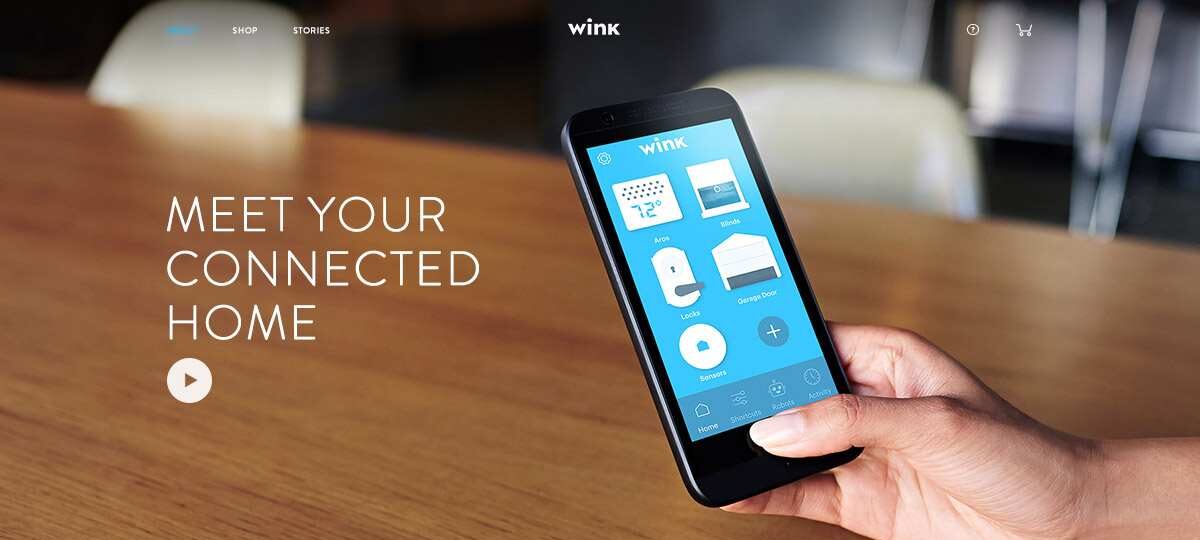
Many homeowners built their automation setup around a single Wink hub years ago. Lights, locks, sensors, thermostats, and garage door controllers all worked through one dashboard, making smart home management simple. Then things started changing. Subscription requirements became a concern for some users, support for newer devices felt slower than competitors’, and emerging standards such as Matter and Thread began reshaping the smart home landscape.
As a result, many longtime Winkk users have started evaluating alternatives that offer broader compatibility, faster innovation, and stronger long-term support. The challenge is that replacing a central hub is rarely as simple as unplugging one device and installing another. Existing automations may need rebuilding, certain devices require factory resets, and not every platform supports the same hardware.
The good news is that smart home technology in 2026 is more mature than ever. Several platforms now provide local processing, advanced automation capabilities, improved security, and support for modern standards that make future upgrades easier.
Whether you’re looking for complete local control, easier voice automation, better privacy, or a larger device ecosystem, this guide will help you identify the right replacement and avoid costly migration mistakes.
Why Many Users Are Replacing Wink

Subscription Changes and Platform Uncertainty
One reason many homeowners started exploring alternatives was uncertainty surrounding long-term platform development. A smart home hub sits at the center of an entire automation ecosystem. When users question future updates, support, or feature expansion, they naturally begin looking elsewhere.
Smart home investments often last five to ten years. Devices such as switches, thermostats, and door locks are not replaced annually. Homeowners want confidence that their chosen platform will continue supporting new technology standards and expanding compatibility over time.
The concern isn’t necessarily about current functionality. Many systems continue operating reliably. The issue is whether a platform can keep pace with rapid changes occurring across the smart home industry.
Device Compatibility Challenges
Compatibility has become increasingly important as manufacturers release products using newer protocols.
A few years ago, supporting Zigbee and Z-Wave covered most smart home needs. Today, consumers expect integration with:
- Matter devices
- Thread-enabled products
- Wi-Fi smart devices
- Voice assistants
- Energy monitoring systems
- Smart appliances
- Security cameras
Many homeowners upgrading to newer ecosystems also replace older smart locks with models that offer better Matter and Alexa compatibility.
When a platform supports fewer device categories than competing solutions, homeowners may feel restricted when adding new products.
For example, someone purchasing a Matter-enabled smart lock may prefer a hub that fully embraces the standard rather than relying on workarounds or delayed support.
Growing Demand for Local Automation
Cloud automation offers convenience, but many enthusiasts have discovered the advantages of local processing.
Local automation means actions happen directly inside the home instead of traveling through external servers.
Benefits include:
- Faster response times
- Better reliability during internet outages
- Improved privacy
- Reduced dependency on third-party services
A motion sensor triggering a hallway light locally can respond almost instantly. Cloud-based automations sometimes introduce delays that become noticeable during everyday use.
As more homeowners prioritize reliability, local-first platforms have gained significant popularity.
What to Look for in a Wink Replacement

Supported Devices
Before choosing a replacement platform, inventory every connected device in your home.
Create a list including:
- Light switches
- Smart plugs
- Door locks
- Motion sensors
- Thermostats
- Garage door controllers
- Smoke detectors
- Cameras
When migrating security equipment, it’s also a good opportunity to review security camera placement and eliminate blind spots before reconnecting devices.
If you’re planning to migrate your heating and cooling controls, understanding how smart thermostat automation works can help you choose compatible devices before switching platforms.
The ideal smart home platform supports most of your existing hardware without requiring replacement.
Even platforms with large ecosystems have occasional compatibility gaps, so checking official device databases before purchasing is essential, particularly when adding devices such as WiFi-enabled ceiling fans to your smart home setup.
Automation Flexibility
Some users only want basic routines such as turning lights on at sunset.
Others want advanced automations involving:
- Occupancy detection
- Temperature thresholds
- Security triggers
- Energy monitoring
- Multi-room scenes
Advanced users often extend automation even further through custom plugins and integrations that support additional devices and cloud services.
The more sophisticated your requirements become, the more important automation flexibility becomes.
Platforms vary dramatically in this area. Some focus on simplicity while others allow nearly unlimited customization.
Cloud Versus Local Control
A useful question to ask is:
- “What happens if my internet connection fails?”
- Different platforms handle outages differently.
- Cloud-first systems may lose portions of their functionality. Local-first platforms continue operating because automations run directly on the home automation hub. Platforms like Vera also rely on Luup Requests to communicate efficiently between automation logic and connected devices.
- Many experienced users now prioritize local processing because it provides greater control and long-term stability.
Matter and Thread Support
Matter is quickly becoming the most important smart home standard.
Its goal is simple:
- Allow devices from different manufacturers to communicate more easily.
- Thread complements Matter by providing a fast, low-power networking protocol designed specifically for connected devices.
- Choosing a platform with strong Matter and Thread support improves future compatibility and reduces the likelihood of replacing hardware later.
Best Wink Alternatives in 2026

Home Assistant
Home Assistant has become the preferred choice for many power users.
Unlike most commercial platforms, it is open source and highly customizable.
Strengths include:
- Extensive device support
- Powerful automation engine
- Local processing
- Active community development
- Frequent updates
Real-world example:
- A homeowner can create an automation where motion sensors, weather forecasts, energy prices, and occupancy data all influence heating schedules.
- That level of flexibility is difficult to match elsewhere.
- The trade-off is complexity.
- New users may spend several hours learning dashboards, integrations, and automation logic before becoming comfortable.
Hardware options include:
- Home Assistant Green
- Raspberry Pi
- Mini PCs
- Dedicated servers
For enthusiasts seeking maximum control, Home Assistant remains one of the strongest choices available.
Hubitat Elevation
Hubitat occupies an interesting middle ground.
It delivers many benefits of local automation while remaining easier to manage than Home Assistant.
Key advantages include:
- Local execution
- Strong Zigbee support
- Strong Z-Wave support
- Reliable automations
- Minimal cloud dependence
Migration is often straightforward because many devices already use protocols supported by Hubitat.
Performance is another advantage.
Because automations execute locally, actions such as turning lights on after motion detection typically occur very quickly.
For users wanting local reliability without extensive customization, Hubitat deserves serious consideration.
Samsung SmartThings
Samsung SmartThings remains one of the most beginner-friendly options available.
Its biggest strength is ecosystem size.
Users gain access to:
- Thousands of compatible devices
- Strong brand recognition
- Mobile-friendly setup
- Broad third-party integrations
SmartThings has also embraced Matter support aggressively, helping ensure future compatibility.
The platform still relies heavily on cloud infrastructure compared with local-first competitors, but ease of use often outweighs that concern for many homeowners.
If your goal is simplicity and compatibility, SmartThings remains an attractive choice.
Amazon Alexa
Many people think of Alexa primarily as a voice assistant.
However, it has evolved into a capable smart device controller.
Advantages include:
- Excellent voice control
- Broad device compatibility
- Easy routine creation
- Affordable hardware
A practical example: You can create a morning routine that :
- Turns on lights
- Adjusts thermostat settings
- Opens smart blinds
- Reads weather forecasts
All triggered by a simple voice command.
Users heavily invested in Amazon products may find Alexa provides sufficient automation without requiring a dedicated hub.
Apple HomeKit
Apple HomeKit focuses heavily on privacy and user experience.
For Apple households, integration feels seamless.
Benefits include:
- Strong security architecture
- Excellent iPhone integration
- Local processing capabilities
- Growing Matter support
Requirements often include a Home Hub device such as:
- Apple TV
- HomePod
- HomePod Mini
Although HomeKit supports fewer devices than some competitors, the overall experience is polished and reliable.
Privacy-conscious homeowners frequently choose HomeKit because of Apple’s emphasis on local processing and secure data handling.
Wink vs Modern Smart Home Platforms

| Platform | Monthly Cost | Local Control | Zigbee Support | Z-Wave Support | Matter Support | Ease of Use |
| Home Assistant | Free | Excellent | Yes | Yes | Excellent | Moderate |
| Hubitat Elevation | None | Excellent | Yes | Yes | Good | Good |
| SmartThings | None | Partial | Yes | Yes | Excellent | Excellent |
| Vera | None | Limited | Some Devices | Limited | Good | Excellent |
| Fibaro | None | Strong | Through Bridges | Through Bridges | Excellent | Excellent |
How to Migrate Devices from Wink

Checking Compatibility
Start by documenting every connected device.
Check:
- Protocol type
- Model number
- Manufacturer
- Firmware status
Then compare the list against compatibility databases for your chosen platform.
Resetting Devices
Many smart devices must be factory reset before joining a new system.
Common examples include:
- Smart switches
- Door sensors
- Locks
- Smart plugs
Always follow manufacturer instructions carefully.
Rebuilding Automations
Automations rarely transfer automatically.
Take screenshots of:
- Routines
- Device groups
- Scenes
- Triggers
This makes recreating workflows significantly easier.
Testing Your New Setup
After migration:
- Test every device.
- Verify automations.
- Confirm notifications.
- Simulate internet outages if local control is important.
- Monitor performance for several days.
Testing prevents small issues from becoming larger problems later.
Best Alternative Based on User Type

For Beginners
Samsung SmartThings provides the easiest learning curve.
Setup is straightforward, and compatibility is excellent.
For Advanced Users
Home Assistant offers unmatched flexibility.
If customization matters more than simplicity, it is difficult to beat.
For Privacy-Focused Homeowners
Apple HomeKit stands out due to its security architecture and local processing features.
For Budget-Conscious Users
Hubitat offers strong value because there are no recurring subscription costs and local automation reduces cloud dependency.
Common Migration Mistakes

Replacing Hardware Too Quickly
Many homeowners assume every device needs replacement.
In reality, a large percentage of Zigbee and Z-Wave hardware can often be reused.
Ignoring Compatibility Lists
Never assume support exists simply because a protocol matches.
Always verify exact models beforehand.
Overlooking Local Control Features
Some buyers focus entirely on compatibility while ignoring processing architecture.
Local execution often delivers faster, more reliable automation performance.
Future of Smart Home Hubs in 2026

The next generation of smart home platforms is being shaped by four major trends.
Matter Adoption
Matter is reducing fragmentation across manufacturers and simplifying device onboarding.
Thread Networking
Thread improves reliability and responsiveness while reducing power consumption.
AI-Powered Automations
Automation systems are becoming more predictive.
Instead of reacting to commands, platforms increasingly anticipate user behavior.
Examples include:
- Occupancy prediction
- Adaptive climate control
- Energy optimization
- Automated scene recommendations
These intelligent automations become even more effective when combined with smart lighting automation that responds automatically to occupancy and security events.
Local-First Smart Homes
Perhaps the biggest shift is renewed interest in local processing.
Many experienced users now prefer systems that continue operating even when internet connectivity disappears.
This trend is likely to accelerate over the next several years.
Frequently Asked Questions
Is Wink still supported in 2026?
The platform remains operational, but many users are evaluating alternatives because of long-term ecosystem concerns and evolving smart home standards.
What is the best replacement for Wink?
It depends on your priorities. Home Assistant excels for advanced users, Hubitat balances power and simplicity, and SmartThings remains excellent for beginners.
Can I move my devices from Wink to Home Assistant?
Yes, many Zigbee and Z-Wave devices can be migrated after resetting and re-pairing them.
Does SmartThings support older Wink devices?
Many devices are compatible, although support varies by manufacturer and model.
Is Hubitat better than Wink?
For users seeking local automation, faster execution, and strong protocol support, Hubitat often provides significant advantages.
Which smart home hub works without internet?
Home Assistant and Hubitat are among the strongest options for local operation.
What devices are compatible with Matter?
Many newer smart locks, switches, sensors, plugs, thermostats, and lighting products now support Matter.
Is Home Assistant difficult for beginners?
There is a learning curve, but modern installation options have made setup easier than in previous years.
Conclusion
Choosing a replacement forWinkk is less about finding an identical platform and more about selecting a smart home solution that matches your future needs. Some homeowners prioritize simplicity and broad compatibility, making SmartThings an excellent fit. Others value local automation, privacy, and advanced customization, where Home Assistant and Hubitat often shine.
Before migrating, inventory your devices, verify compatibility, document existing automations, and decide whether local processing matters for your household. Taking these steps can save hours of troubleshooting later.
The smart home industry is moving toward Matter, Thread, AI-assisted automation, and local-first reliability. Selecting a platform that embraces those trends today will help ensure your connected home remains flexible and capable for years to come.





Leave a Reply