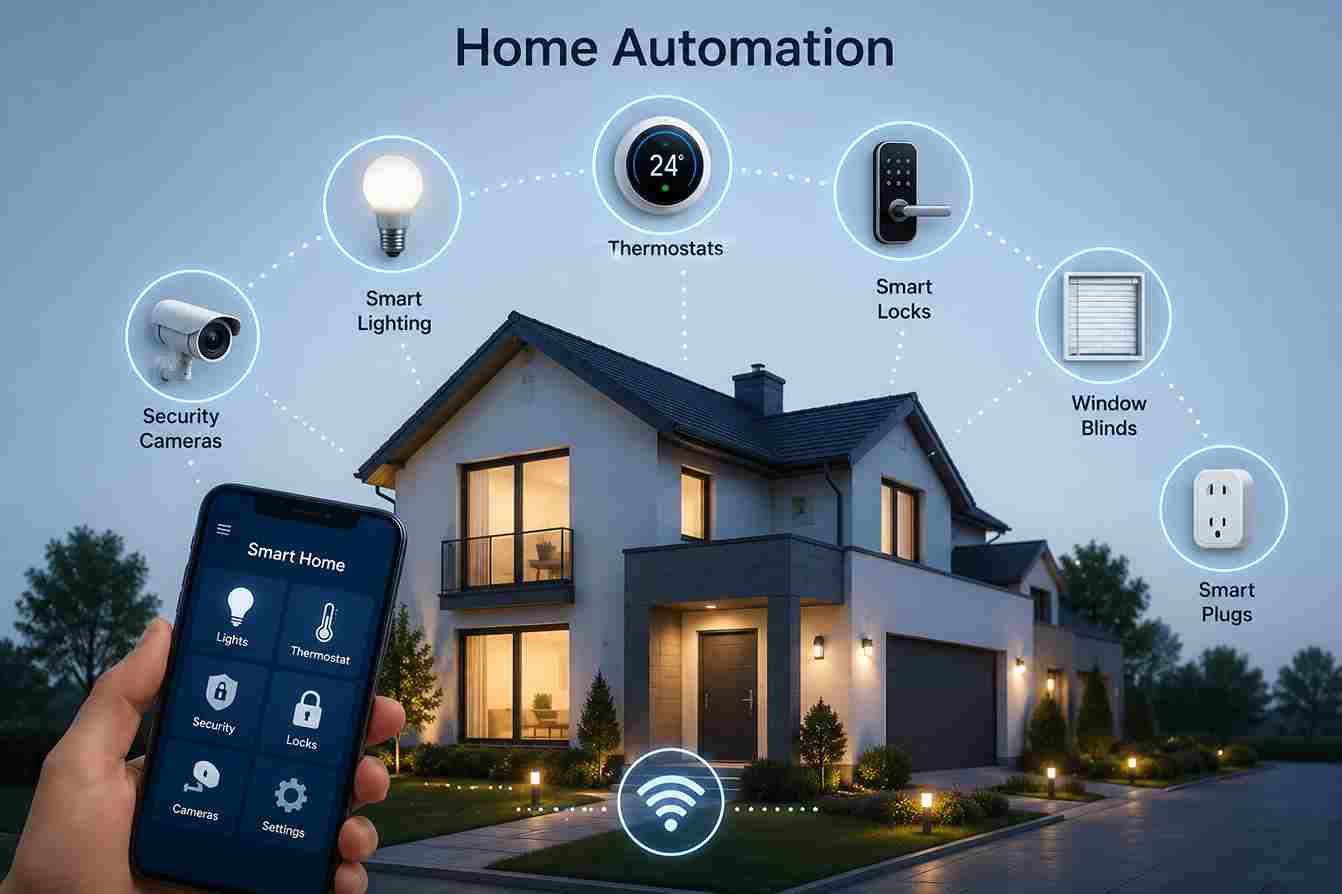
Home Automation is the process of connecting everyday household devices so they can communicate, respond intelligently, and perform tasks automatically with little or no manual intervention. By combining smart controllers, sensors, lighting, locks, thermostats, and appliances, homeowners can create a living environment that is more convenient, energy-efficient, secure, and comfortable.
Modern home automation goes far beyond turning lights on with a smartphone. Today’s systems can detect occupancy, adjust room temperatures, monitor security, respond to water leaks, optimize energy usage, and even learn routines to simplify daily life.
Whether you’re building your first smart home or expanding an existing setup, understanding the fundamentals of home automation helps you choose compatible devices and create automations that truly improve everyday living.


Home Automation vs Smart Home
The terms Home Automation and Smart Home are often used interchangeably, but they are not exactly the same.
A Smart Home refers to a home with connected devices that can be controlled remotely or through an app.
Home Automation goes a step further by allowing those devices to work together automatically based on schedules, sensors, or predefined rules.
| Feature | Smart Home | Home Automation |
|---|---|---|
| Remote Device Control | ✓ | ✓ |
| Smartphone Access | ✓ | ✓ |
| Automatic Actions | Limited | ✓ |
| Device Integration | Moderate | Extensive |
| Scheduled Tasks | Basic | Advanced |
| Sensor-Based Automation | Optional | Core Feature |
Example
Smart Home:
You open an app and turn on the living room lights.
Home Automation:
The motion sensor detects you entering the room after sunset, turns on the lights to 40% brightness, adjusts the thermostat, and starts your preferred music playlist automatically.
Automation focuses on reducing manual interaction by letting devices respond intelligently.
Wired vs Wireless Home Automation

There are two primary approaches to building a home automation system.
Wired Automation
Wired systems connect devices using dedicated cables such as Ethernet or specialized automation wiring.
Advantages
- Extremely reliable
- Minimal wireless interference
- Low latency
- Ideal for new construction
- Long-term stability
Disadvantages
- Higher installation cost
- Professional installation often required
- Difficult to retrofit existing homes
Wireless Automation
Wireless systems communicate using technologies such as:
- Z-Wave
- Zigbee
- Matter
- Wi-Fi
- Thread
- Bluetooth
Advantages
- Easier installation
- Lower cost
- Expandable
- DIY-friendly
- Flexible placement
Disadvantages
- Depends on wireless signal quality
- Battery-powered devices require maintenance
- May require mesh optimization
For most homeowners, wireless automation offers the best balance between cost, flexibility, and functionality.
Choosing the Right Smart Home Controller
The controller serves as the central hub of your automation system.
When selecting one, consider the following factors.
Device Compatibility
Ensure the controller supports the devices you plan to use.
Look for compatibility with:
- Z-Wave
- Zigbee
- Matter
- Wi-Fi devices
- Smart Sensors
- Smart Locks
- Smart Lighting
Local Automation
Controllers capable of local processing continue operating even if your internet connection is unavailable.
This improves:
- Reliability
- Privacy
- Response times
Expandability
Choose a controller that can grow with your home.
You may start with:
- Two lights
- One motion sensor
Later, you may expand to:
- Security systems
- HVAC automation
- Garage doors
- Whole-home lighting
- Energy monitoring
Ease of Use
Look for:
- Intuitive dashboards
- Mobile apps
- Automation builders
- Device grouping
- Scene management
Planning a Smart Home

Successful automation begins with careful planning.
Step 1 – Identify Your Goals
Ask yourself:
- Do you want greater convenience?
- Better home security?
- Lower energy costs?
- Improved accessibility?
- Whole-home automation?
Your goals determine which devices should be prioritized.
Step 2 – Choose a Platform
Examples include:
- Vera Controllers
- Home Assistant
- Hubitat
- SmartThings
Selecting a platform early helps avoid compatibility issues later.
Step 3 – Start Small
Begin with one room.
For example:
Living Room
- Motion Sensor
- Smart Switch
- Smart Plug
Once everything operates reliably, expand to additional rooms.
Step 4 – Build Gradually
Many homeowners eventually automate:
- Lighting
- Climate
- Security
- Entertainment
- Energy management
A gradual approach reduces complexity and makes troubleshooting easier.
Installing a Home Automation System
Step 1
Install the controller.
Complete:
- Firmware updates
- User account setup
- Initial configuration
Step 2
Add smart devices one at a time.
Confirm each device functions correctly before adding the next.
Step 3
Organize devices by room.
Example:
- Living Room
- Kitchen
- Bedroom
- Garage
- Office
This simplifies automation management.
Step 4
Create basic automations.
Examples include:
- Motion activates lights
- Door unlocks turn hallway lights on
- Leak sensors send alerts
- Thermostat adjusts when everyone leaves
Step 5
Test every automation thoroughly.
Verify:
- Trigger conditions
- Delays
- Notifications
- Device responses
Reliable testing prevents unexpected behavior.
Room-by-Room Automation Ideas

Living Room
Automations:
- Movie mode dims lights
- TV powers on with one command
- Ceiling fan adjusts automatically
- Curtains close after sunset
Kitchen
Automations:
- Morning lights activate before sunrise
- Coffee maker powers on via smart plug
- Leak sensors monitor under sinks
- Ventilation responds to humidity
Bedroom
Automations:
- Wake-up lighting
- Night mode activates automatically
- Thermostat adjusts for sleeping
- Smart blinds open gradually in the morning
Bathroom
Automations:
- Motion-activated lighting
- Humidity-controlled exhaust fan
- Heated towel rail scheduling
Garage
Automations:
- Garage door notifications
- Automatic lighting
- Security alerts
- Leak monitoring
Outdoor Areas
Automations:
- Landscape lighting
- Motion-activated security lights
- Irrigation schedules
- Smart gate control
Popular Home Automation Scenarios
Good Morning
Trigger: 6:30 AM weekdays
Actions:
- Bedroom lights fade on
- Thermostat adjusts
- Coffee maker powers on
- Blinds open
- Weather announcement plays
Leaving Home
Trigger: Front door locked
Actions:
- Lights turn off
- HVAC enters Eco mode
- Security system arms
- Garage confirms closed
- Smart plugs switch off
Arriving Home
Trigger: Front door unlocked
Actions:
- Hallway lights activate
- Indoor temperature adjusts
- Favorite music starts
- Security system disarms
Bedtime Routine
Trigger: 10:30 PM
Actions:
- Lock all doors
- Turn off downstairs lights
- Adjust thermostat
- Arm security system
- Switch on bedroom night light
Vacation Mode
Trigger: Vacation Mode enabled
Actions:
- Randomize lighting schedules
- Monitor sensors
- Send alerts
- Pause non-essential automations
- Reduce HVAC usage
Common Home Automation Mistakes

Buying Too Many Devices at Once
Adding dozens of devices simultaneously makes troubleshooting difficult.
Expand gradually.
Mixing Incompatible Products
Not every smart device works with every controller.
Always verify compatibility before purchasing.
Weak Wireless Coverage
Poor device placement can reduce reliability.
Distribute powered devices throughout the home to strengthen mesh networks.
Ignoring Firmware Updates
Updates improve:
- Security
- Stability
- Compatibility
- Performance
Regular maintenance is essential.
Overcomplicating Automations
Simple automations are usually the most reliable.
Build complex routines only after mastering the basics.
Troubleshooting Home Automation Problems
Automation Doesn’t Trigger
Check:
- Device connectivity
- Trigger conditions
- Time schedules
- Controller status
- Automation rules
Delayed Device Response
Possible causes:
- Weak wireless signal
- Controller overload
- Mesh routing issues
- Network congestion
False Motion Detection
Review:
- Sensor placement
- Sensitivity settings
- Pets
- Heating vents
- Direct sunlight
Notifications Not Working
Verify:
- Mobile app permissions
- Notification settings
- Internet connection
- User account configuration
Home Automation Buying Guide
When selecting smart home devices, consider:
Compatibility
Ensure every device supports your controller and preferred wireless protocol.
Expandability
Purchase products that allow future additions without replacing existing equipment.
Security
Choose devices with:
- Encryption
- Secure firmware updates
- Trusted manufacturers
- Ongoing software support
Local Control
Whenever possible, prioritize devices that support local automation instead of relying entirely on cloud services.
Energy Efficiency
Battery-powered sensors and low-power wireless protocols help reduce maintenance and operating costs.
Best Practices
To build a reliable and future-ready smart home:
- Start with a clear automation plan.
- Add devices gradually.
- Use consistent naming for rooms and devices.
- Keep firmware updated.
- Back up controller configurations.
- Test automations after changes.
- Use mesh-friendly protocols like Z-Wave and Zigbee where appropriate.
- Document important automation rules.
- Review security settings regularly.
- Expand your system based on real needs rather than trends.
A thoughtfully designed home automation system becomes more valuable over time, adapting to your lifestyle while improving convenience, efficiency, and security.
Frequently Asked Questions
What is Home Automation?
Home Automation is the use of connected devices, sensors, controllers, and software to automate household tasks without requiring manual operation.
What is the difference between Home Automation and a Smart Home?
A smart home contains connected devices.
Home automation allows those devices to work together automatically based on schedules, conditions, or sensor events.
Does Home Automation require internet access?
Not always.
Many systems continue operating locally through a compatible controller, even when the internet connection is unavailable.
Internet access is mainly needed for:
- Remote access
- Cloud services
- Voice assistants
- Mobile notifications
What devices can be automated?
Almost every major household system can be automated, including:
- Lighting
- Switches
- Locks
- Garage doors
- Curtains
- Thermostats
- Security systems
- Cameras
- Water valves
- Appliances
- Irrigation systems
Is Home Automation expensive?
Not necessarily.
Many homeowners begin with a few smart devices and expand gradually over time.
Starting with lighting, sensors, and smart plugs keeps costs manageable while providing immediate benefits.
Is Home Automation secure?
Yes, when properly configured.
Security improves by:
- Using strong passwords
- Enabling two-factor authentication
- Installing firmware updates
- Purchasing devices from reputable manufacturers
Can Home Automation save energy?
Absolutely.
Automation reduces unnecessary energy consumption by:
- Turning lights off automatically
- Adjusting thermostats
- Managing standby power
- Optimizing heating and cooling schedules
Can I install Home Automation myself?
Many modern smart home products are designed for DIY installation.
More advanced systems or electrical modifications may require professional installation.
Which wireless protocol is best?
Each has strengths.
Z-Wave
- Reliable mesh networking
- Excellent interoperability
- Low power consumption
Zigbee
- Large device ecosystem
- Fast communication
- Excellent for lighting and sensors
Matter
- Broad compatibility across ecosystems
- Future-focused interoperability
The best choice depends on your existing devices and long-term plans.
Can Home Automation increase property value?
Many buyers view smart home features as valuable upgrades, particularly:
- Smart security
- Automated lighting
- Energy management
- Smart thermostats
- Connected door locks
Can I automate an existing home?
Yes.
Wireless technologies make it possible to retrofit most existing homes without extensive renovations.
Is Home Automation suitable for apartments?
Yes.
Even small apartments benefit from:
- Smart lighting
- Smart plugs
- Motion sensors
- Door sensors
- Smart locks
- Smart speakers
What happens if the controller fails?
Automations managed by that controller may stop functioning until it is restored.
Regular backups simplify recovery after hardware replacement.
Can multiple family members control the system?
Yes.
Most platforms allow multiple user accounts with different permission levels for household members.
Does Home Automation improve accessibility?
Yes.
Voice control, automated lighting, remote monitoring, and scheduled routines can make daily living easier for older adults and individuals with mobility challenges.
Conclusion
Home Automation transforms individual smart devices into a connected ecosystem that works together to simplify everyday living. By combining controllers, sensors, lighting, climate control, and security systems, homeowners can create routines that improve comfort, reduce energy consumption, and enhance safety.
Whether you’re automating a single room or designing a whole-home smart environment, starting with a solid foundation and expanding gradually will deliver the best long-term results. Choosing compatible devices, maintaining secure systems, and creating thoughtful automation rules ensures a reliable smart home that can evolve alongside new technologies and changing household needs.




