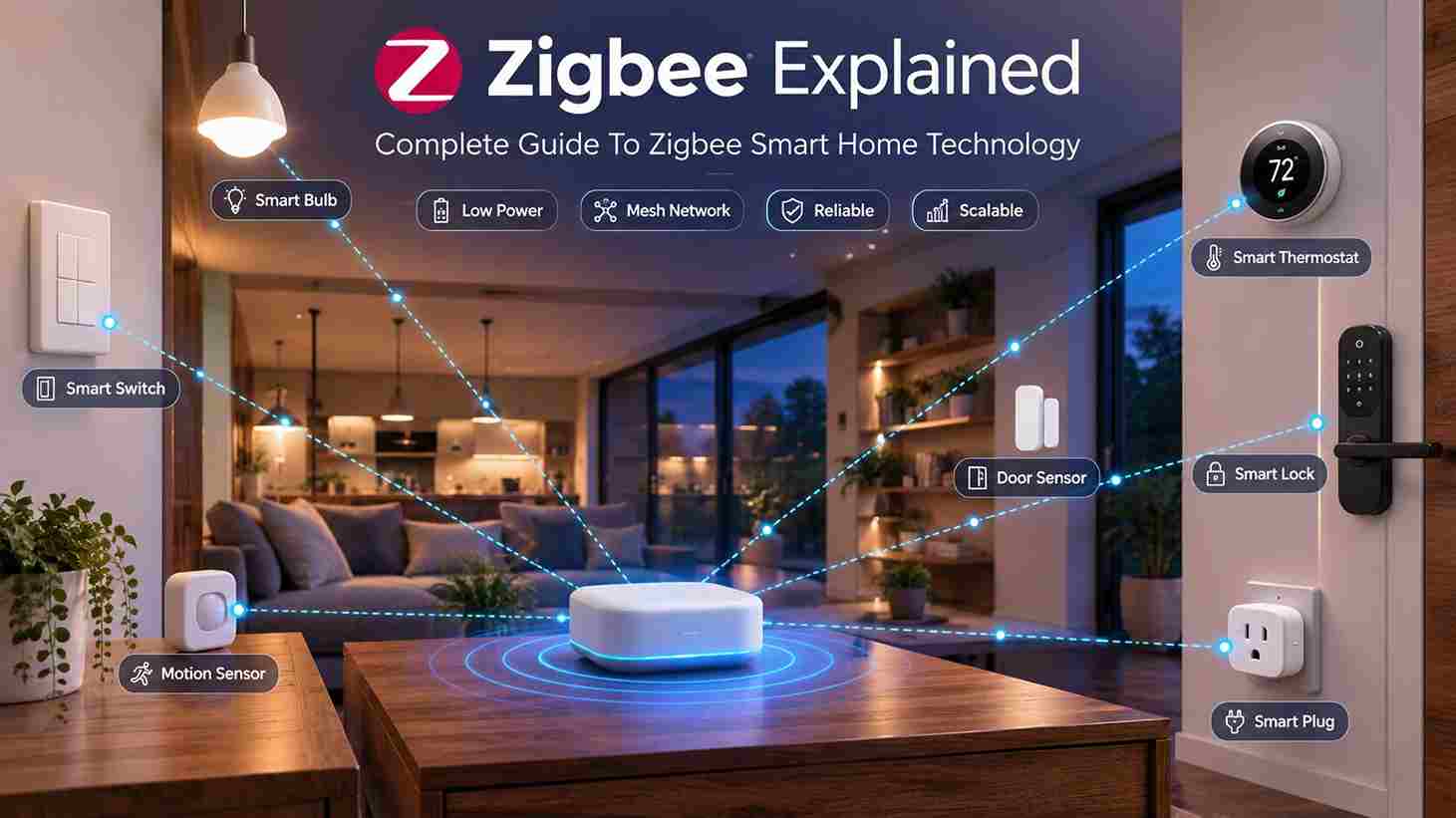
Zigbee is one of the most widely used wireless communication protocols for smart home automation. Designed for low-power, reliable communication between connected devices, Zigbee enables smart lights, switches, sensors, locks, and other home automation products to communicate efficiently over a mesh network.
Unlike traditional Wi-Fi devices that connect directly to a router, Zigbee devices communicate with one another, extending network coverage and improving reliability throughout the home. This makes Zigbee an excellent choice for homeowners building a scalable and dependable smart home ecosystem.
If you’re building your first connected home, our Complete Home Automation Guide explains how smart hubs, wireless protocols, and automation devices work together.
What is Zigbee?

It is a wireless communication protocol specifically designed for low-power devices used in home automation, industrial monitoring, and Internet of Things (IoT) applications.
Its primary goals are:
- Low energy consumption
- Reliable communication
- Mesh networking
- Fast response times
- Support for hundreds of connected devices
Unlike Wi-Fi, its devices communicate with nearby devices instead of requiring every device to connect directly to the router.
How Zigbee Works
A network consists of several types of devices working together.
Typical communication flow:
User
↓
Mobile App
↓
↓
Coordinator
↓
Mesh Network
↓
Devices
↓
Automation Executes
Commands can also originate from:
- Motion sensors
- Door sensors
- Smart switches
- Voice assistants
- Scheduled routines
- Automation rules
Because communication occurs locally, the automations continue working even when internet connectivity is temporarily unavailable.
Zigbee Network Architecture

This network contains three primary device types.
Zigbee Coordinator
The coordinator creates and manages the network.
Responsibilities include:
- Creating the network
- Adding new devices
- Managing security keys
- Coordinating communication
Every Zigbee network has only one coordinator.
Zigbee Router
Router devices relay messages between other devices.
Examples include:
- Smart plugs
- Smart switches
- Permanently powered smart bulbs
- In-wall controllers
Routers expand coverage by forwarding messages across the mesh network.
Zigbee End Devices
End devices communicate with the coordinator or nearby routers.
Examples include:
- Motion sensors
- Temperature sensors
- Contact sensors
- Water leak sensors
- Battery-powered remotes
Because they do not relay traffic, end devices consume very little power.
Mesh Networking
One of its greatest strengths is mesh networking.
Instead of every device connecting directly to the hub, devices relay messages between one another.
Example:
Coordinator
↓
Living Room Smart Plug
↓
Hallway Smart Switch
↓
Bedroom Motion Sensor
↓
Bedroom Smart Bulb
Each powered device strengthens the network.
Benefits include:
- Better coverage
- Increased reliability
- Multiple communication paths
- Self-healing network
- Easier expansion
As more powered devices are installed, the network generally becomes stronger rather than weaker.
Frequency Bands

It supports several radio frequencies around the world.
The most common is: 2.4 GHz
Advantages:
- Worldwide compatibility
- High device availability
- Fast communication
Some regional implementations also support lower-frequency bands, but most consumer smart home products operate on 2.4 GHz.
Device Categories
It supports a wide variety of smart home products.
Common categories include:
Smart Lighting
- Smart bulbs
- LED strips
- Ceiling lights
- Outdoor lighting
Smart Switches
- Wall switches
- Dimmers
- Scene controllers
Smart Sensors
- Motion sensors
- Contact sensors
- Occupancy sensors
- Temperature sensors
- Humidity sensors
- Water leak sensors
Smart Locks
Many smart locks use Zigbee for secure local communication.
Smart Plugs
Useful for automating:
- Lamps
- Fans
- Coffee makers
- Holiday decorations
Smart Thermostats
Many thermostats are used to integrate with whole-home automation systems.
Advantages of Zigbee

It remains popular because it offers several important benefits.
Low Power Consumption
Battery-powered devices often operate for months or even years before requiring battery replacement.
Reliable Mesh Networking
Every powered device strengthens the overall network.
Fast Local Communication
Commands usually execute almost instantly.
Scalable Networks
Large installations can support hundreds of connected devices.
Local Automation
Automations continue functioning even during temporary internet outages.
Mature Ecosystem
It has been used in home automation for many years, resulting in a large ecosystem of compatible devices.
Where Zigbee Works Best
It is especially useful in:
- Large homes
- Multi-story houses
- Smart lighting systems
- Security systems
- Energy monitoring
- Whole-home automation
- Commercial buildings
Homes with many connected devices benefit most from mesh networking capabilities.
Zigbee vs Wi-Fi
Many smart home devices use either Zigbee or Wi-Fi, but the two technologies serve different purposes.
| Feature | Zigbee | Wi-Fi |
|---|---|---|
| Power Consumption | Very Low | High |
| Mesh Networking | Yes | No |
| Local Communication | Yes | Limited |
| Router Load | Minimal | High |
| Internet Required | No | Often Yes |
| Best For | Smart Homes | General Networking |
Zigbee Advantages
- Lower battery usage
- Better for large smart homes
- Supports hundreds of devices
- Less Wi-Fi congestion
- Reliable local automation
Wi-Fi Advantages
- Simple setup
- No dedicated Zigbee hub for many devices
- Higher bandwidth
- Ideal for cameras and media devices
For lighting, sensors, switches, and automation, it is generally the better choice.
Homeowners choosing between Wi-Fi and dedicated smart home protocols should also compare Z-Wave before deciding.
Zigbee vs Z-Wave
Both are popular smart home protocols.
| Feature | Zigbee | Z-Wave |
|---|---|---|
| Frequency | 2.4 GHz | Sub-GHz |
| Mesh Network | Yes | Yes |
| Maximum Devices | 65,000+ | 232+ |
| Speed | Faster | Slightly Slower |
| Battery Life | Excellent | Excellent |
| Device Compatibility | Very Large | Large |
Choose Zigbee If You Want
- Large lighting systems
- Numerous sensors
- Lower device costs
- Wide product availability
Choose Z-Wave If You Want
- Reduced wireless interference
- Strong compatibility certification
- Reliable long-distance communication
- Security-focused automation
Both technologies remain excellent choices for modern smart homes.
Zigbee vs Matter

Although often compared, Zigbee and Matter are different technologies.
Zigbee
- Wireless communication protocol
- Creates a mesh network
- Requires a coordinator
- Handles device communication
Matter
- Smart home application standard
- Improves interoperability
- Runs over Thread, Wi-Fi, or Ethernet
- Simplifies multi-brand compatibility
Many future smart homes will include both Zigbee and Matter devices working together through compatible hubs.
Security
Security has always been an important part of Zigbee.
Features include:
- AES-128 encryption
- Device authentication
- Secure network keys
- Protected pairing
- Local communication
- Network isolation
Keeping firmware updated helps maintain strong security.
Installing a Zigbee Network
Building a network is straightforward.
Step 1
Install a Zigbee-compatible hub or controller.
Examples include smart home hubs that support devices.
Step 2
Power on the coordinator.
This creates the network.
Step 3
Pair new Zigbee devices.
Most products include a pairing or reset button.
Step 4
Assign devices to rooms.
Examples:
- Living Room
- Kitchen
- Bedroom
- Garage
Organizing devices improves automation management.
Step 5
Create automation rules.
Examples include:
- Motion turns on hallway lights.
- Door sensor activates entry lighting.
- Sunset triggers outdoor lighting.
- Smart lock activates welcome lighting.
Expanding a Mesh

Unlike Wi-Fi, Zigbee becomes stronger as additional powered devices are added.
Good mesh extenders include:
- Smart plugs
- Smart switches
- Permanently powered smart bulbs
- In-wall outlets
Battery-powered sensors do not extend the mesh.
A good rule is to place powered devices throughout the home to ensure reliable coverage.
Common Problems
Even reliable networks occasionally experience issues.
Device Won’t Pair
Possible causes include:
- Device already paired elsewhere
- Coordinator not in pairing mode
- Weak signal
- Firmware incompatibility
Resetting the device often resolves pairing issues.
Poor Network Coverage
Causes include:
- Too few powered devices
- Large distances
- Thick walls
- Metal obstacles
Adding powered routers usually improves coverage.
Devices Respond Slowly
Possible causes:
- Weak mesh network
- Coordinator overload
- Wireless interference
- Outdated firmware
Battery Drains Quickly
Battery-powered devices may consume more energy if:
- Signal strength is poor
- Devices repeatedly reconnect
- Firmware is outdated
A stronger mesh network generally improves battery life.
Troubleshooting Networks

If devices stop responding, work through these steps.
Restart the Coordinator
Rebooting the hub often restores communication.
Check Signal Strength
Ensure nearby powered devices can relay messages.
Update Firmware
Manufacturers frequently improve stability through firmware updates.
Remove and Re-Pair Devices
Rejoining the network often resolves persistent communication issues.
Reduce Wireless Interference
Although it is designed to coexist with Wi-Fi, relocating devices or adjusting Wi-Fi channels may improve reliability in congested environments.
Buying Guide
When selecting products, consider the following factors.
Hub Compatibility
Verify that the device supports your existing smart home controller.
Device Certification
Choose products from reputable manufacturers that provide ongoing firmware support.
Automation Support
Look for products that support:
- Scheduling
- Scenes
- Automation rules
- Voice assistants
Power Source
Remember:
- Plugged-in devices strengthen the mesh.
- Battery-powered sensors do not.
Planning device placement helps maximize coverage.
Scalability
If you intend to automate your entire home, choose devices that can easily integrate with future additions such as sensors, switches, locks, and lighting.
Best Practices for Building a Zigbee Smart Home

For a reliable and expandable network:
- Start with a compatible hub or controller.
- Place powered devices throughout the home.
- Avoid placing the coordinator near large metal objects or other sources of interference.
- Group devices by room for easier management.
- Use automation scenes instead of controlling devices individually.
- Keep firmware updated.
- Expand gradually to maintain a strong mesh network.
These practices improve performance while reducing connectivity issues.
Related Guides
- Z-Wave: The Complete Guide
- Matter Explained
- Best Smart Home Hubs
- Home Automation Guide
- Smart Sensors Guide
Frequently Asked Questions
What is Zigbee?
It is a low-power wireless communication protocol designed specifically for smart home and Internet of Things (IoT) devices. It allows compatible devices to communicate through a mesh network instead of connecting individually to a Wi-Fi router.
Does it require a hub?
Yes.
Most Zigbee devices require a coordinator or compatible smart home hub to join the network and communicate with other devices.
Is it better than Wi-Fi?
For smart home automation, it is often the better choice because it offers:
- Lower power consumption
- Faster local communication
- Better scalability
- Mesh networking
- Longer battery life
Wi-Fi remains better for bandwidth-intensive devices such as cameras and streaming equipment.
Does it work without internet?
Yes.
Once configured, most automations continue working locally even if your internet connection is unavailable.
How many devices can a network support?
A network can theoretically support over 65,000 devices, although practical limits depend on the coordinator and hub being used.
What devices use Zigbee?
Common products include:
- Smart bulbs
- Smart switches
- Motion sensors
- Door sensors
- Smart locks
- Smart plugs
- Thermostats
- Water leak sensors
What is Zigbee mesh networking?
Mesh networking allows powered devices to relay messages for one another.
Instead of communicating directly with the hub, messages can travel through several nearby devices until reaching their destination.
Do battery-powered Zigbee devices extend the mesh?
No.
Only permanently powered devices such as:
- Smart plugs
- Wall switches
- Wired dimmers
- In-wall outlets
help extend the mesh network.
Is Zigbee secure?
Yes.
Its uses:
- AES-128 encryption
- Secure authentication
- Network security keys
- Protected pairing
Firmware updates should be installed regularly to maintain security.
Can Zigbee and Matter work together?
Yes.
Many smart home hubs support both technologies, allowing Zigbee devices to coexist alongside Matter-compatible products.
Is it compatible with Vera controllers?
Some Vera controllers support it alongside Z-Wave, enabling users to manage multiple wireless technologies from a single automation platform.
Does Zigbee interfere with Wi-Fi?
Because it commonly operates on the 2.4 GHz frequency band, some overlap with Wi-Fi channels is possible.
Proper channel selection usually minimizes interference.
How far can it communicate?
Typical indoor range is:
- 10–20 meters between devices
However, the mesh network greatly extends total coverage by relaying messages through powered devices.
Can Zigbee be used outdoors?
Yes.
Outdoor-rated devices such as smart plugs, lighting, and sensors are available for exterior installations.
Is Zigbee suitable for large homes?
Absolutely.
Large homes often benefit the most from it because each powered device strengthens the mesh network.
Conclusion
Zigbee has become one of the most trusted wireless technologies for smart home automation thanks to its low power consumption, reliable mesh networking, and broad ecosystem of compatible devices. Whether you’re automating lighting, security, climate control, or energy management, it provides a stable and scalable foundation for connected homes.
As smart home technology continues to evolve alongside Matter, many homeowners combine Zigbee with Z-Wave devices using compatible smart home hubs. Expanding your system with smart lighting, smart switches, smart sensors, and smart locks creates a flexible automation platform that can grow with your home for years to come.




