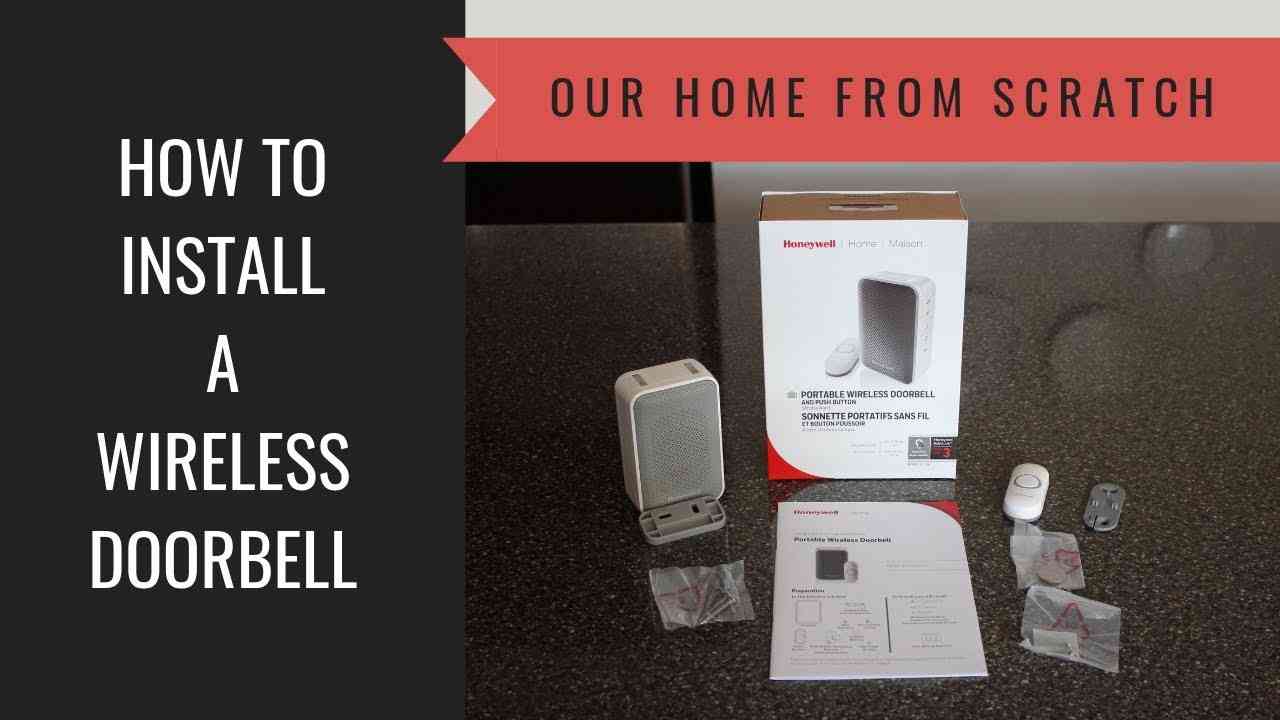
A package arrives at your front door while you’re away. A few seconds later, your phone buzzes with a notification showing who approached your house and when they left. For many homeowners, that convenience is the main reason a wireless doorbell has become one of the most popular smart home upgrades in recent years.
Unlike traditional wired systems, modern doorbells can send alerts to your phone, record video footage, communicate with visitors, and integrate with other smart devices throughout your home. However, not every model delivers the same experience. Signal range, battery performance, video quality, and compatibility with platforms like Alexa or Google Home can vary significantly.
This guide explains what matters before you buy, helping you choose a system that fits your home, budget, and security needs.
Why More Homeowners Are Choosing a Wireless Doorbell

The appeal of a wireless doorbell goes beyond convenience. Installation is often simpler because there is little or no wiring involved. Many homeowners can complete setup in less than an hour without hiring an electrician.
Several factors are driving adoption:
- Increased online shopping and package deliveries
- Demand for remote monitoring
- Better smartphone integration
- Affordable smart home technology
- Improved battery life and video quality
A modern smart doorbell can act as both a communication tool and a basic security device, allowing homeowners to see visitors in real time whether they’re home or across the country.
Types of Wireless Doorbell Systems

Not every system works the same way. Understanding the main categories can narrow your options quickly.
Battery-Powered Models
Battery-powered units are the easiest to install. Most attach using screws or adhesive mounts and require no electrical wiring.
Advantages include:
- Quick installation
- Ideal for renters
- Flexible placement
- No electrical work required
Many battery-powered models operate for three to twelve months before needing a recharge, depending on usage and weather conditions.
Plug-In Receivers
Some systems use a battery-operated button outside and a receiver plugged into a wall outlet inside.
These are often found in:
- Apartments
- Condominiums
- Small homes
- Rental properties
Most provide reliable alerts without requiring Wi-Fi or smartphone connectivity.
Video Doorbells With Cameras
A wireless doorbell equipped with a camera provides additional security features.
Typical capabilities include:
- Live video streaming
- Motion detection
- Two-way audio
- Cloud recording
- Smart notifications
For homeowners concerned about package theft or unexpected visitors, a video doorbell offers significantly more functionality than a standard chime system.
Wireless Doorbell Range Explained

One of the most overlooked buying factors is range.
Manufacturers often advertise maximum distances, but real-world performance depends on several environmental factors.
What Affects Signal Strength
Signal quality can decrease due to:
- Brick walls
- Concrete construction
- Metal siding
- Large appliances
- Multiple floors
For example, a system advertised with a 1000-foot range may only achieve 400 to 600 feet inside a large home.
Typical Range Expectations
Most modern systems fall into these categories:
| Range Rating | Typical Performance |
| 150–300 feet | Small apartments |
| 300–600 feet | Average homes |
| 600–1000 feet | Large homes and properties |
A wireless doorbell intended for a large property should ideally offer at least 800 feet of rated range.
Large Homes vs Small Homes
Smaller homes generally experience fewer signal issues because fewer obstacles interfere with transmission.
Larger homes may require:
- Wi-Fi extenders
- Additional chime units
- Mesh networking systems
Testing signal strength before permanently mounting the device can prevent future frustration.
Battery Life and Power Options

Battery performance directly affects convenience.
Some buyers focus heavily on camera quality but overlook ongoing maintenance requirements.
Rechargeable Batteries
Most premium models use rechargeable lithium-ion batteries.
Average lifespan per charge:
- Light use: 8–12 months
- Moderate use: 4–6 months
- Heavy activity: 2–4 months
Motion detection frequency significantly affects battery consumption.
Replaceable Batteries
Some doorbells use standard AA or specialty batteries.
Benefits include:
- Instant replacement
- No charging downtime
- Lower initial cost
However, replacement costs add up over time.
Wired Power Alternatives
Many homeowners choose a wireless doorbell that can also connect to existing doorbell wiring.
Advantages include:
- Continuous power
- Fewer charging interruptions
- Better support for advanced features
Video recording and continuous monitoring often perform better when external power is available.
Camera Features Worth Paying For

Not every camera feature justifies the extra cost. Some upgrades offer meaningful benefits while others are less important for average homeowners.
Resolution and Video Quality
Common resolutions include:
| Resolution | Best For |
| 1080p | Basic monitoring |
| 1440p | Improved detail |
| 2K | Identifying faces and packages |
A 2K camera typically captures clearer details than standard 1080p video, especially when zooming in.
Night Vision
Many deliveries and visitor events occur after sunset.
Look for:
- Infrared night vision
- Color night vision
- Automatic low-light adjustment
Quality night vision can make the difference between identifying a visitor and seeing only a silhouette.
Motion Detection
Advanced motion detection helps reduce unnecessary alerts.
Features may include:
- Human detection
- Vehicle detection
- Package detection
- Activity zones
Custom activity zones are especially useful for homes near busy sidewalks.
Package Detection
Package recognition uses AI to identify deliveries separately from people.
Benefits include:
- Delivery-specific notifications
- Theft monitoring
- Improved event categorization
This feature is increasingly common in premium systems.
Cloud Storage vs Local Storage
Storage options affect both privacy and long-term cost.
Cloud storage advantages:
- Remote access
- Automatic backups
- Easy sharing
Local storage advantages:
- No monthly subscription
- Better privacy control
- Faster playback access
Evaluate subscription fees carefully before purchasing.
Smart Home Compatibility

A wireless doorbell becomes more useful when connected to other smart devices.
Alexa Integration
Alexa compatibility can provide:
- Voice announcements
- Smart display video feeds
- Automated routines
For example, a compatible system can display the front door camera automatically on an Echo Show when someone rings the bell.
Google Home Integration
Google Home users may benefit from:
- Voice control
- Live camera feeds
- Smart notifications
Integration quality varies by manufacturer, so verify compatibility before buying.
Apple Home Compatibility
Apple users should look for HomeKit support.
Benefits include:
- Secure video storage
- Siri control
- Automation scenes
HomeKit-compatible devices often emphasize privacy protections.
Smart Locks and Automation
Some systems can connect directly with smart locks.
Possible automations include:
- Unlocking doors remotely
- Creating visitor access codes
- Triggering porch lighting
These integrations transform a simple doorbell into a broader home access system.
Wireless Doorbell Installation Tips

Proper installation can improve performance significantly.
Best Placement
Most manufacturers recommend installation:
- 48–52 inches above ground
- Near primary entry points
- Away from direct sunlight
Correct positioning improves facial recognition and motion detection accuracy.
Wi-Fi Requirements
Many video-enabled systems require:
- 2.4 GHz Wi-Fi
- Stable broadband connection
- Strong signal strength near the front door
A wireless doorbell may perform poorly if Wi-Fi coverage is weak at the installation location.
Common Installation Mistakes
Avoid these common issues:
- Mounting too high
- Ignoring Wi-Fi strength
- Pointing directly at sunlight
- Skipping motion zone setup
Small adjustments can significantly improve performance.
How to Compare Models Before Buying

Comparing specifications side by side makes shopping easier.
Feature Comparison Checklist
Before purchasing, compare:
- Range
- Battery life
- Resolution
- Smart home support
- Storage options
- Subscription costs
- Warranty coverage
Budget Options
Typical price range:
- $30–$80
Best for:
- Apartments
- Basic visitor alerts
- Non-camera applications
Mid-Range Options
Typical price range:
- $80–$200
Often include:
- 1080p cameras
- Motion detection
- Mobile alerts
- Cloud storage support
Premium Options
Typical price range:
- $200–$400+
Usually offer:
- 2K resolution
- Advanced AI detection
- Expanded automation
- Enhanced storage features
Choosing a wireless doorbell based solely on price often leads to disappointment. Features should match your specific needs.
Common Wireless Doorbell Problems and Solutions

Even well-designed systems occasionally experience issues.
Missed Notifications
Possible causes:
- Weak Wi-Fi
- Notification settings
- App restrictions
Check both device settings and smartphone permissions.
Weak Wi-Fi Signals
Solutions include:
- Mesh Wi-Fi systems
- Range extenders
- Router relocation
Reliable connectivity improves response times.
Short Battery Life
Battery drain often results from:
- Excessive motion events
- Cold weather
- High video activity
Reducing unnecessary detection zones can extend runtime.
False Motion Alerts
Common triggers include:
- Moving trees
- Passing cars
- Shadows
- Pets
Custom activity zones can dramatically reduce false notifications.
Frequently Asked Questions

How far can a wireless doorbell reach?
Most systems operate between 150 and 1000 feet under ideal conditions. Walls, metal structures, and other obstacles reduce effective range.
Do wireless doorbells work without Wi-Fi?
Basic non-camera models often work without Wi-Fi. Video-enabled models typically require internet connectivity for remote access and notifications.
How long do batteries last?
Most batteries last between three and twelve months depending on usage patterns, climate, and camera activity.
Are video doorbells worth it?
For homeowners who want visitor monitoring, package tracking, and remote communication, video doorbells provide substantial value.
Can renters install one?
Yes. Many battery-powered models use removable mounts and do not require permanent electrical modifications.
Are wireless doorbells secure?
Modern devices generally use encrypted communication and secure authentication methods. Keeping firmware updated improves protection.
What smart home systems are supported?
Many products support Alexa, Google Home, and Apple HomeKit. Compatibility varies by brand and model.
Final Thoughts
Choosing the right wireless doorbell comes down to balancing range, battery performance, camera quality, and smart home compatibility. A homeowner in a small apartment may prioritize easy installation and affordability, while someone managing a larger property may need stronger signal coverage, advanced motion detection, and deeper automation features.
Before purchasing, measure Wi-Fi strength near your front door, decide whether cloud subscriptions fit your budget, and determine how important video recording is for your household. Comparing those factors will help you narrow the field quickly.
The best wireless doorbell is not necessarily the most expensive one. It is the model that fits your home’s layout, your security expectations, and the way you actually use technology every day. By evaluating range, power options, camera features, and smart home integrations carefully, you can invest in a system that remains useful long after installation.





Leave a Reply